Centralizing Domain Controller logs with Windows Event Forwarding - Part 1: Tier 0 collector, subscriptions, and tamper test
On this page
FAQ
What is Windows Event Forwarding (WEF)?
Windows Event Forwarding (WEF) is the native Windows feature that forwards events from multiple computers to a Windows Event Collector (WEC) over WinRM (Windows Remote Management), without installing agents. With a source-initiated subscription, the Domain Controllers contact the collector, configured by a GPO (Group Policy Object); events arrive in the collector's ForwardedEvents log.
Does WEF replace a SIEM?
No. WEF concentrates and stores events, but it offers no correlation, advanced search, dashboards, or alerting. An analysis layer, such as Zabbix + Grafana or a SIEM (Security Information and Event Management) like Microsoft Sentinel, sits on top of the collector.
Why don't the Domain Controllers fall under Domain Computers in the subscription?
Domain Controllers are members of the Domain Controllers group, not of Domain Computers. If the subscription's SDDL (Security Descriptor Definition Language) authorizes only Domain Computers (alias DC), the DCs are unauthorized; you need to authorize Domain Controllers (alias DD). For a collector dedicated to DCs, DD is enough: also authorizing Domain Computers would allow any computer in the domain to send events. The SDDL is explained piece by piece in LAB 4.
Can I collect all the DCs' security events?
Technically yes, but it is not recommended as a starting point: Kerberos and logon events generate high volumes and storage or licensing costs. Start from a low-volume, high-value set, measure the real volume, and add the high-volume events (authentication failures) in a controlled way.
Goal of this guide
This is a LAB-first, step-by-step guide: each LAB starts by explaining what you are about to do and why, states which machine each command runs on, and where to verify the result. All changes must be applied only to the isolated domain described here; do not connect the lab to a production forest and do not reuse corporate passwords, certificates, or addresses.
By the end of this Part 1 you will have: a collector in Tier 0 with WinRM, firewall, and (optionally) HTTPS; an audit policy with SACLs verified on the DCs; two subscriptions (low-volume events and authentication failures); proof that a copy survives the clearing of the Security log; the reading of the heartbeat so you notice a source that stops communicating; and guidance on sizing, hardening, and archiving for the collector. The LAB does not replace sizing and a security review of the collector in production.
This guide is part of a three-part series.
| Part | Topic | What it contains |
|---|---|---|
| 1 (this one) | Collect | Collector in Tier 0, subscriptions, tamper test, heartbeat, sizing, hardening, and archive |
| 2 | Monitor | Monitoring the collection chain with Zabbix + Grafana: sentinel event (canary), latency and silence, WinRM for WEF, collector reachability, GPO change, Telegram alerts |
| 3 | Analyze | Search and history with Loki and Alloy, a free SIEM or XDR and, in an appendix, Microsoft Sentinel |
Parts 2 and 3 are in preparation and will be released in the coming weeks.
This guide complements the work done in the KRBTGT rotation runbook, where telemetry and alerts on Sentinel or Zabbix are assumed to be already available, and in the NTLM audit, which depends on collecting authentication events from the DCs.
Scenario and expected outcome
A team must be able to answer three questions about the Domain Controllers: who modified a privileged group, when a security log was cleared, and whether all the DCs are still sending events. Today the logs stay on each individual DC: they roll over quickly, they are read one at a time, and an attacker with administrative rights can clear them. In the LAB you bring a centralized copy to a collector, test the clearing, and decide at which level to forward.
| Phase | Action | Expected result | Evidence |
|---|---|---|---|
| Preparation | Create LAB-WEC01 in Tier 0, CNAME, WinRM, firewall, (HTTPS) | Collector ready to receive | Check output and screenshots |
| Baseline | Read audit policy, log size, services | Initial state documented | auditpol, wevtutil, services export |
| Audit | Apply advanced audit policy and SACLs to the DCs | Events are generated locally | auditpol /get and test events |
| Collector | Enable WEC and size ForwardedEvents | Services running, log sized | wecutil qc, log size |
| Sources | Subscription manager GPO and read permission | The DCs contact the collector | Active state in wecutil gr |
| Subscription | Create the two event sets | Events arrive in ForwardedEvents | ID 4720, ID 4726, and others on the collector |
| Tampering | Clear the LAB DC's Security log | ID 1102 and a copy of the earlier events on the collector | Events on the collector after the clearing |
| Health | Check heartbeat and silence | A stopped source is detected | Screenshot and wecutil gr output |
Lab topology
| System | Example | Role | Requirement |
|---|---|---|---|
LAB-DC01 | dc01.lab.contoso.test | AD DS, DNS | Supported, up-to-date Windows Server |
LAB-DC02 | dc02.lab.contoso.test | Second DC (recommended) | Needed to test multiple sources and the silence of just one |
LAB-WEC01 | wec01.lab.contoso.test | Windows Event Collector | Domain member server, not a DC, in Tier 0 |
| (alias) | wec.lab.contoso.test | CNAME of LAB-WEC01 used by the GPO and subscriptions | With SPNs registered (see Preparation) |
LAB-CLIENT01 | client01.lab.contoso.test | Generates test activity | RSAT, domain joined |
LAB-ARCH01 | arch01.lab.contoso.test | File server for the archive of .evtx exports | Windows Server in Tier 0, only for the Hardening section |
The collector must be a dedicated member server. Do not install the collector role on a Domain Controller: the collector concentrates a copy of the security events of all the DCs and must be protected with the same rigor, but it must not widen the attack surface of Tier 0 itself. LAB-WEC01 must be treated as a Tier 0 system, with all the hardening described in the Preparation section.
Windows Server versions. This guide was tested with Windows Server 2016 Domain Controllers (LAB-DC01) and Windows Server 2025 (LAB-DC02), and with a Windows Server 2025 collector (LAB-WEC01). For Windows Server 2019 and 2022 collectors, the guidance, in particular the URL ACL in LAB 2, comes from third-party guides and has not been verified in this LAB.
Recommended hardware for the LAB
Lab values, intended for those who want to reproduce what is described on a single virtualization host. They are not production sizing (for that, see "Sizing and retention").
| VM | vCPU | RAM | Disk | Network adapters | Notes |
|---|---|---|---|---|---|
LAB-DC01 | 2 | 4 GB | 60 GB | 1 | Windows Server 2016, AD DS and DNS |
LAB-DC02 | 2 | 4 GB | 60 GB | 1 | Second DC on Windows Server 2025, used for the silence test |
LAB-WEC01 | 2 | 4 GB (2 GB with Server Core) | 60 GB system + 40 GB data | 1 | Windows Server 2025. The data disk hosts ForwardedEvents and the export staging; a second adapter is optional for a management segment |
LAB-CLIENT01 | 2 | 4 GB | 60 GB | 1 | Windows 11, to generate activity |
LAB-ARCH01 (optional) | 2 | 2-4 GB | 60 GB + 100 GB data | 1 | For the export archive |
Minimum profile (DC01, DC02, WEC01): about 12 GB of assigned RAM, 6 vCPUs, and 220 GB of space. Full profile, with client and archive file server: a host with 24-32 GB of RAM, 8 or more physical cores, and a 500 GB SSD. For Parts 2 and 3 you will additionally need a Linux monitoring server (2 vCPUs, 4-6 GB of RAM, 40-80 GB of disk) and possibly a load balancer. All the VMs sit on a single isolated virtual switch (internal or private), with a single adapter per VM; Internet access is needed only for updates and downloads, to be granted in windows (for example with a temporary NAT) and not permanently. For the LAB, the Windows Server evaluation editions are enough.
Prerequisites and security boundary
- Snapshot or backup of the VMs before every change, with owner and time noted.
- Clocks synchronized between the DCs and the collector (Kerberos tolerates only a few minutes of skew and time-based analysis depends on accurate time): check with
w32tm /query /statuson every machine. - Consistent DNS resolution of
wec01.lab.contoso.testand the aliaswec.lab.contoso.testfrom the DCs. - TCP port 5985 reachable from the DCs to the collector (WinRM over HTTP, with the payload protected by Kerberos); 5986 only if you choose HTTPS with a certificate.
- An unprivileged test account (
lab-user01) to generate ID 4720 and ID 4726 events. - Disk space on the collector for
ForwardedEventsand for the exports. - No LAB GPO linked to external OUs or domains.
- An operator able to restore the VMs if the GPO is misconfigured.
No-go: stop if the DCs do not resolve the collector name, if the time is not aligned, if the collector is a DC, or if you cannot restore a snapshot. Clearing a log in the tamper test without a snapshot and without a copy of the initial export means losing the baseline. The full set of checks before a production pilot is in the "Go/no-go" section.
Why centralize Domain Controller logs
Three reasons, in order of operational importance.
- Tamper resistance. An attacker with rights on the DC can clear the Security log (ID 1102 on the DC, ID 104 for the other logs). If the copy already exists on another system, the trail of who did what does not disappear. The LAB 6 test demonstrates this.
- Retention and search. The Security log of a busy DC rolls over in hours, sometimes in minutes. On a dedicated collector the size is decided by you and the retention can be documented.
- Big picture. A user locked out on one DC, a change to a privileged group replicated elsewhere, a DC that stops sending: these are questions to ask at a single point, not on a dozen consoles.
It is worth remembering, though, that WEF does not solve analysis by itself: it only concentrates the events. For alerting, correlation, and dashboards you need a layer on top.
Choosing the stack
This series uses WEF as the common collection layer because it is native, requires no agents on the DCs, and can be reproduced with two VMs. This Part 1 stops at the installation and configuration of the collector. On top of it, Part 2 builds out Zabbix + Grafana (entirely open source) and Part 3 covers search and history with Loki + Alloy, a free SIEM or XDR, and Microsoft Sentinel (which, however, requires an Azure subscription and will not be reproducible in the LAB).
| Option | License cost | What it adds | Operational effort | When to choose it |
|---|---|---|---|---|
| WEF + scripts only | None | Collection and copy, manual checks | Low | First step, small environments, audit evidence |
| Zabbix + Grafana | Open source | Triggers, charts, notifications on events and DC health (it is neither an archive nor an event search engine) | Medium: items, scripts, and triggers to write | Zabbix is already in house and the infrastructure is monitored with it too |
| Zabbix + Grafana + Loki + Alloy | Open source | In addition: search by DC, ID, and text, with history at configurable retention | Medium-high: two more services to maintain | You need to investigate and search, not just have alerts |
| Microsoft Sentinel (Part 3, not tested in the LAB) | Pay-as-you-go (data ingestion) | Cloud SIEM, analytics rules, Defender integration | Medium: Azure, agents, and costs to govern | The tenant is already Microsoft and the budget is defined |
Zabbix + Grafana gives alerts and dashboards, not full-text search on events: the reference copy for investigation remains ForwardedEvents, with the .evtx exports described in "Hardening and tamper resistance". If you need search and correlation, the free route is Loki + Alloy; the commercial route is a SIEM.
Events to collect: tiered sets
The risk, and what I see most often when talking with customers, is the desire to collect everything and then switch everything off because of the costs it generates. I always recommend proceeding in levels instead.
Level A - Low volume, high value
| Log | ID | Meaning | Notes |
|---|---|---|---|
| Security | ID 1102 | Security log cleared | The tamper event par excellence |
| System | ID 104 | An event log was cleared | Covers logs other than Security |
| Security | ID 4719 | System audit policy changed | Whoever turns off auditing is preparing something |
| Security | ID 4720, ID 4722, ID 4724, ID 4725, ID 4726 | Account created, enabled, password reset, disabled, deleted | Account management. ID 4724 on the krbtgt account is tied to the KRBTGT runbook |
| Security | ID 4741, ID 4743 | Computer account created or deleted | Anomalous machine accounts; consistent with the Computer Account Management audit in LAB 1 |
| Security | ID 4728, ID 4729, ID 4732, ID 4733, ID 4756, ID 4757 | Member added to or removed from global, local, and universal groups | An explicit rule for privileged groups must be defined: see the table below and the alert rule in Part 2 |
| Security | ID 4740 | Account locked out | Often the first sign of password spraying |
| Security | ID 4765, ID 4766 | SID History added or attempt failed | Persistence and movement between domains. Beware of M&A (mergers and acquisitions) scenarios: a domain migration can make adding SID History legitimate |
| Security | ID 4794 | Attempt to set the DSRM password | Rare event, always to be explained |
| Security | ID 5136, ID 5137, ID 5141 | Directory object modified, created, deleted | Requires SACLs (System Access Control List) on the objects to be watched: created in LAB 1 |
| System | ID 7045 | New service installed | Persistence and offensive tooling |
| Directory Service | ID 2887, ID 2888, ID 2889 | Unsigned LDAP binds and rejected binds | Tied to LDAP hardening (signing and channel binding); ID 2889 appears only with the diagnostic logging 16 LDAP Interface Events set to 2 |
| Application | ID 999 (source WEF-Canary) | Sentinel event generated by the DCs every 2 minutes | Measures freshness and latency of the path; will be covered in Part 2 |
As for the privileged groups to watch, the "member added or removed" rule makes sense only if you explicitly list the groups: in a real domain, ordinary groups change all the time. The starting point is this: add at least your Tier 0 groups (administrators of the CAs, backup servers, the virtualization platform, etc.) or those considered sensitive.
| Group | How to identify it | Notes |
|---|---|---|
| Administrators (Builtin) | SID S-1-5-32-544 | Not localized |
| Account Operators, Server Operators, Print Operators, Backup Operators | S-1-5-32-548, -549, -550, -551 | Builtin groups with implicit privileges |
| Domain Admins | <domain SID>-512 | Per domain |
| Group Policy Creator Owners | <domain SID>-520 | Can create GPOs |
| Key Admins | <domain SID>-526 | Per domain |
| Schema Admins, Enterprise Admins, Enterprise Key Admins | <root domain SID>-518, -519, -527 | Only in the forest root domain |
| DnsAdmins | By name | It has no fixed RID: read the SID with Get-ADGroup |
The file with the SIDs and the script that generates them will be in Part 2.
Level B - Volume to measure
| Log | ID | Meaning | How to limit it |
|---|---|---|---|
| Security | ID 4625 | Failed logon | Failures only, via a Keywords filter |
| Security | ID 4768 | Kerberos TGT (Ticket Granting Ticket) request | Failures only |
| Security | ID 4771 | Kerberos pre-authentication failed | Failures only |
| Security | ID 4776 | NTLM credential validation | Failures only |
Keep out, at least at the start, the successes of ID 4624, ID 4769, and ID 4672: on a busy DC they are hundreds of thousands of events per day. If a rule requires correlation with successes, add them only for a limited period and with the volume already measured.
Level C - Optional, only after measuring the previous levels
The events below are not part of the main LAB flow (the third ready-to-activate subscription, Set H in LAB 4.7, instead collects the level H events). Level C events are added with a separate subscription, one row at a time, after measuring the volume of levels A and B. If the volume turns out to be excessive, first consider how to reduce it (tighter filters, limited windows, more targeted SACLs) instead of giving up on the event.
| ID | Log | Meaning | Audit prerequisite | Note and expected volume |
|---|---|---|---|---|
| ID 1100 | Security | The Event Log service was shut down | None | Low volume, tied to tampering: a candidate to move into level A |
| ID 4616 | Security | System time changed | Audit Security State Change | Low; useful against time attacks |
| ID 4662 | Security | Directory object access (DCSync) | Audit Directory Service Access and SACL on the domain root | High if unfiltered: filter on the replication rights GUIDs and exclude the legitimate DCs |
| ID 4697 | Security | Service installed (copy in the Security log) | Audit Security System Extension | Low; complementary to ID 7045 |
| ID 4698, ID 4699 | Security | Scheduled task created or deleted | Audit Other Object Access Events | Low-medium; persistence |
| ID 4713, ID 4739 | Security | Kerberos policy or domain policy changed | Audit Authentication Policy Change | Very low; rare and important changes |
| ID 4738, ID 4742 | Security | User or computer account changed | Audit User/Computer Account Management | Medium; delegation and sensitive attributes |
ID 4768 with PreAuthType = 0 | Security | TGT without pre-authentication (AS-REP roasting) | Audit Kerberos Authentication Service | Low if the cases are few and known |
| ID 4768 for Tier 0 accounts from unexpected IPs | Security | TGT requests by privileged accounts | As above | Requires a list of accounts and expected sources; tied to the tiered model (Tier 0, 1, and 2) |
ID 4769 with TicketEncryptionType = 0x17 | Security | Service ticket requested with RC4 | Audit Kerberos Service Ticket Operations | Low if the domain already uses AES; useful for Kerberoasting and for finding RC4 leftovers |
| ID 8004 | Microsoft-Windows-NTLM/Operational | NTLM authentication to the DC (NTLM audit) | Policy "Network security: Restrict NTLM: Audit NTLM authentication in this domain" | Medium; tied to the NTLM audit. Verify the ID on your Windows version |
Level H - Hardening: RC4, NTLMv1, KRBTGT, and GPO (optional)
What it is for. The RC4 and NTLM guides always follow the same pattern: observe, fix, enforce. Level H brings to the collector the events that tell you who still uses a weak protocol and whether anyone touches sensitive objects such as krbtgt and the GPOs, so the move from "observe" to "enforce" is made with data and not by gut feeling. The events of this level are collected by the Set H subscription (LAB 4.7). It is optional, although recommended, and it has not been tested in the LAB: the LAB forest is AES-only, so RC4 events are rare or absent and the subscription will stay almost empty, as expected.
| Topic | Event | Log | What it tells you | Prerequisite | Note |
|---|---|---|---|---|---|
| RC4 | ID 4768, ID 4769 with TicketEncryptionType 0x17 or 0x18 | Security | Ticket requested or issued with RC4 | Audit Kerberos Authentication Service and Audit Kerberos Service Ticket Operations (Success) | Low volume if the domain is already AES. ID 4769 requires the Service Ticket Operations subcategory, which is not in the LAB 1 table |
| RC4 | ID 201-209 (source Kdcsvc) | System | KDC audit and block events on RC4 use (CVE-2026-20833, KB 5073381). ID 201, 202, 206, and 207 are warnings that become ID 203, 204, 208, and 209 (errors, rejected requests) during enforcement; ID 205 flags a DefaultDomainSupportedEncTypes configuration that allows RC4 | January 2026 or later updates on the DCs | Very low volume. The errors ID 203, 204, 208, and 209 mean rejected authentications: treat them as incidents |
| NTLMv1 | ID 4624 with LmPackageName = NTLM V1 | Security | Network logon authenticated with NTLMv1 (fallback) | Audit Logon (Success), already in LAB 1 | With NTLMv1 disabled it should be empty |
| NTLMv1 | ID 4024, ID 4025 | Microsoft-Windows-NTLM/Operational | Audit of BlockNtlmv1SSO: credentials derived from NTLMv1 used (with ID 4024 authentication continues). Check the Microsoft documentation for the exact meaning of ID 4025 on your version | Windows 11 24H2 or Windows Server 2025 with recent updates | Microsoft plans to move the default of BlockNtlmv1SSO from audit (0) to enforce (1) starting in October 2026: check whether the update has already arrived |
| KRBTGT | ID 4738 on krbtgt | Security | krbtgt account modified (not just the password) | Audit User Account Management | ID 4724 (password reset) is already in set A |
| KRBTGT | ID 5136 on the krbtgt object | Security | An attribute of the object was modified | SACL on the krbtgt object (LAB 4.8) | Already in set A: only the SACL is needed |
| GPO | ID 5136, ID 5137, ID 5141 on groupPolicyContainer | Security | GPO modified, created, deleted | SACL on CN=Policies,CN=System (LAB 4.8) | Already in set A: only the SACL is needed |
| GPO | ID 5136 on gPLink and gPOptions | Security | GPO linked, unlinked, set as enforced; inheritance blocked | SACL on the domain and OUs limited to those two attributes (LAB 4.8) | Already in set A: only the SACL is needed |
ID 4724, ID 5136, ID 5137, and ID 5141 are already in set A: they are not repeated in level H, otherwise they would arrive twice in ForwardedEvents.
A note on scope. According to the Microsoft documentation, ID 4024 and ID 4025 are written by the computer on which the NTLMv1-derived credentials are used (member clients and servers, not just DCs). A collector with the SDDL limited to DD sees them only if the DC itself is the client. For the full picture you would need a subscription toward servers and workstations, with an SDDL that authorizes them so as to collect the client events as well: this must remain outside the scope of a collector dedicated to DCs. In that case, I recommend creating a separate collector, dedicated to the relevant tier.
Events to link to the other guides
| Guide | Event | What it lets you see |
|---|---|---|
| KRBTGT rotation | ID 4724 on the krbtgt account (set A); ID 4738 and ID 5136 on the same account (set H) | The KRBTGT password reset, even an unplanned one, and every other change to the account. The alert rule is in Part 2 |
| LDAP Signing and Channel Binding | ID 2887, ID 2888, ID 2889 | Who still uses unsigned binds, before enforcing signing |
| NTLM audit | ID 4776 (level B), ID 8004 (level C); ID 4624 with NTLM V1, ID 4024 and ID 4025 (level H) | Where NTLM is still in use and where NTLMv1 is still in use |
| Migration to AES-only (RC4) | ID 4768 and ID 4769 with TicketEncryptionType 0x17 or 0x18; ID 201-209 from Kdcsvc (set H) | RC4 leftovers before disabling it and blocks after enforcement |
| SYSVOL permissions in Active Directory: baseline and drift | ID 5136, ID 5137, and ID 5141 on groupPolicyContainer; ID 5136 on the gPLink and gPOptions attributes (set A, with the LAB 4.8 SACLs) | Changes to the content, linking, and options (enforced, inheritance blocking) of GPOs |
Preparation: LAB-WEC01 in Tier 0, CNAME, WinRM, firewall, and HTTPS
What we do. Before the LABs, we build the machine that will receive the events and the network path to reach it: a stable name (CNAME) with its SPNs, a Windows server in Tier 0 with the necessary hardening, WinRM enabled, the firewall rules for TCP 5985 and TCP 5986 and, if you want, HTTPS with a certificate. Without this foundation, LABs 2-4 fail in ways that are hard to diagnose.
The WEC "role". Windows Event Collector is not a Server Manager role: the Wecsvc service is already present in Windows Server and is enabled with wecutil qc (LAB 2). What you prepare here is the machine and the network.
1. A stable name: CNAME and SPNs
Why. GPOs and subscriptions should not contain the name of the real machine (wec01) but an alias (wec): if the collector is replaced one day, you change a DNS record and do not have to touch GPOs and configurations on the DCs. The same alias may point in the future to a load-balanced VIP (a topic for the later parts).
SPNs. Kerberos authenticates a service through its SPN (Service Principal Name) registered on the collector's computer account. The computer's default HOST/ SPN covers only the real name (wec01), not aliases: for the wec alias you must register the alias SPNs, which live on the computer account of LAB-WEC01 and only on that one. In the LAB, these were needed:
| SPN | What it is for |
|---|---|
HTTP/wec.lab.contoso.test | WinRM service, full name of the alias |
HTTP/wec | WinRM service, short name of the alias |
WSMAN/wec.lab.contoso.test | WS-Management service, full name of the alias |
WSMAN/wec | WS-Management service, short name of the alias |
HOST/wec.lab.contoso.test | Full name of the alias, required by Windows Server 2025 DCs |
HOST/wec | Short name of the alias, registered together with the previous one |
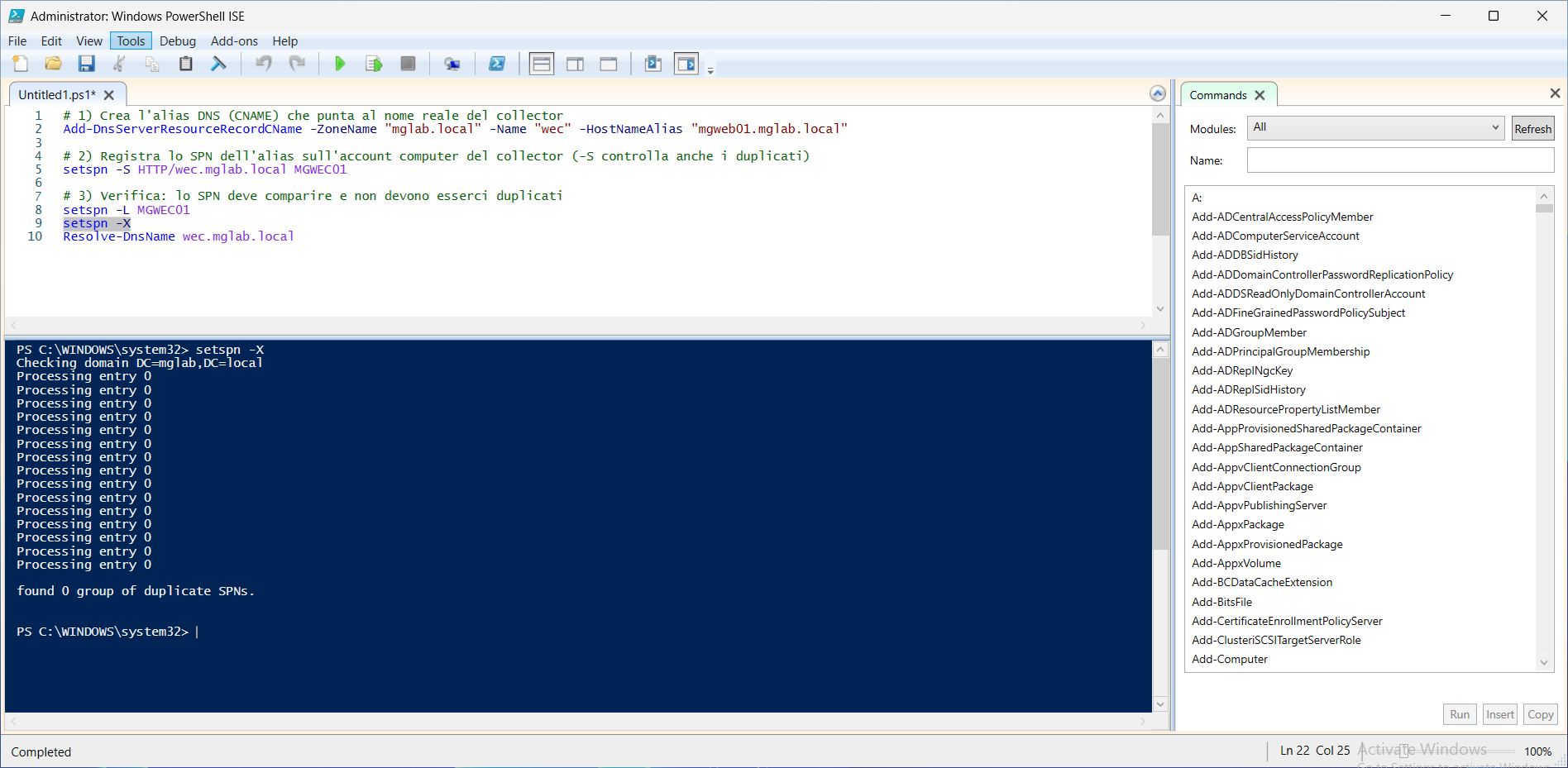
The behavior of Windows Server 2025 DCs (without HOST/ on the alias they do not authenticate) was observed in the LAB and is not documented by Microsoft; the case is described in "Quick troubleshooting". As a precaution, register all the SPNs, even though DCs running earlier versions might work with fewer. Run on LAB-DC01, as a domain administrator:
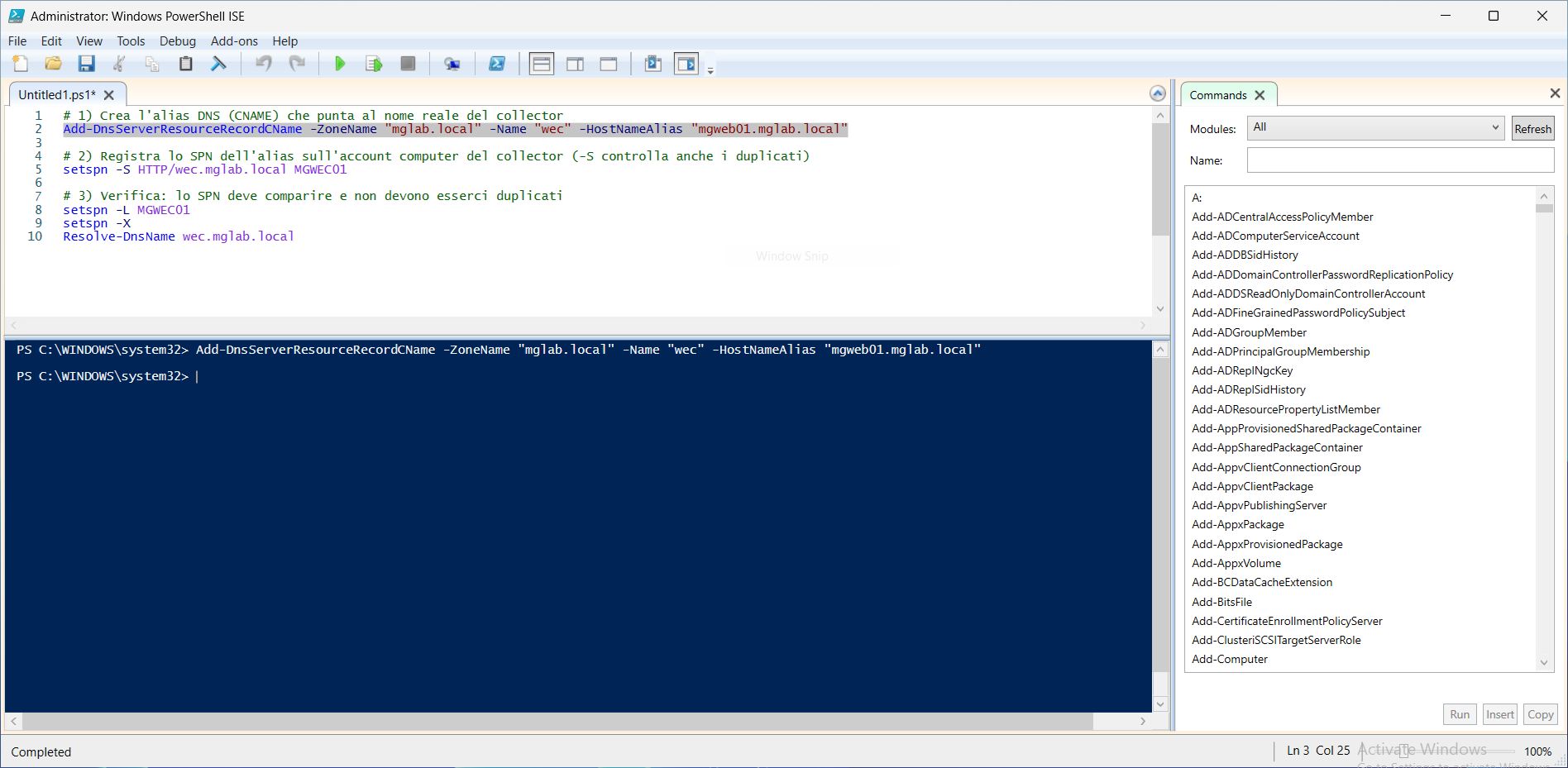
# 1) Create the DNS alias (CNAME) that points to the real name of the collector
Add-DnsServerResourceRecordCName -ZoneName "lab.contoso.test" -Name "wec" -HostNameAlias "wec01.lab.contoso.test"

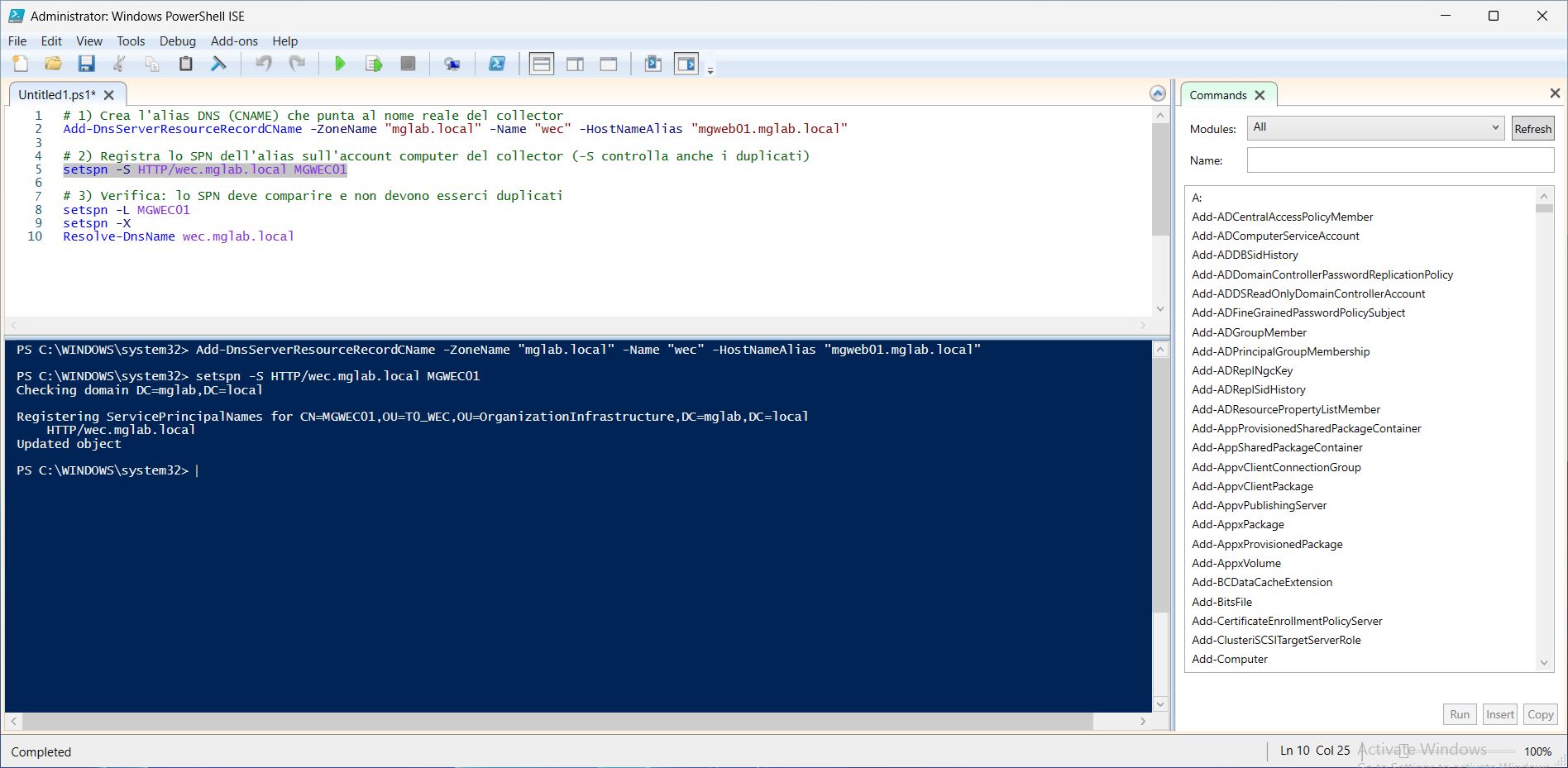
# 2) Register the alias SPNs on the collector's computer account (-S also checks for duplicates)
setspn -S HTTP/wec.lab.contoso.test LAB-WEC01
setspn -S HTTP/wec LAB-WEC01
setspn -S WSMAN/wec.lab.contoso.test LAB-WEC01
setspn -S WSMAN/wec LAB-WEC01
setspn -S HOST/wec.lab.contoso.test LAB-WEC01
setspn -S HOST/wec LAB-WEC01

# 3) Verify: the SPNs must appear and there must be no duplicates
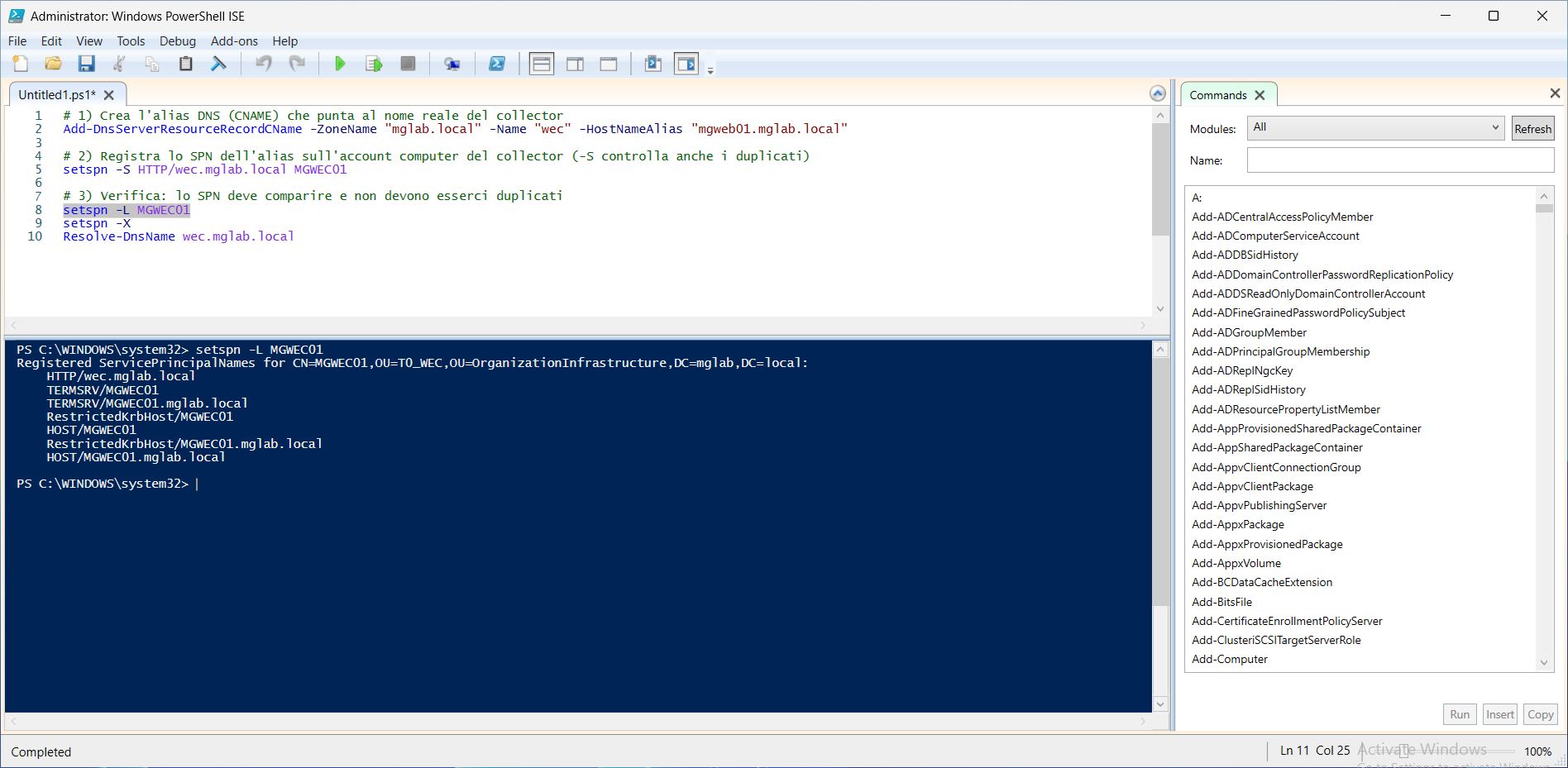
setspn -L LAB-WEC01
setspn -X
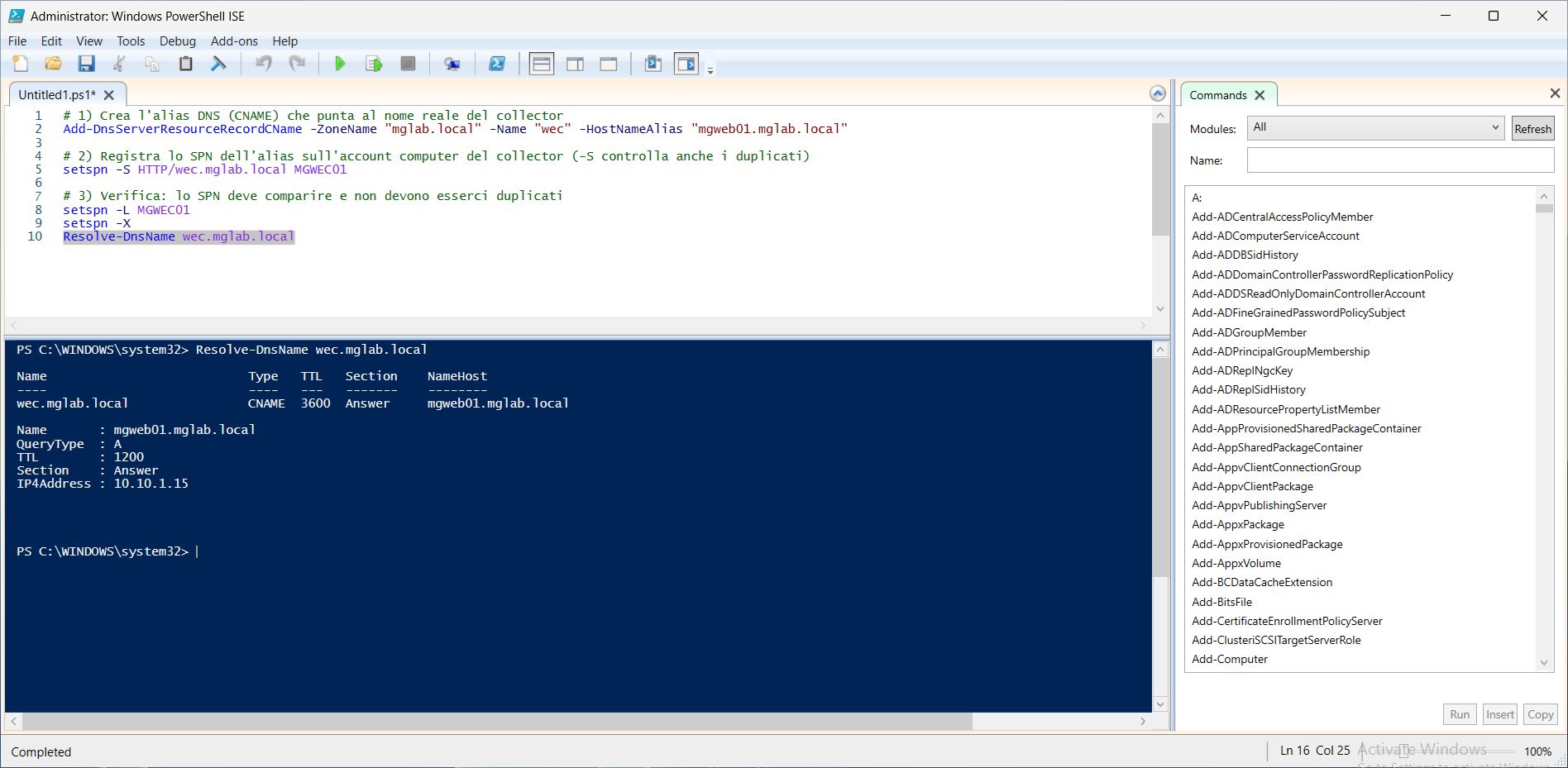
Resolve-DnsName wec.lab.contoso.test
Expected result: setspn -L lists the alias SPNs, setspn -X reports no duplicates, and Resolve-DnsName shows the CNAME pointing to wec01.lab.contoso.test. From here on, every configuration uses wec.lab.contoso.test.
2. Creating LAB-WEC01 and placing it in Tier 0
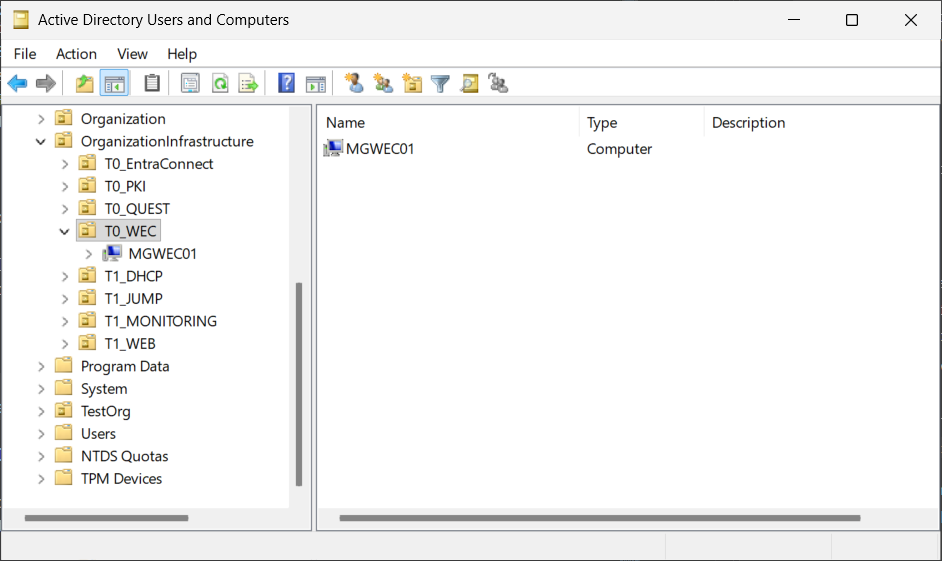
What we do. We install a dedicated Windows Server, join it to the domain in a Tier 0 OU, and apply a hardening baseline. The collector holds a copy of the security events of all the DCs: whoever controls it can read or delete that copy, so it has the same criticality level as the DCs.
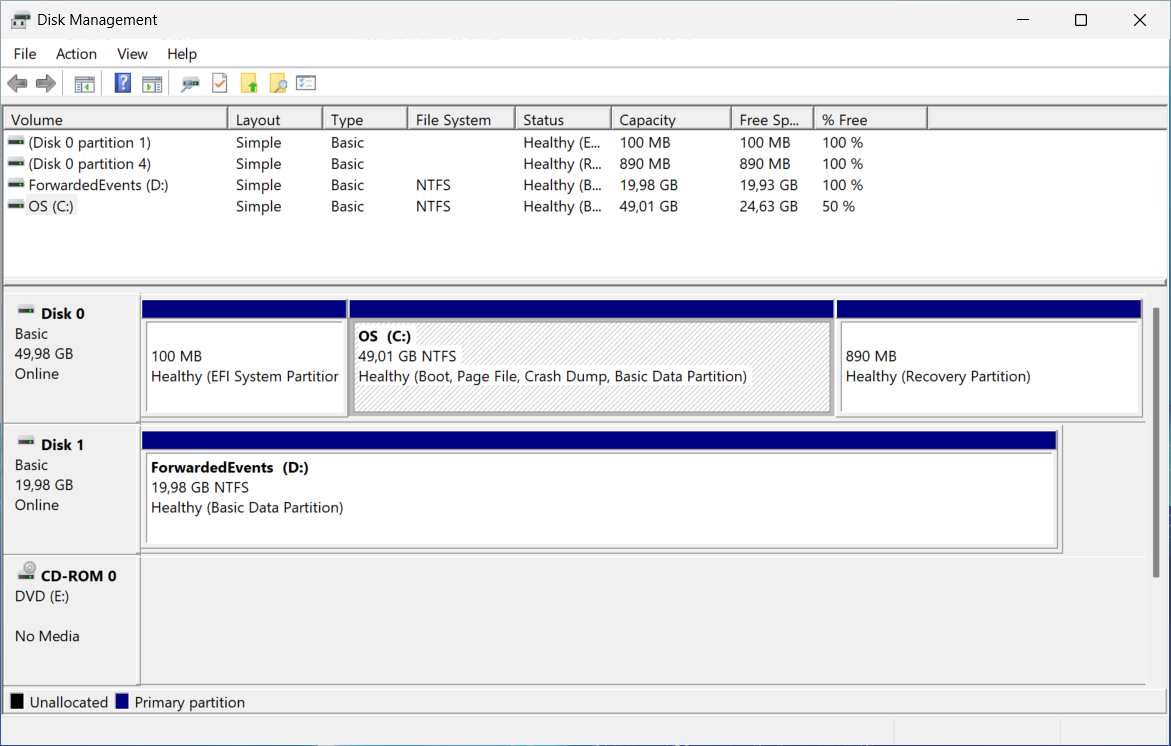
- Create the VM with the profile from the hardware table. Recommended system: Windows Server 2025 (2019 and 2022 are supported; Server Core is recommended in production). Add a second disk, which becomes
D:, forForwardedEventsand exports. Initialize the data disk (Disk Management orInitialize-Disk/New-Partition/Format-Volume) asD:and give it a proper label.
- Assign the name
LAB-WEC01, a static IP, and the DCs' DNS. Check the time:w32tm /query /status. - Create the Tier 0 OUs and join the server to the domain directly in the correct OU. On
LAB-DC01:
# Tier 0 OUs for servers (one-time)
New-ADOrganizationalUnit -Name "Tier0" -Path "DC=lab,DC=contoso,DC=test"
New-ADOrganizationalUnit -Name "Servers" -Path "OU=Tier0,DC=lab,DC=contoso,DC=test"
On LAB-WEC01:
# Join the domain in the Tier0\Servers OU, then restart
Add-Computer -DomainName "lab.contoso.test" `
             -OUPath "OU=Servers,OU=Tier0,DC=lab,DC=contoso,DC=test" `
             -Credential (Get-Credential) -Restart
- Apply the hardening baseline. It is a list of controls, not a single command:
| Control | How | Verification |
|---|---|---|
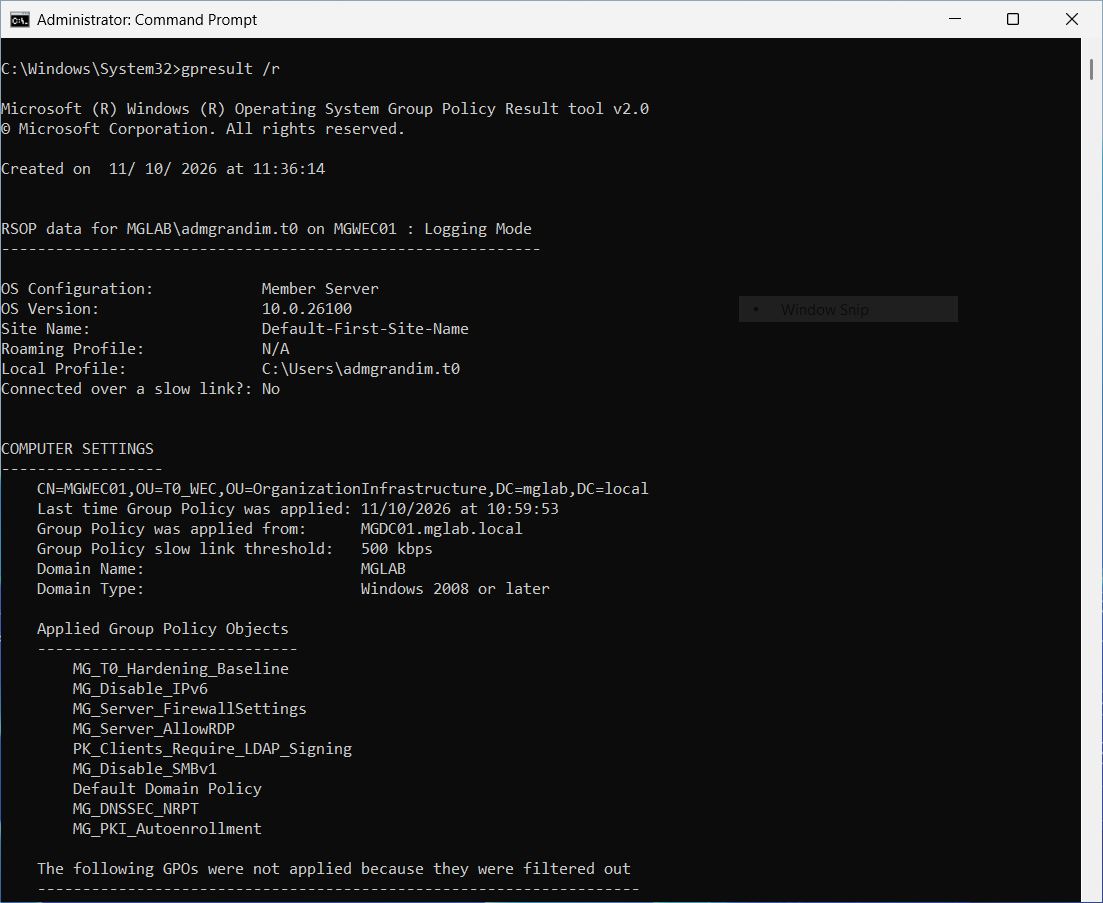
| Security baseline | GPO LAB - Tier0 Servers Baseline linked to Tier0\Servers, starting from the Microsoft Security Baseline for Windows Server (Security Compliance Toolkit) | gpresult /r on the collector |
| Tier 0-only administration | Group T0-WEC-Admins as the only group in the local Administrators (Restricted Groups, see "Hardening and tamper resistance") | net localgroup Administrators |
| Interactive and RDP access | User Rights: Deny log on locally and Deny log on through Remote Desktop Services for Tier 1 and Tier 2 administrators; Allow log on through Remote Desktop Services only for T0-WEC-Admins | secpol.msc or gpresult |
| Local administrator password | Windows LAPS, with a managed and rotated password | Get-LapsADPassword (LAPS module) |
| Unnecessary services | Disable Print Spooler and anything that is not needed: Stop-Service Spooler; Set-Service Spooler -StartupType Disabled | Get-Service Spooler |
| Legacy protocols | SMBv1 disabled: Get-SmbServerConfiguration | Select EnableSMB1Protocol | Value False |
| Firewall | Domain profile enabled, inbound denied by default, only the rules in section 4 | Get-NetFirewallProfile |
| Antimalware / EDR | Defender enabled or corporate EDR, minimal exclusions | Get-MpComputerStatus |
| Outbound to the Internet | Blocked; updates through WSUS or maintenance windows | Test from the server |
| Audit on the collector | Logon and account management auditing enabled on the collector itself, local ID 1102 and ID 104, whose monitoring is covered in Part 2 | auditpol /get /category:* |
| VM management plane | Whoever administers the hypervisor controls the VM: treat it as Tier 0 | List of administrators |
3. Enabling WinRM on the collector
What we do. WinRM (Windows Remote Management) is the transport the DCs use to send events. The service on the collector must be running and have a listener listening. Two ways: manually for the LAB, or via GPO for production.
Option A - local (LAB). On LAB-WEC01, PowerShell as administrator:
# Create the HTTP listener (5985), set the service to automatic start and add the default firewall rule
winrm quickconfig -q

# Verify: the service must be Running and a listener must exist
Get-Service WinRM | Select-Object Name, Status, StartType
winrm enumerate winrm/config/listener
Test-WSMan -ComputerName localhost
Expected result: WinRM in Running with startup type Automatic; the enumeration shows a Transport = HTTP listener on port 5985; Test-WSMan returns the service information.
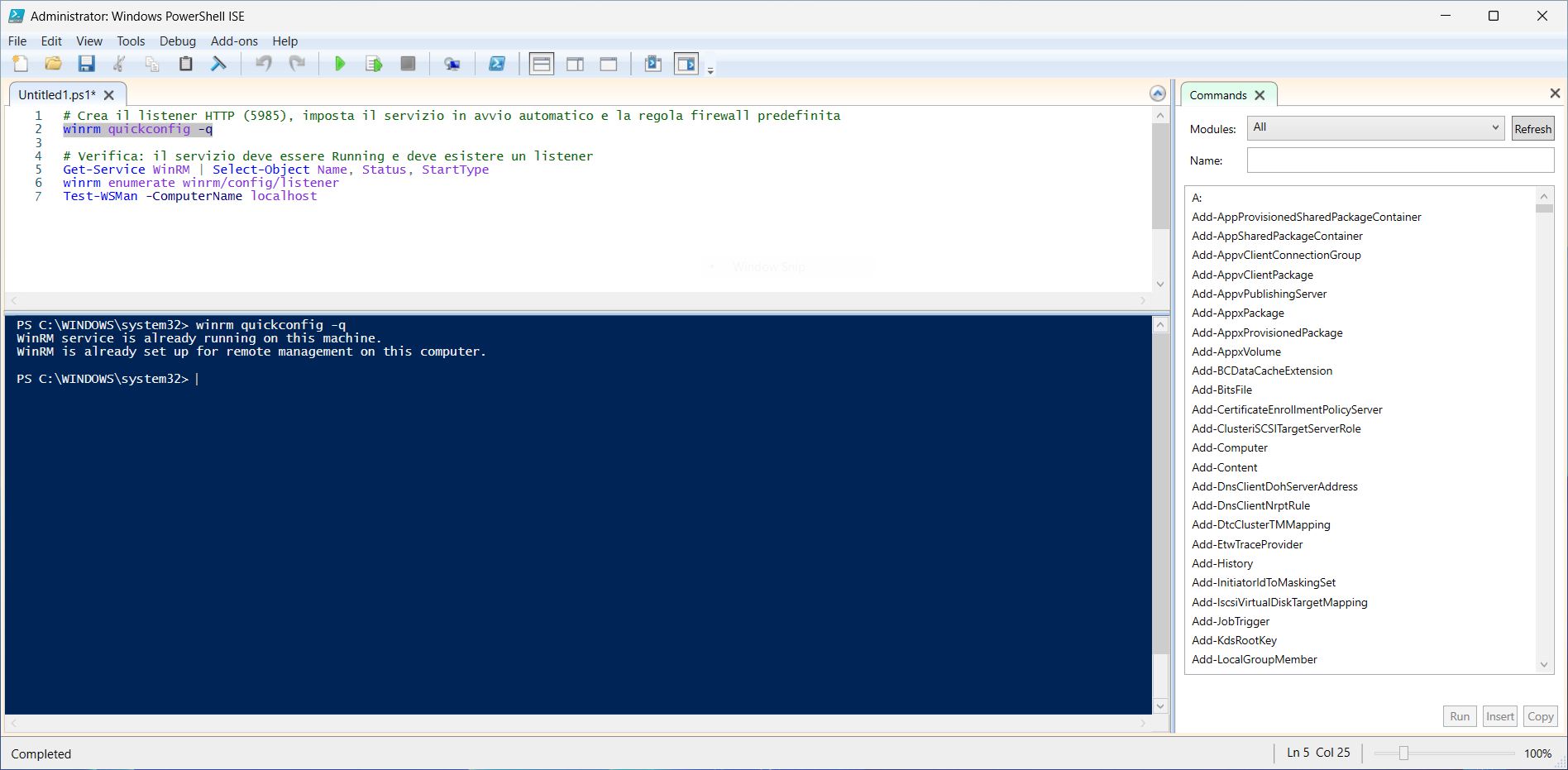
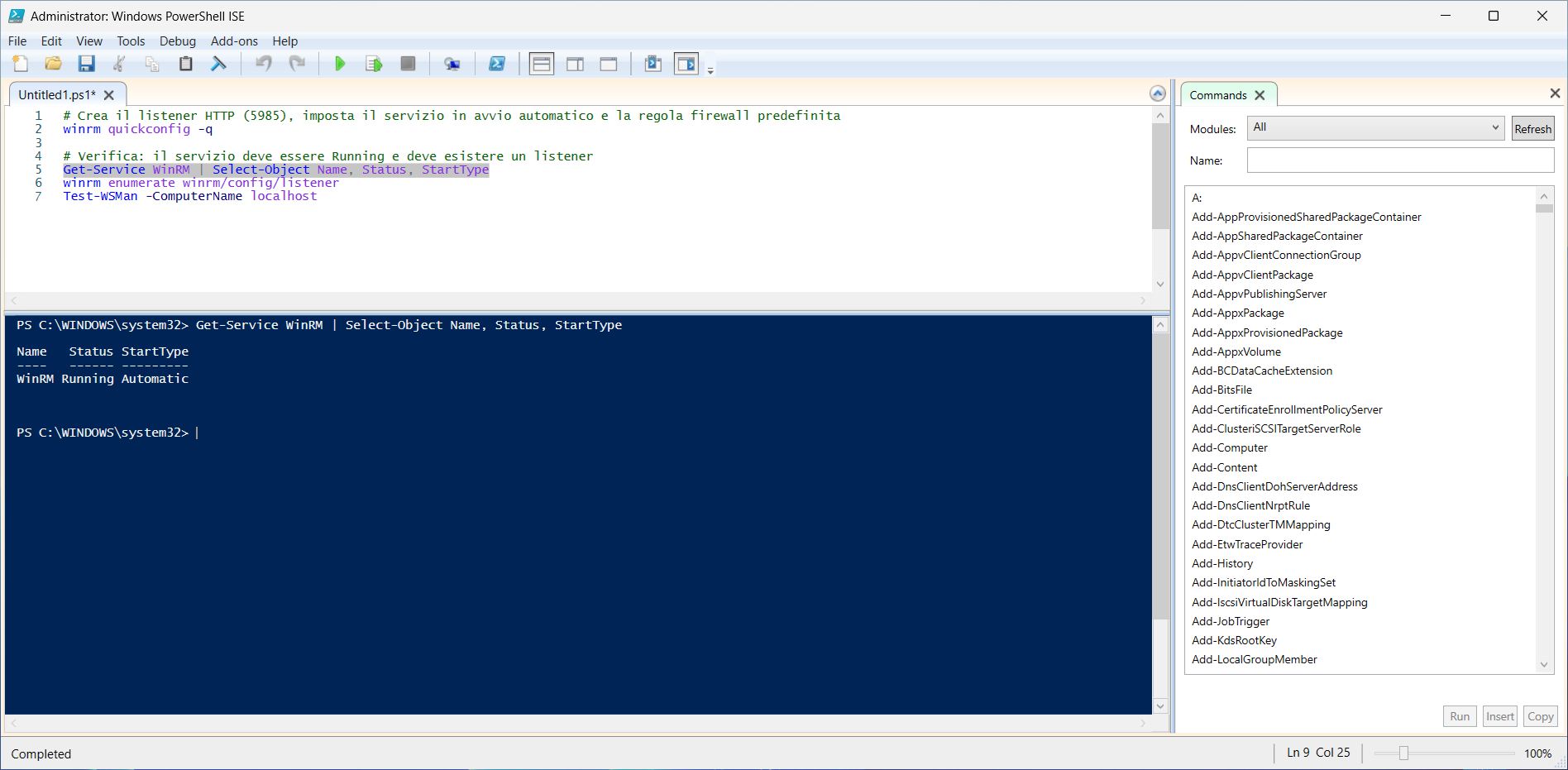
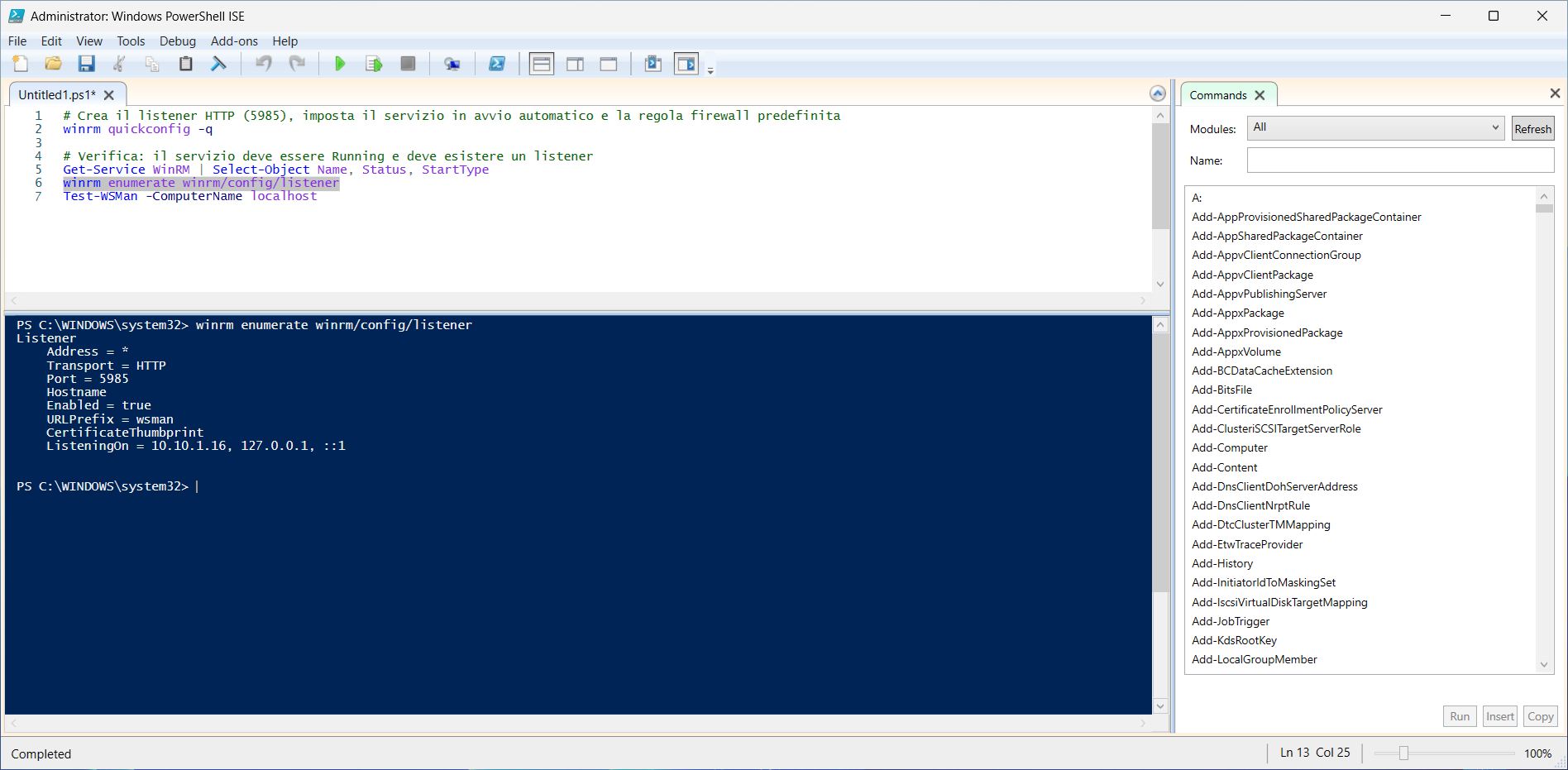
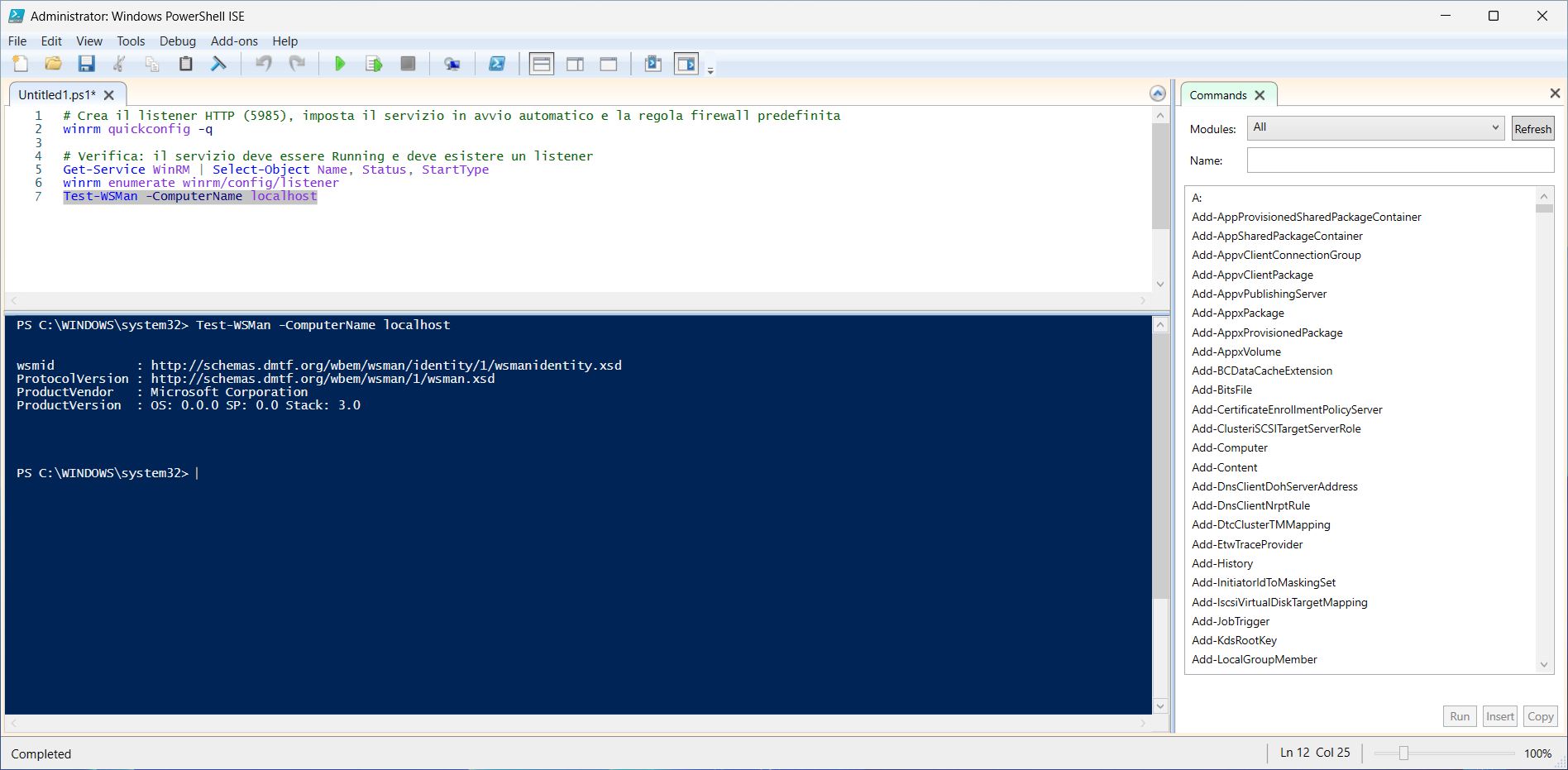
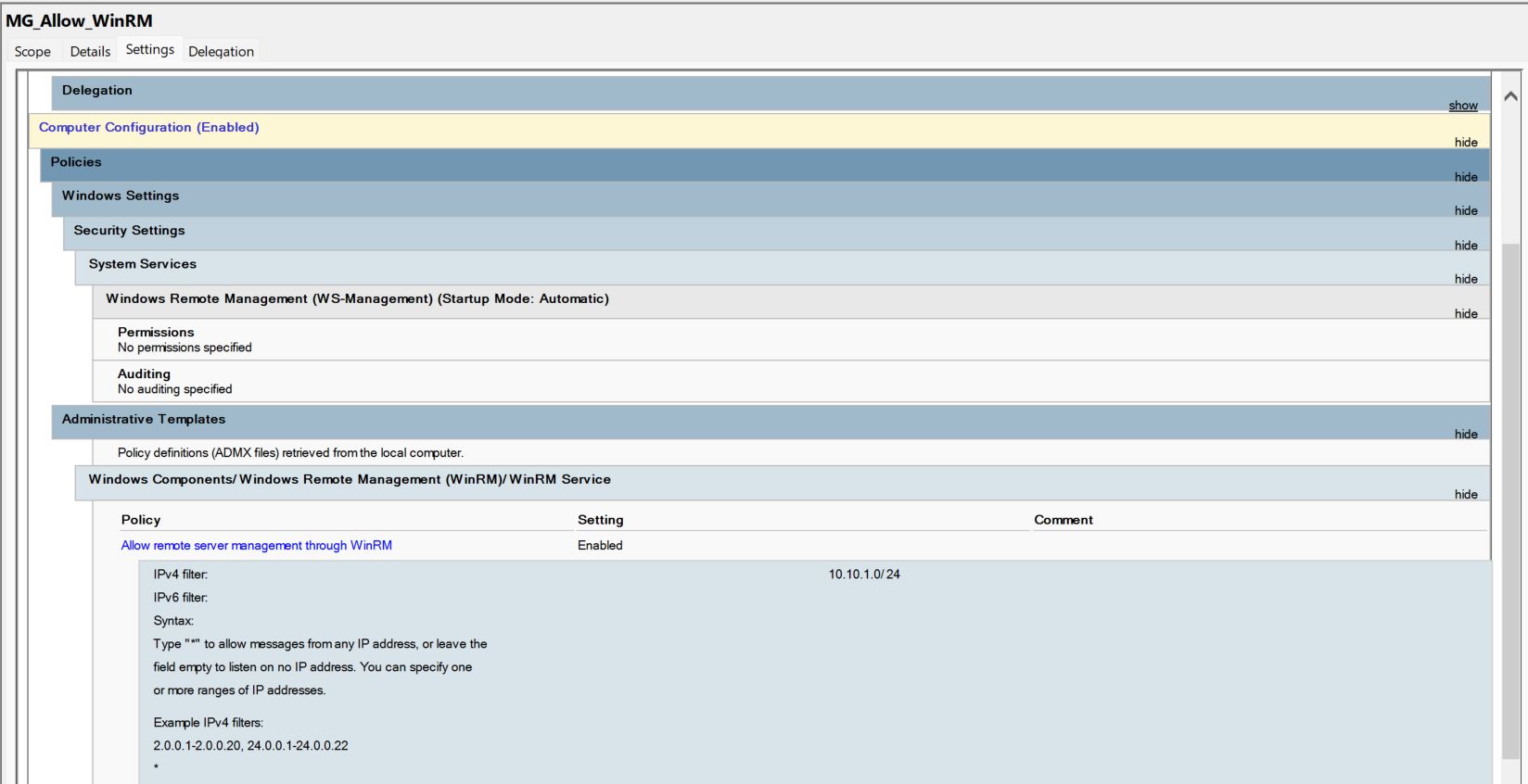
Option B - via GPO (production). In the GPO linked to Tier0\Servers: Computer Configuration > Policies > Administrative Templates > Windows Components > Windows Remote Management (WinRM) > WinRM Service > Allow remote server management through WinRM, value Enabled, with the IPv4 filter limited to the DC network (for example 192.168.10.0/24). Also set the Windows Remote Management (WS-Management) service to automatic start with Computer Configuration > Policies > Windows Settings > Security Settings > System Services. Leave "Allow Basic authentication" and "Allow unencrypted traffic" disabled.
4. Firewall rules for TCP 5985 and TCP 5986
What we do. The collector must accept inbound connections only from the DCs, on port 5985 (WinRM over HTTP) and, if you use HTTPS, on 5986. The DCs open the connections toward the collector: no inbound rule is needed on the DC side.
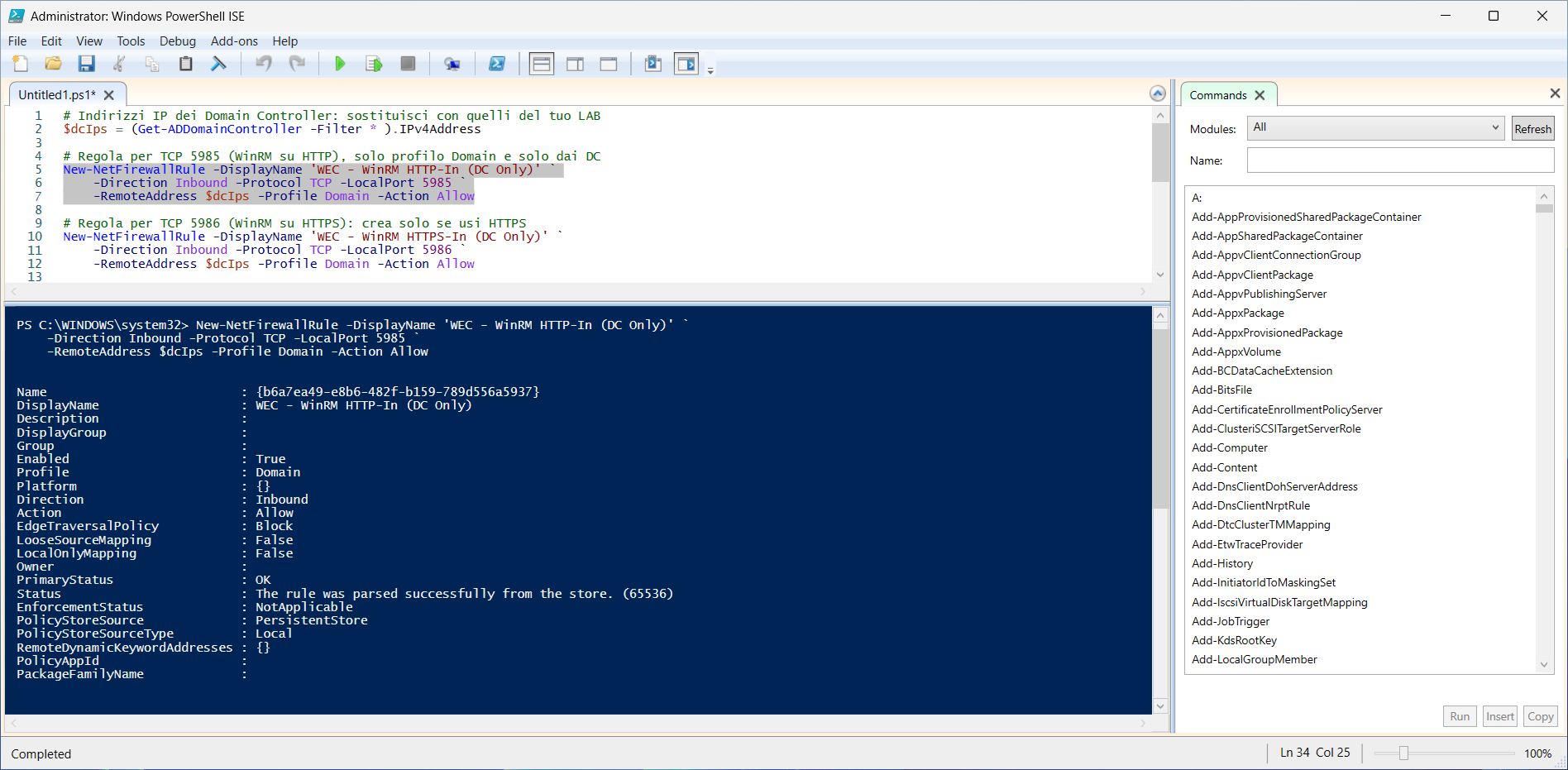
The default WinRM rules are broader than necessary. Replace them with rules limited to the DC addresses. On LAB-WEC01:
# IP addresses of the Domain Controllers, read from the domain with .NET: the ActiveDirectory module is not needed on the collector
$dcIps = [System.DirectoryServices.ActiveDirectory.Domain]::GetCurrentDomain().DomainControllers |
    ForEach-Object { $_.IPAddress }
$dcIps   # check that the list contains all the DCs (and only them); alternatively, list them by hand

# Rule for TCP 5985 (WinRM over HTTP), Domain profile only and only from the DCs
New-NetFirewallRule -DisplayName 'WEC - WinRM HTTP-In (DCs only)' `
    -Direction Inbound -Protocol TCP -LocalPort 5985 `
    -RemoteAddress $dcIps -Profile Domain -Action Allow

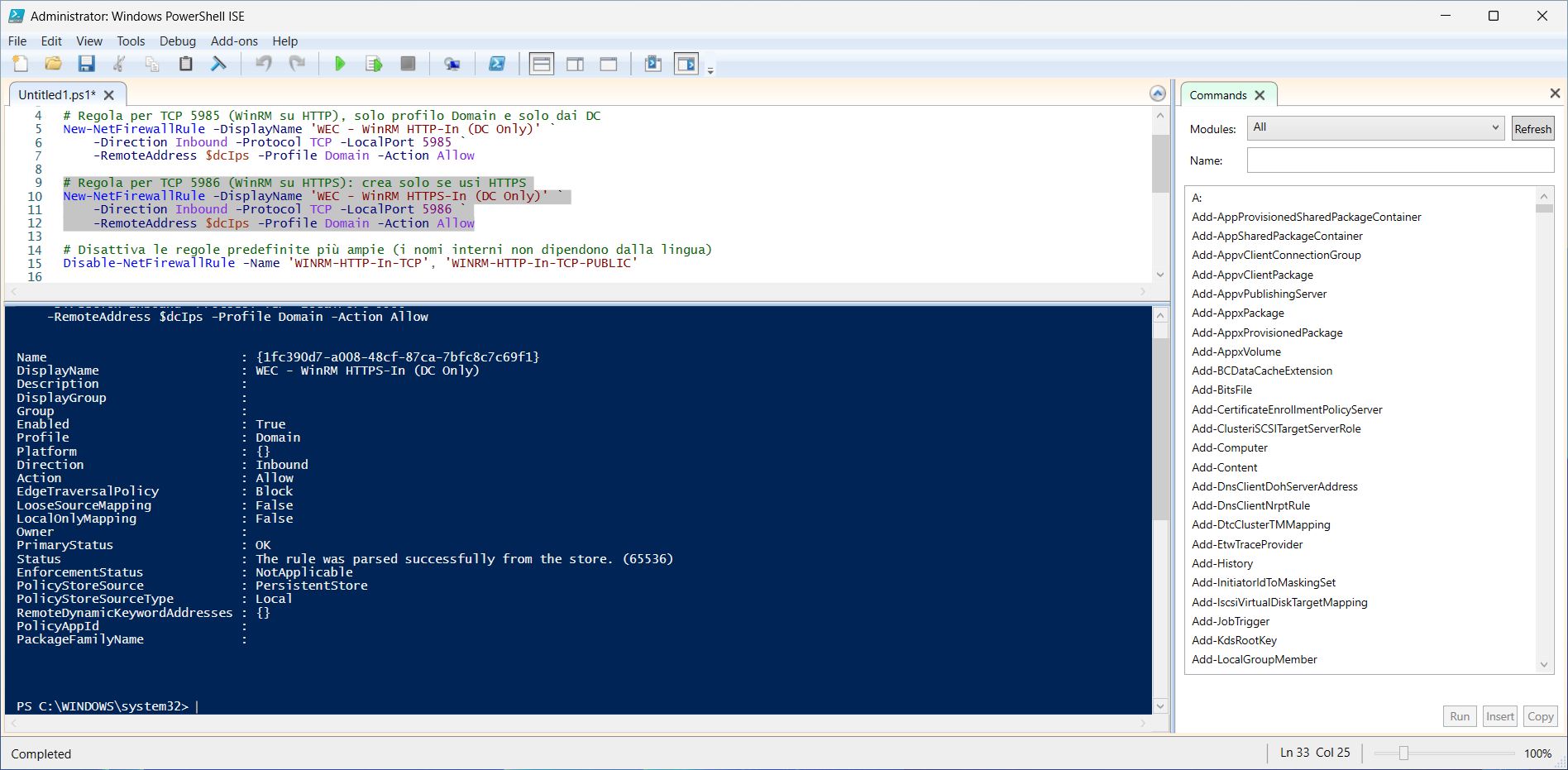
# Rule for TCP 5986 (WinRM over HTTPS): create it only if you use HTTPS
New-NetFirewallRule -DisplayName 'WEC - WinRM HTTPS-In (DCs only)' `
    -Direction Inbound -Protocol TCP -LocalPort 5986 `
    -RemoteAddress $dcIps -Profile Domain -Action Allow

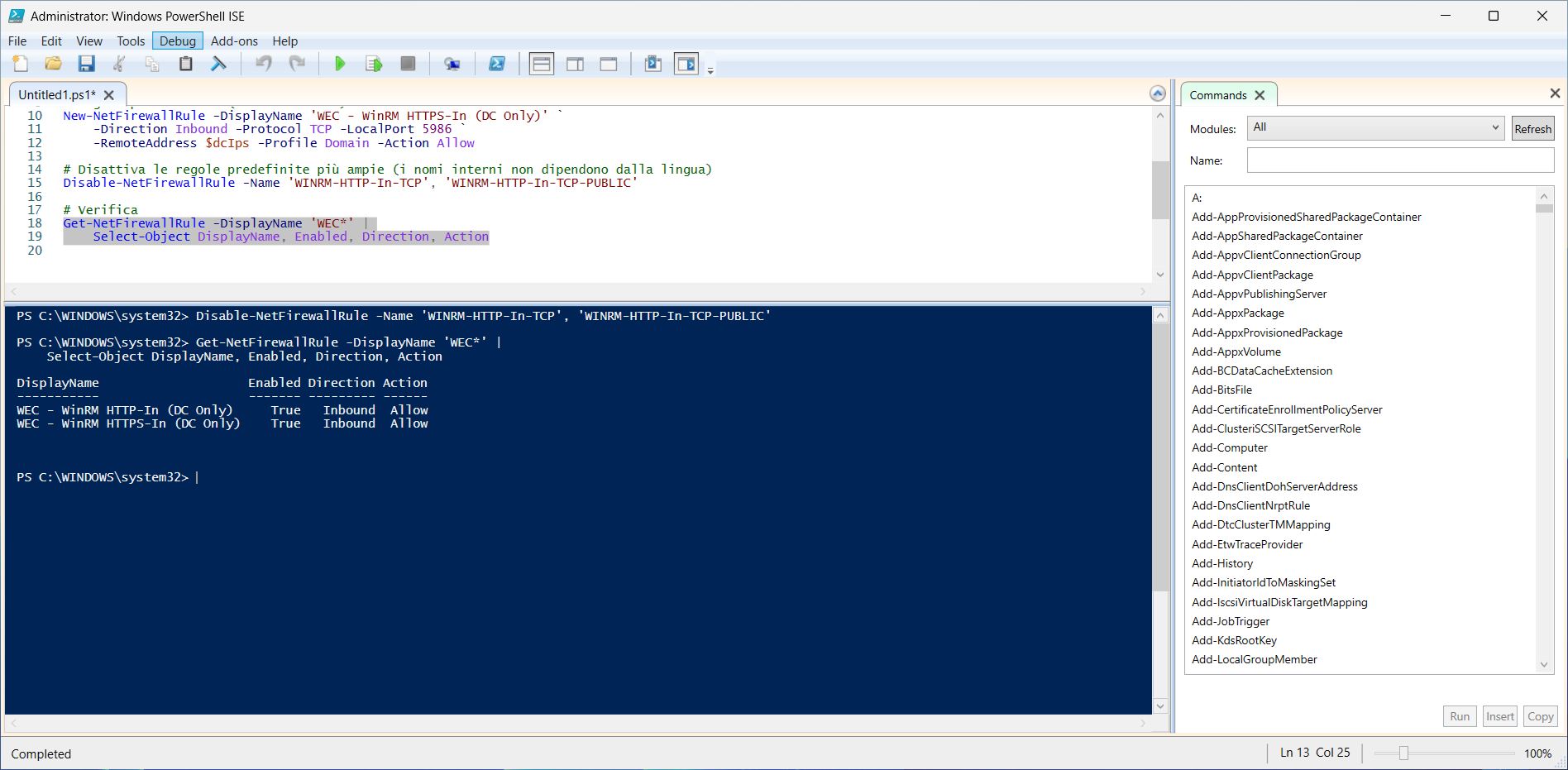
# Disable the broader default rules (the internal names do not depend on the language)
Disable-NetFirewallRule -Name 'WINRM-HTTP-In-TCP', 'WINRM-HTTP-In-TCP-PUBLIC'

# Verify
Get-NetFirewallRule -DisplayName 'WEC*' |
    Select-Object DisplayName, Enabled, Direction, Action
If the internal name does not exist on your system, list the rules with Get-NetFirewallRule | Where-Object DisplayName -like '*Remote Management*'. In production, the same rule is distributed with the GPO Computer Configuration > Policies > Windows Settings > Security Settings > Windows Defender Firewall with Advanced Security > Inbound Rules, so it does not depend on who has access to the server.
Test reachability from a DC (LAB-DC01):
Test-NetConnection -ComputerName wec.lab.contoso.test -Port 5985
Test-NetConnection -ComputerName wec.lab.contoso.test -Port 5986   # only if you use HTTPS
Expected result: TcpTestSucceeded : True. If it is not, do not continue: no subsequent step can work.
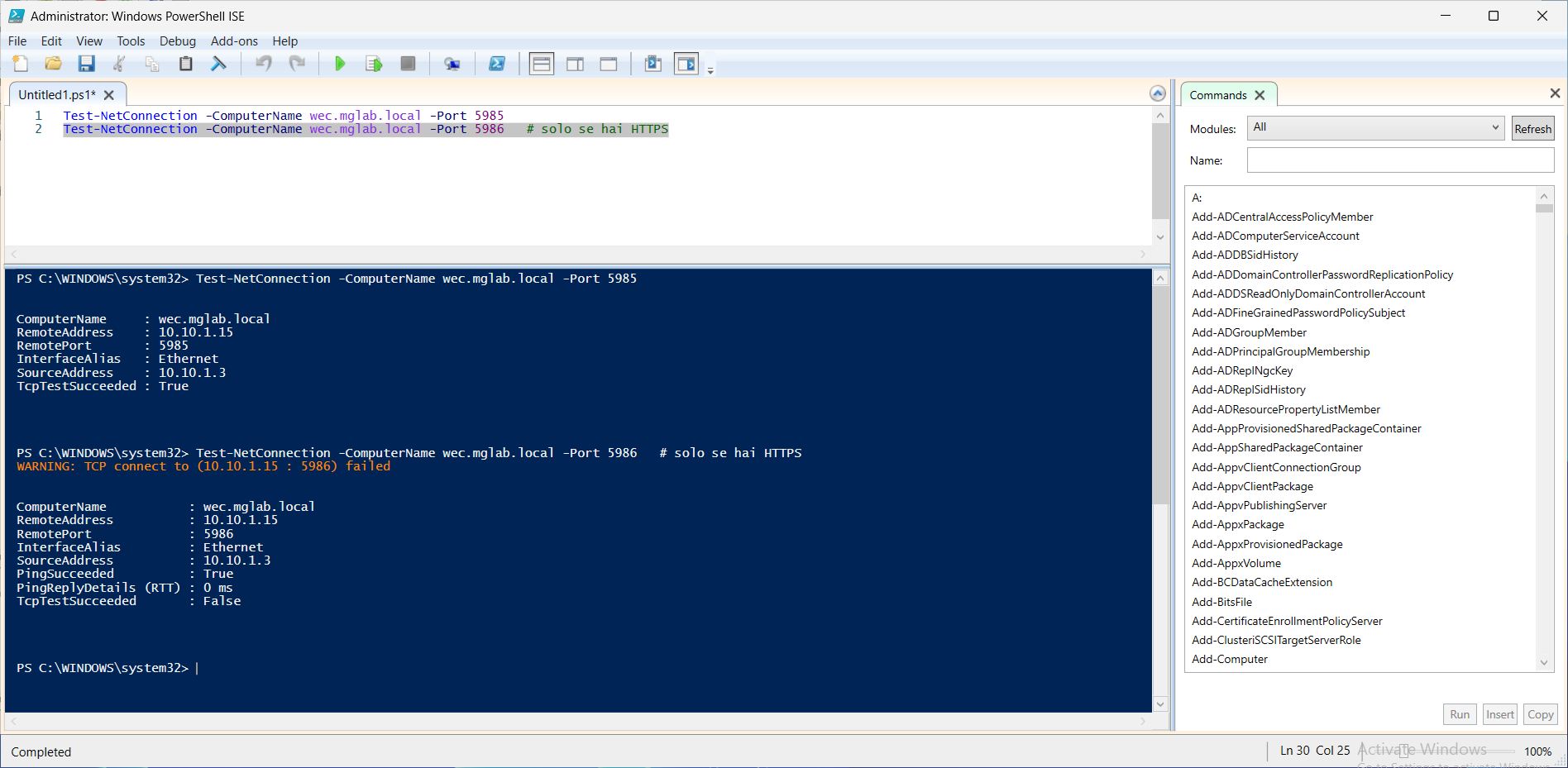
HTTP or HTTPS? Choose before writing the subscriptions:
| Aspect | HTTP, TCP 5985 | HTTPS, TCP 5986 |
|---|---|---|
| Authentication | Kerberos (with SPN) | Certificate (the listener presents its own, the sources present theirs) |
| Content encryption | Yes, at the WinRM message level with Kerberos | Yes, TLS in addition |
| Requirements | No certificate | Certificate on the collector and client certificate on the DCs, trusted CA |
| Point of attention | Depends on Kerberos and SPNs | Certificate expiry and renewal |
| When to choose it | Trusted internal network, LAB, first step | Untrusted segments, compliance requirements, collector outside the domain |
A useful warning: with Kerberos over HTTP the content is already encrypted and authenticated; HTTPS adds mutual authentication with certificates and independence from Kerberos, but has a management cost. It is not mandatory for an internal collector: it is an additional point of attention for environments where the traffic crosses untrusted segments.
5. HTTPS with a certificate (optional)
Test statusVerified in the LAB: certificate template and request, HTTPS listener,
Test-WSMan -UseSSLfrom a DC, and presence of the client certificate on the DCs. Not tested: event forwarding over HTTPS (subscription withHTTPStransport,IssuerCA, certificate mapping, and SDDL behavior with certificate authentication). Treat that part as guidance to validate in your own environment.
What we do. The collector gets a certificate (server identity), WinRM also listens on 5986, the DCs trust the CA that issued it and in turn present a client certificate.
- Template for the collector certificate. On the LAB CA, open
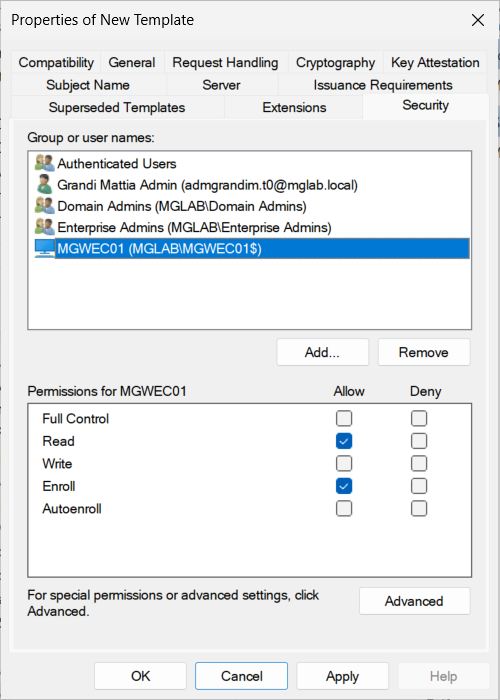
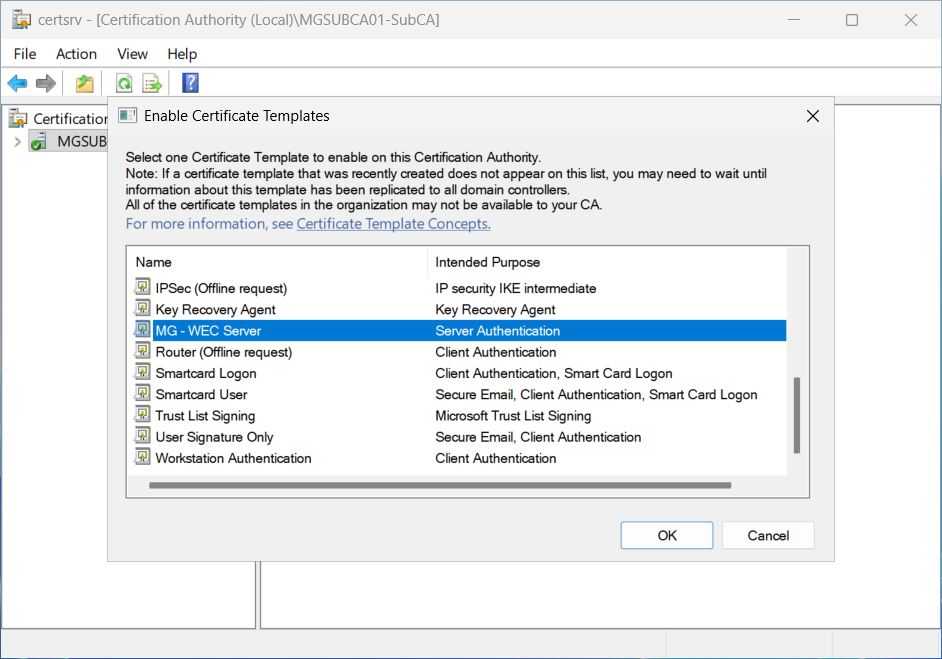
certtmpl.msc, duplicate the Web Server template, name itLAB WEC Server, leave the key non-exportable in Request Handling, choose "Supply in the request" in Subject Name, grantReadandEnrollto theLAB-WEC01$account in the Security tab, then publish it (certsrv.msc, Certificate Templates > New > Certificate Template to Issue). - Request the certificate on
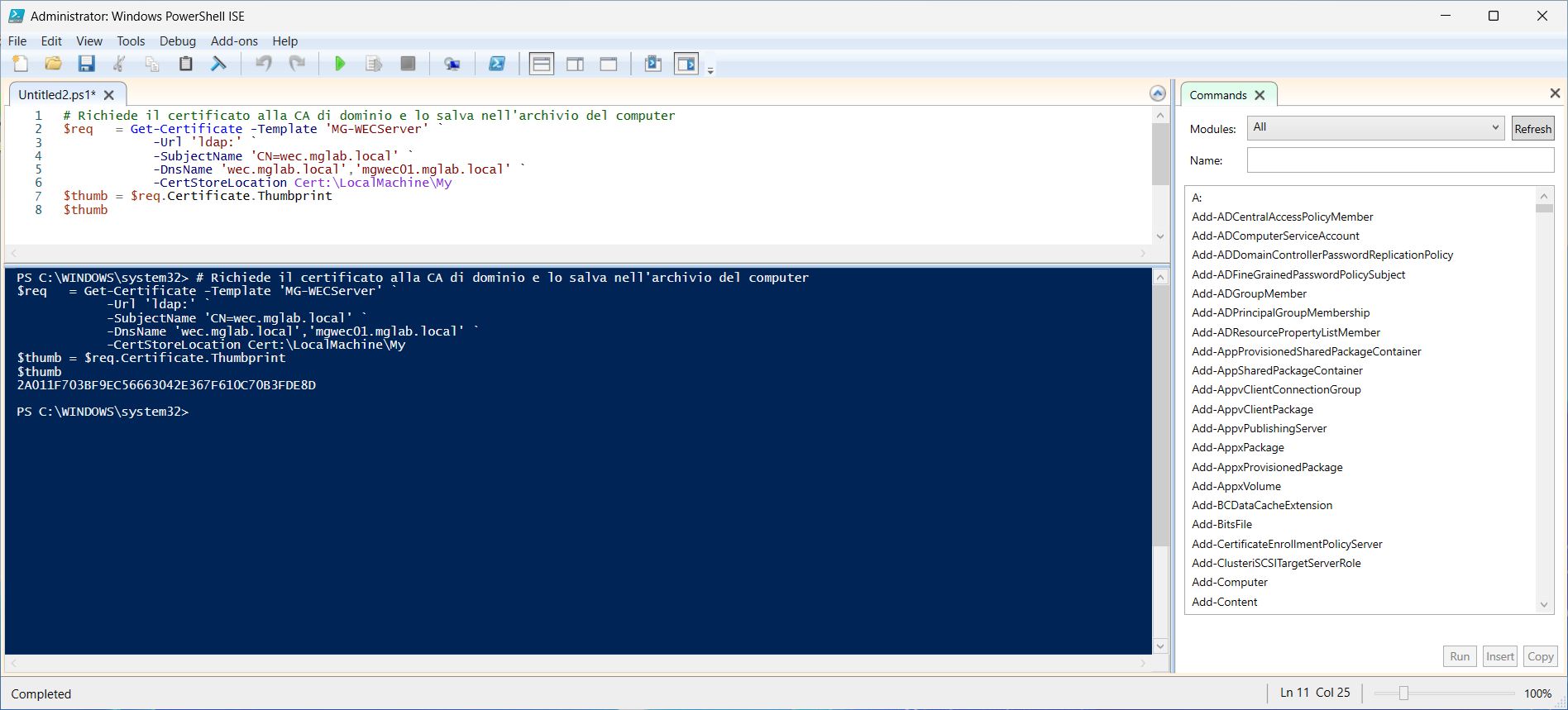
LAB-WEC01, including both the alias and the real name among the subject alternative names (SANs):
# Requests the certificate from the domain CA and saves it in the computer store
$req   = Get-Certificate -Template 'LABWECServer' `
            -Url 'ldap:' `
            -SubjectName 'CN=wec.lab.contoso.test' `
            -DnsName 'wec.lab.contoso.test','wec01.lab.contoso.test' `
            -CertStoreLocation Cert:\LocalMachine\My
$thumb = $req.Certificate.Thumbprint
$thumb
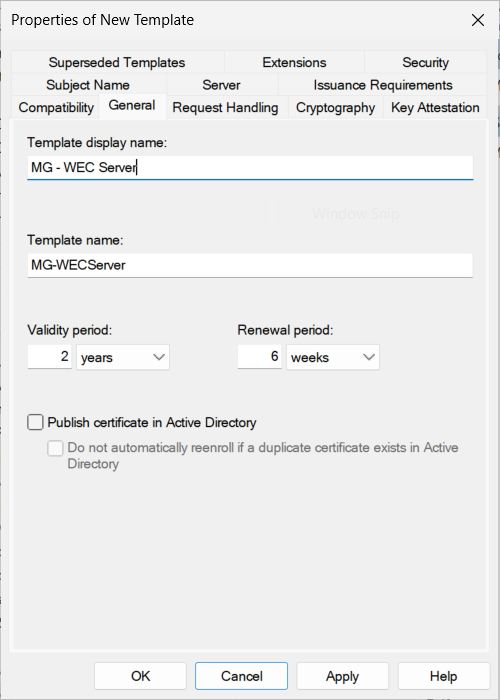
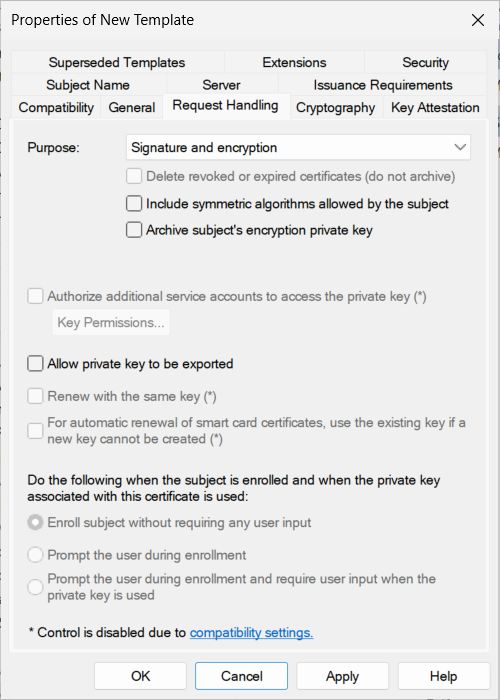
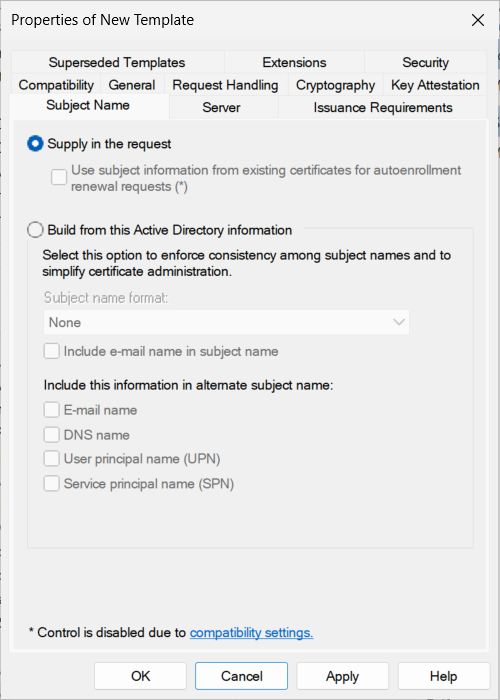
- Create the HTTPS listener and bind it to the certificate:
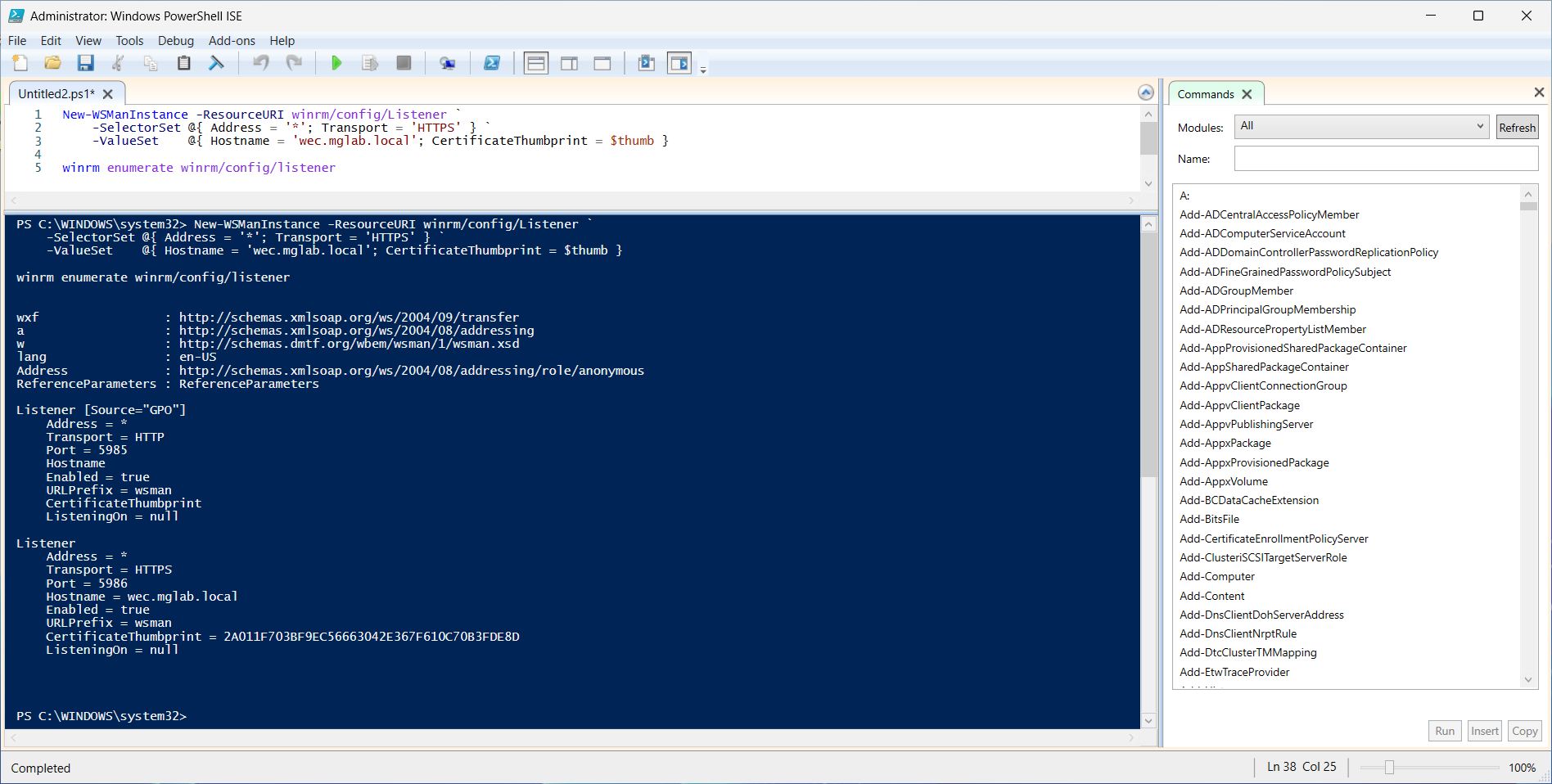
New-WSManInstance -ResourceURI winrm/config/Listener `
    -SelectorSet @{ Address = '*'; Transport = 'HTTPS' } `
    -ValueSet    @{ Hostname = 'wec01.lab.contoso.test'; CertificateThumbprint = $thumb }

winrm enumerate winrm/config/listener
- URL ACL for 5986 on Windows Server 2019/2022 collectors (same commands as LAB 2, HTTPS version).
- Firewall rule for TCP 5986: already created in section 4.
- Test from a DC (the CA must be trusted by the DC, which is true for a domain CA):
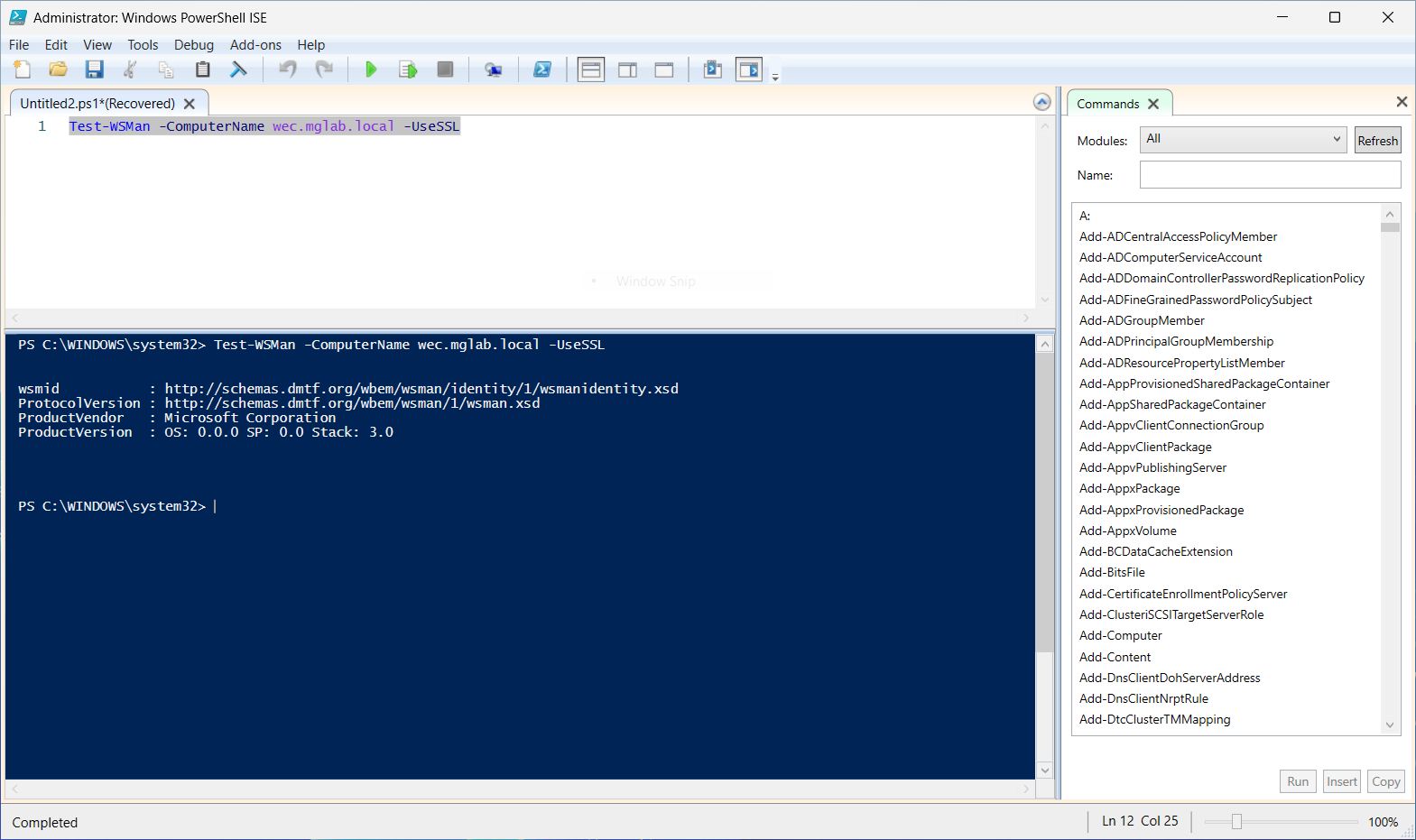
Test-WSMan -ComputerName wec.lab.contoso.test -UseSSL
Expected result: no certificate errors (name mismatch, untrusted CA, expired).
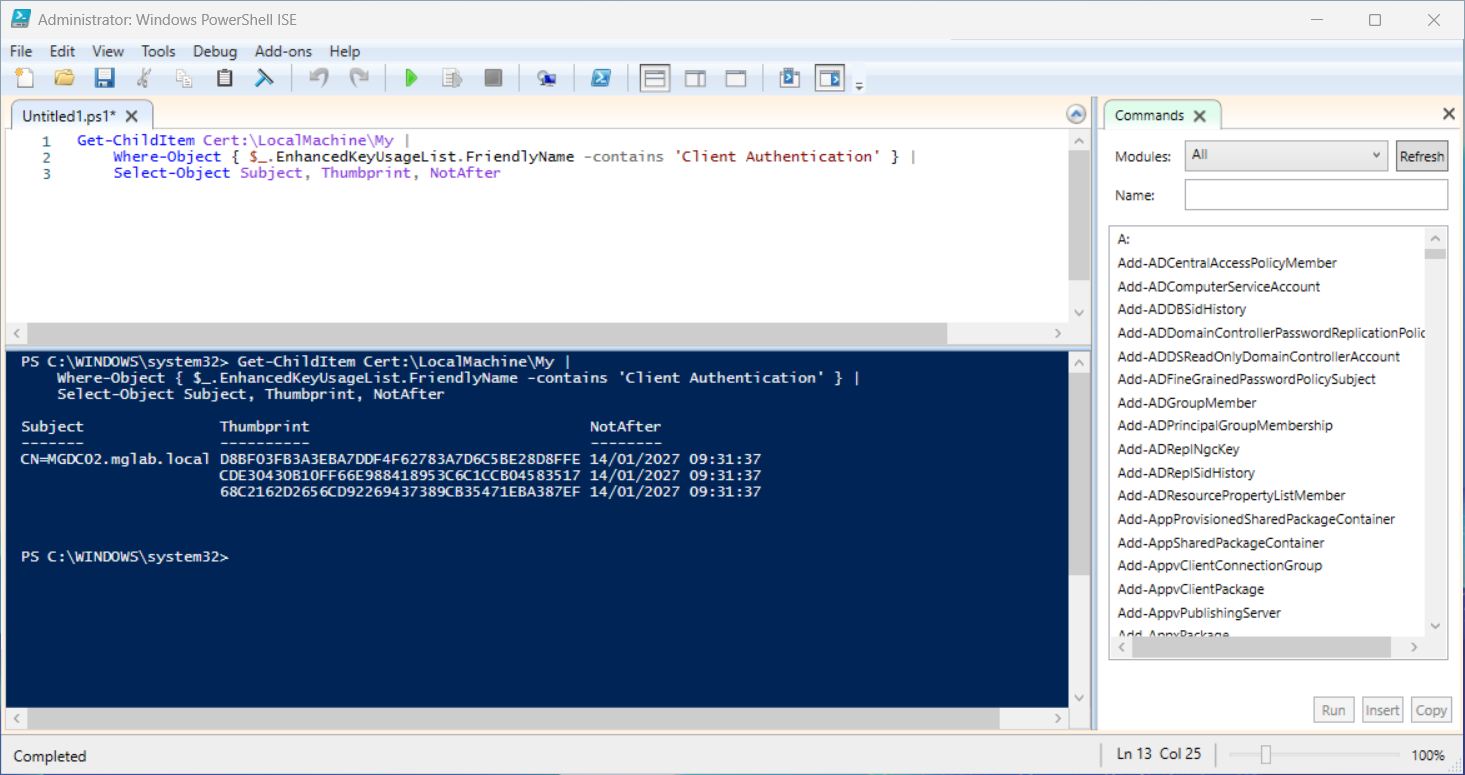
- Client certificate on the DCs. Each DC must have a certificate with Client Authentication (EKU). The Domain Controller Authentication and Kerberos Authentication templates include it, and the DCs obtain it through auto-enrollment. Verify on each DC:
Get-ChildItem Cert:\LocalMachine\My |
    Where-Object { $_.EnhancedKeyUsageList.FriendlyName -contains 'Client Authentication' } |
    Select-Object Subject, Thumbprint, NotAfter
- Thumbprint of the issuing CA (needed in the GPO): on a DC run
Get-ChildItem Cert:\LocalMachine\CA | Select-Object Subject, Thumbprintand note the one for the CA that issued the client certificates. The subscription manager string withIssuerCAis in LAB 3; in the subscription the transport becomesHTTPS(LAB 4).
With certificate authentication, the collector must also know which identity to associate with the sources' certificates (certificate mapping, winrm create winrm/config/service/certmapping, described by Microsoft for non-domain sources): this is one of the untested points in this LAB (see the note at the start of the section).
LAB 0 - Baseline before touching anything
What we do. We snapshot the initial state of the DC: audit policy, Security log configuration and size, services. We do not change anything. This serves two purposes: knowing where we start from and having a return point for the cleanup.
Where. On LAB-DC01, in PowerShell started as a LAB domain administrator. The commands are read-only.
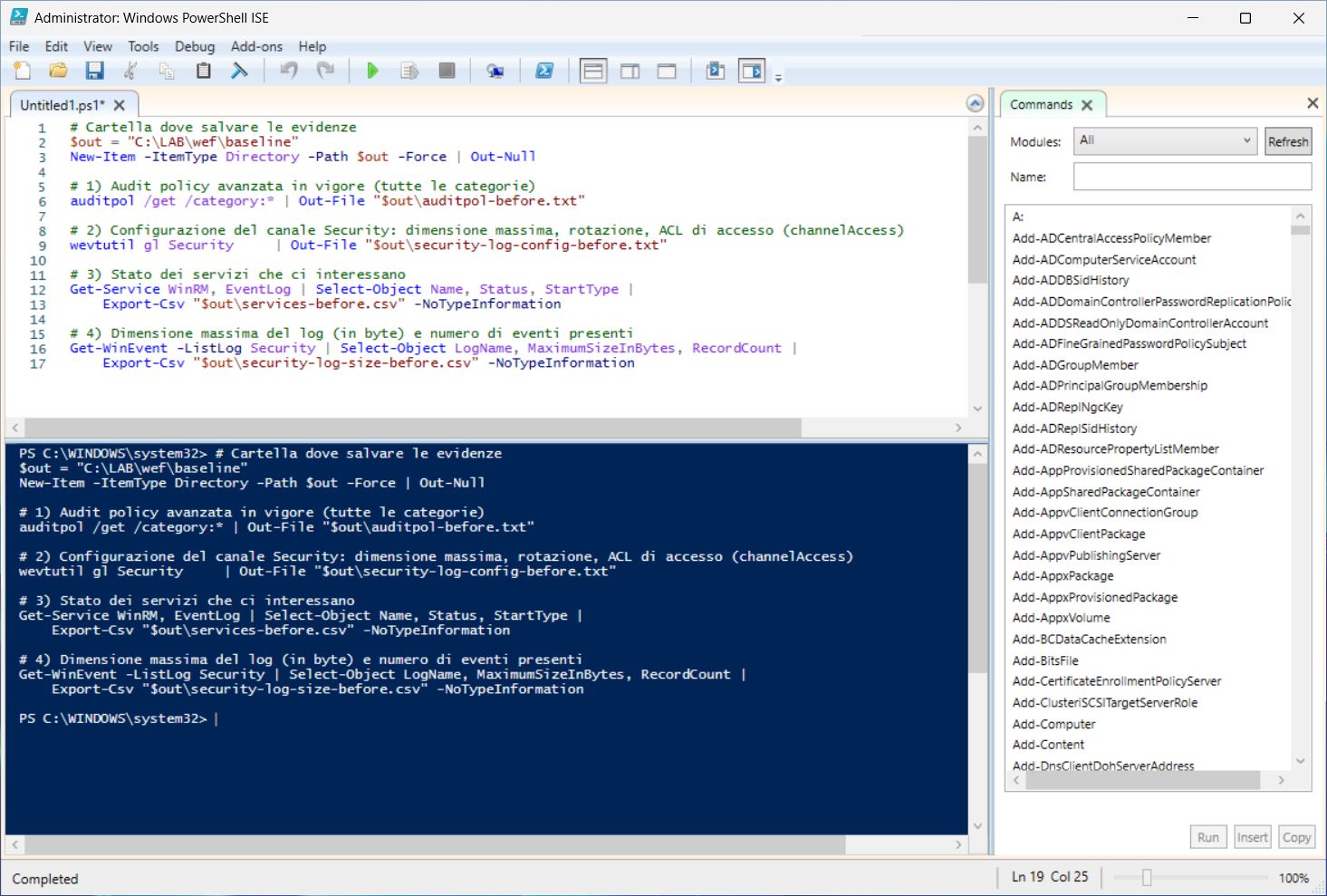
# Folder where the evidence is saved
$out = "C:\LAB\wef\baseline"
New-Item -ItemType Directory -Path $out -Force | Out-Null

# 1) Advanced audit policy in effect (all categories)
auditpol /get /category:* | Out-File "$out\auditpol-before.txt"

# 2) Security channel configuration: maximum size, rotation, access ACL (channelAccess)
wevtutil gl Security     | Out-File "$out\security-log-config-before.txt"

# 3) State of the services we care about
Get-Service WinRM, EventLog | Select-Object Name, Status, StartType |
    Export-Csv "$out\services-before.csv" -NoTypeInformation

# 4) Maximum log size (in bytes) and number of events present
Get-WinEvent -ListLog Security | Select-Object LogName, MaximumSizeInBytes, RecordCount |
    Export-Csv "$out\security-log-size-before.csv" -NoTypeInformation
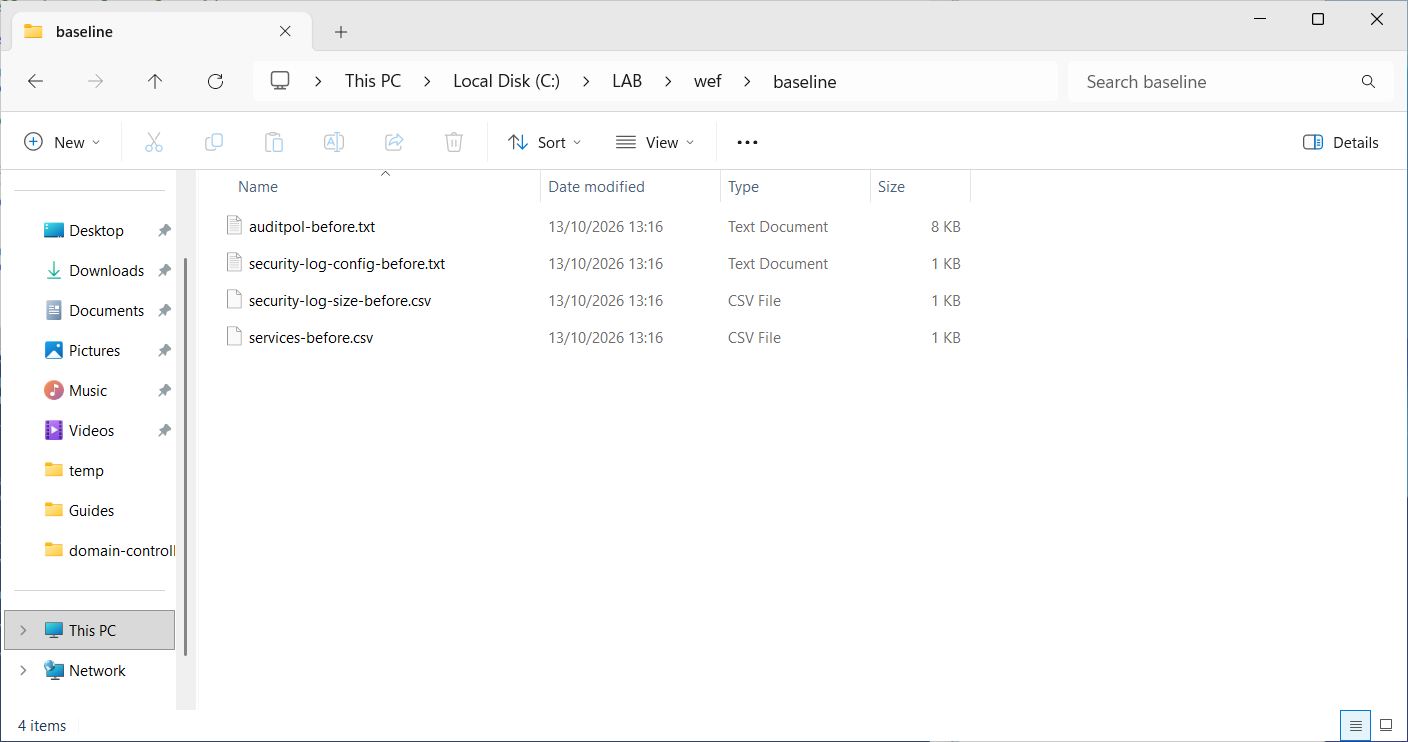
Expected result: four files in the baseline folder. MaximumSizeInBytes is the maximum size of the DC's Security log, expressed in bytes (20 MB by default on unmodified systems, that is 20971520). Also note the channelAccess value in the output of wevtutil gl Security: you will need it if you choose the ACE alternative in LAB 3. Keep these files: they are the return point for the cleanup.
Warning: auditpol shows localized subcategory names. On a system with a language other than English, the names used in LAB 1 must be adapted, or you can use the GUIDs shown by auditpol /list /subcategory:* /v.
LAB 1 - Advanced audit policy and SACLs on the DCs
What we do. Without auditing there is no event to forward. In this LAB we enable the advanced audit policy with a dedicated GPO and create a SACL (System Access Control List), that is, the rule that tells the directory to write an event when someone modifies, creates, or deletes objects in a given OU. The SACL is what produces ID 5136, ID 5137, and ID 5141: without it they do not exist. We verify it locally on the DC before touching the collector.
1.1 Audit GPO
On LAB-DC01, open Group Policy Management, expand Forest > Domains > lab.contoso.test, right-click the Domain Controllers OU and choose Create a GPO in this domain, and Link it here. Name it LAB - DC Audit and WEF (we will use it in LAB 3 as well). If a DC policy already exists, consider integrating the settings there instead of layering two sources of truth. Then Edit.
Path: Computer Configuration > Policies > Windows Settings > Security Settings > Advanced Audit Policy Configuration > Audit Policies.
| Category | Subcategory | Setting |
|---|---|---|
| Account Logon | Audit Credential Validation | Success, Failure |
| Account Logon | Audit Kerberos Authentication Service | Success, Failure |
| Account Management | Audit User Account Management | Success, Failure |
| Account Management | Audit Security Group Management | Success, Failure |
| Account Management | Audit Computer Account Management | Success, Failure |
| DS Access | Audit Directory Service Changes | Success |
| Logon/Logoff | Audit Logon | Success, Failure |
| Policy Change | Audit Audit Policy Change | Success |
| System | Audit Security System Extension | Success |
Also enable, in Security Settings > Local Policies > Security Options, Audit: Force audit policy subcategory settings (Windows Vista or later) to override audit policy category settings. Without it, the legacy per-category settings can take precedence over the per-subcategory ones.
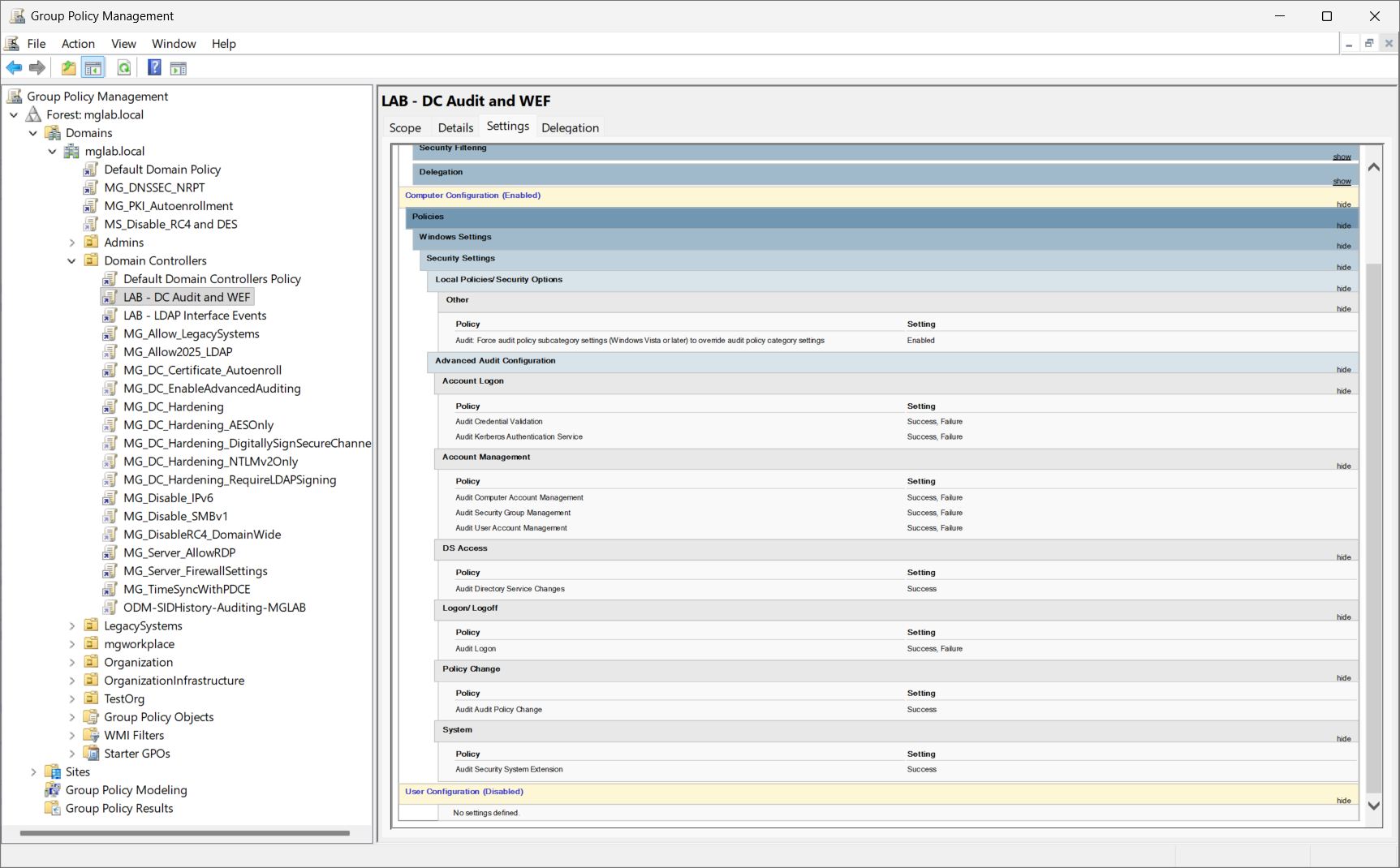
Apply and verify on each DC:
# Apply the GPO immediately
gpupdate /force

# Check the main subcategories
auditpol /get /subcategory:"User Account Management"
auditpol /get /subcategory:"Security Group Management"
auditpol /get /subcategory:"Audit Policy Change"
Expected result: Success and Failure (or Success, according to the table).
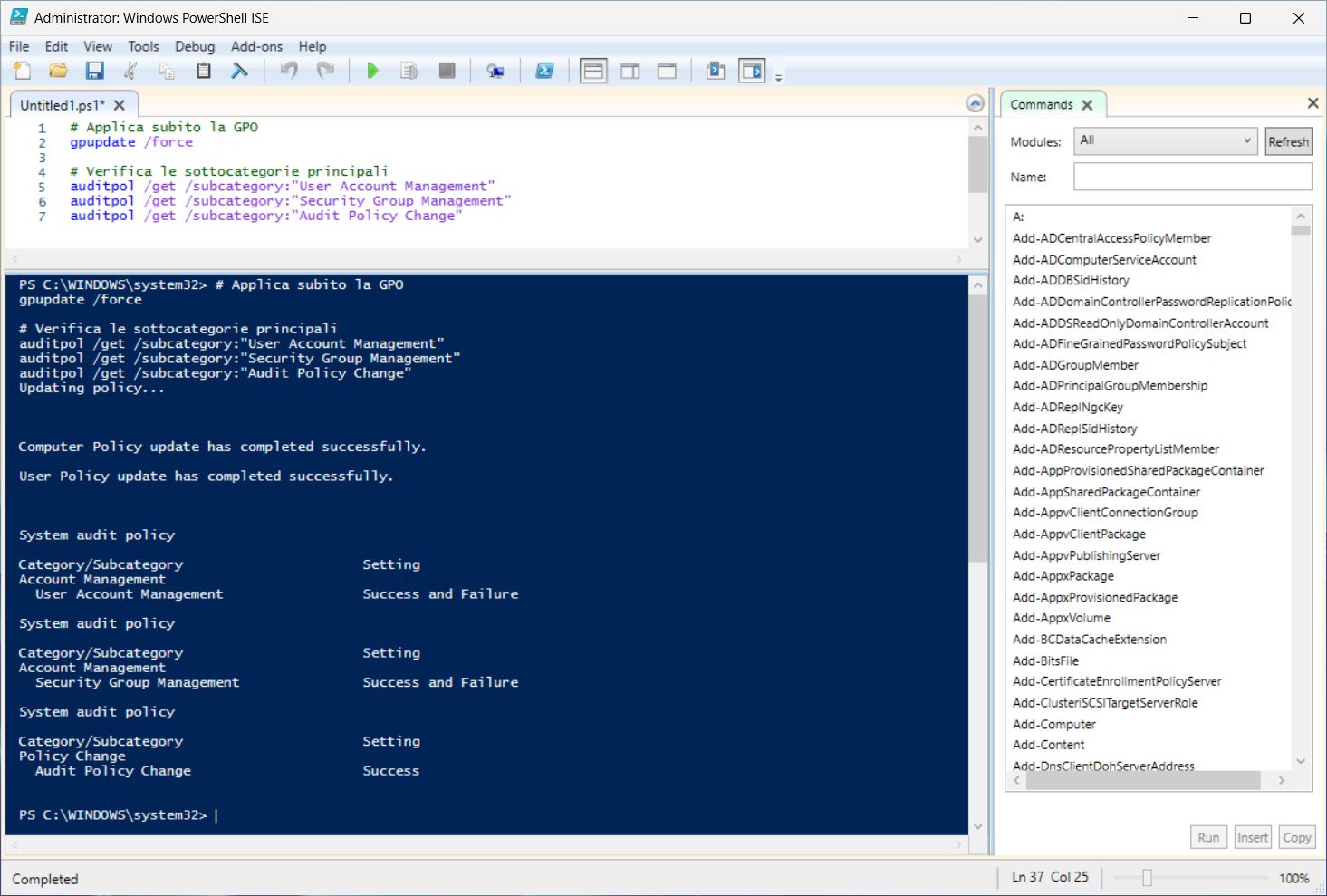
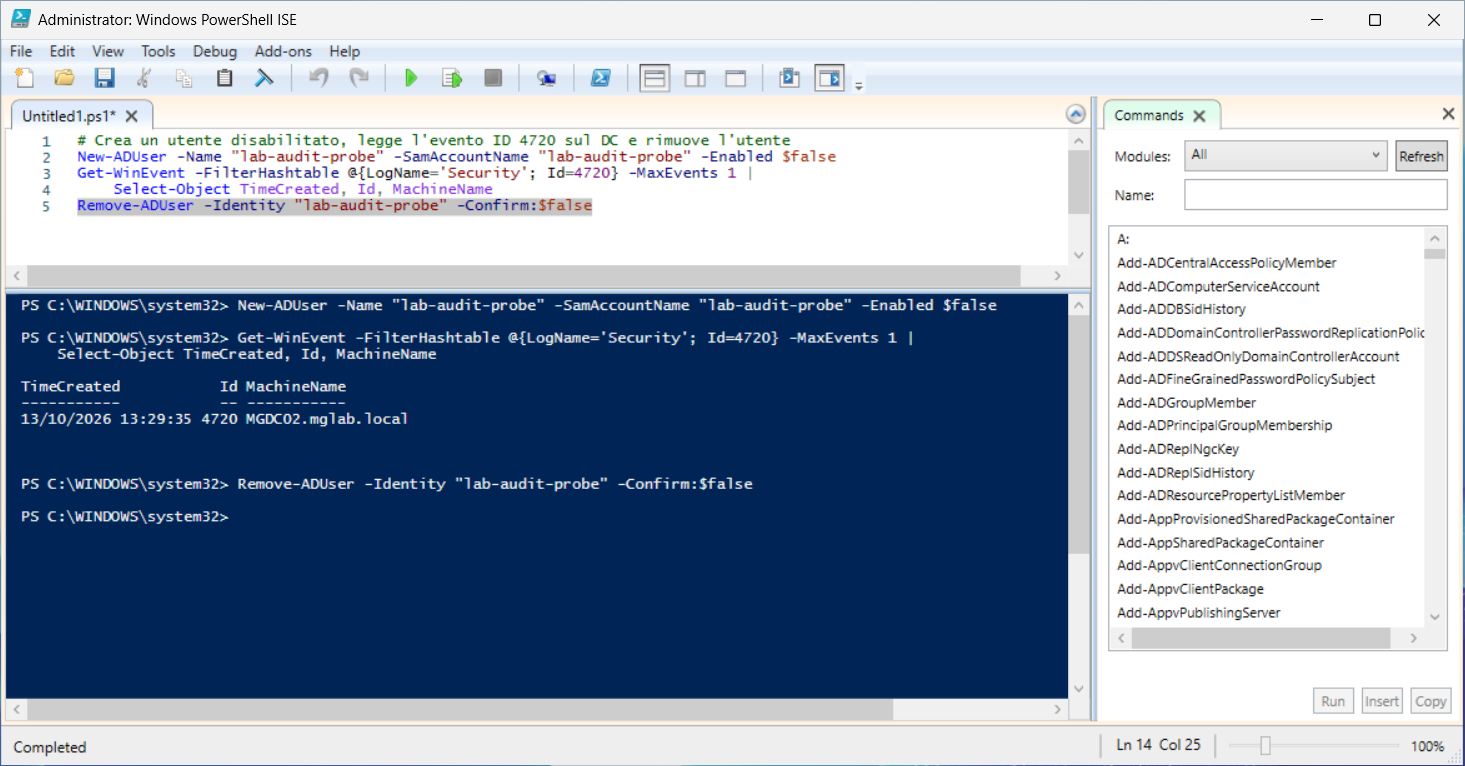
1.2 Local test event (ID 4720)
# Creates a disabled user, reads event ID 4720 on the DC, and removes the user
New-ADUser -Name "lab-audit-probe" -SamAccountName "lab-audit-probe" -Enabled $false
Get-WinEvent -FilterHashtable @{LogName='Security'; Id=4720} -MaxEvents 1 |
    Select-Object TimeCreated, Id, MachineName
Remove-ADUser -Identity "lab-audit-probe" -Confirm:$false
If ID 4720 does not appear on the DC, do not continue: the problem is auditing, not forwarding.
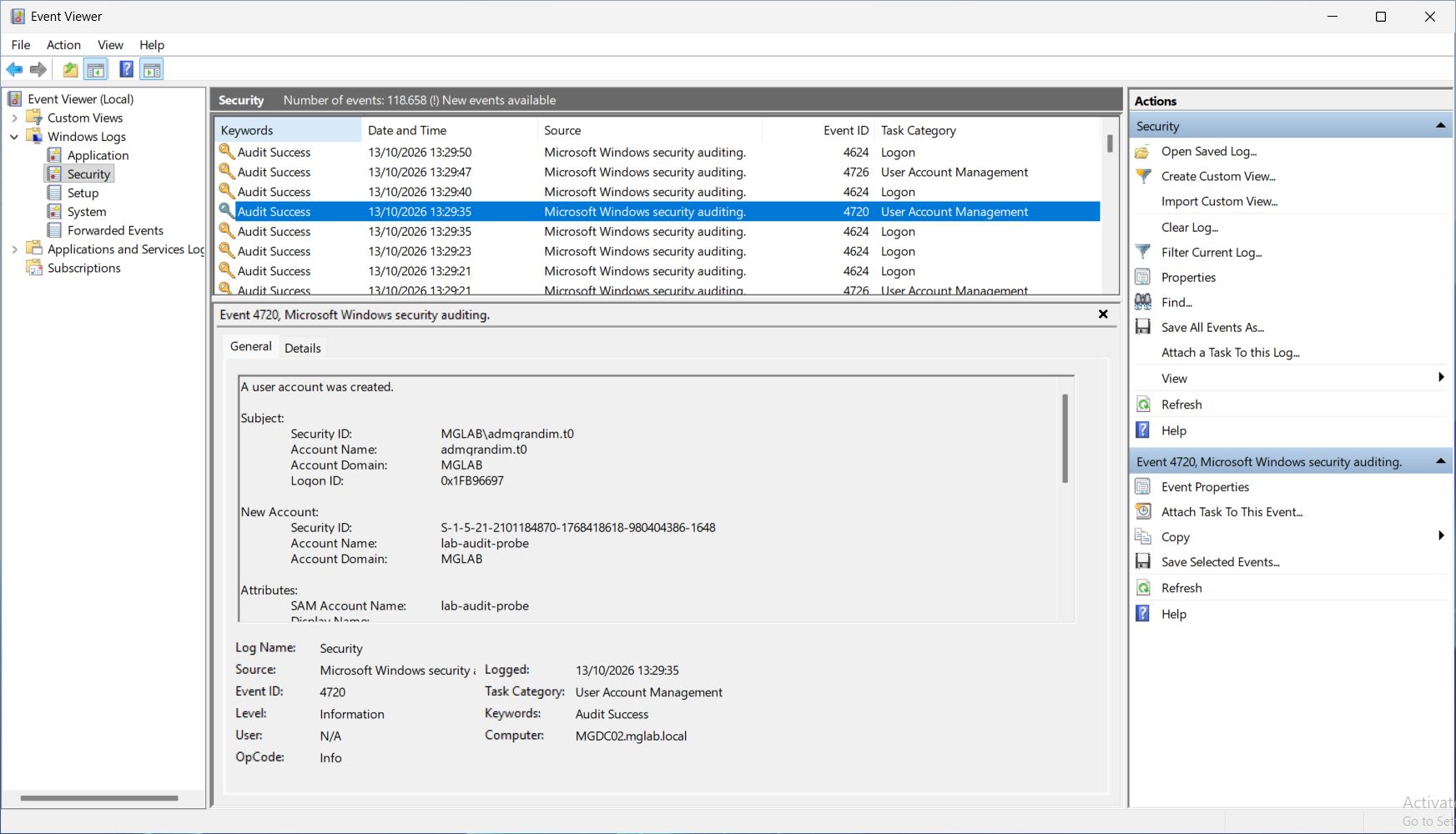
1.3 SACLs for ID 5136, ID 5137, and ID 5141
What is needed. For ID 5136 (attribute modified), ID 5137 (object created), and ID 5141 (object deleted) the Audit Directory Service Changes subcategory is not enough: each object, or each OU, must have a SACL that says who and which operations to audit. In production it is defined per scope, because a broad SACL generates a lot of volume. In the LAB we create it on a test OU so that we can test everything.
Create the OU and the SACL on LAB-DC01.
With the graphical interface.
- In Active Directory Users and Computers, enable
View > Advanced Features. - Create the
LAB-ProtectedOU, then right-click > Properties > Security > Advanced > Auditing > Add. - Select a principal:
Everyone. Type:Success. Applies to:This object and all descendant objects. - In the permissions, select Write all properties, Create all child objects, Delete all child objects. OK.
Here we are not granting any permission. The Auditing tab creates an entry in the SACL, containing the operations to record. It is important not to confuse it with the DACL, which instead decides who can do what. Everyone in the SACL means that anyone will be observed, not that anyone will be authorized. We use Everyone because whoever modifies the directory covertly is an account you do not know in advance: auditing only the known administrators would leave out a compromised account. Volume is controlled through the OU on which the SACL is applied, by recording only write, create, and delete operations, and by recording only Success; if the noise is excessive you can narrow it to Authenticated Users, assessing what you lose.
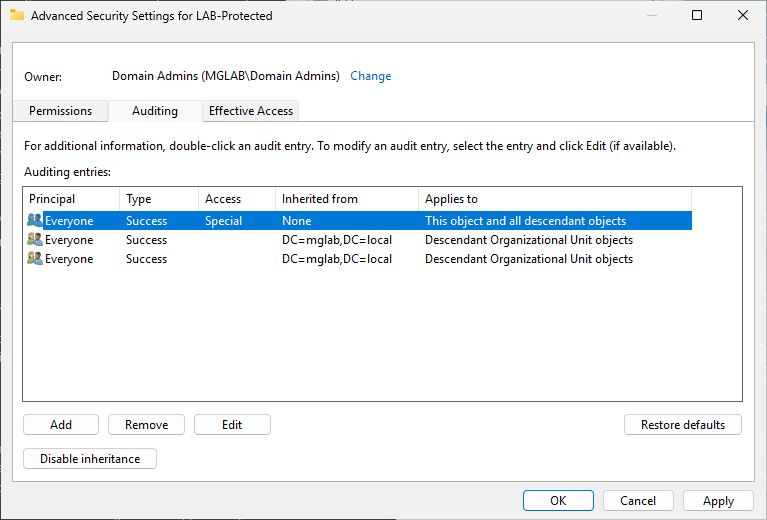
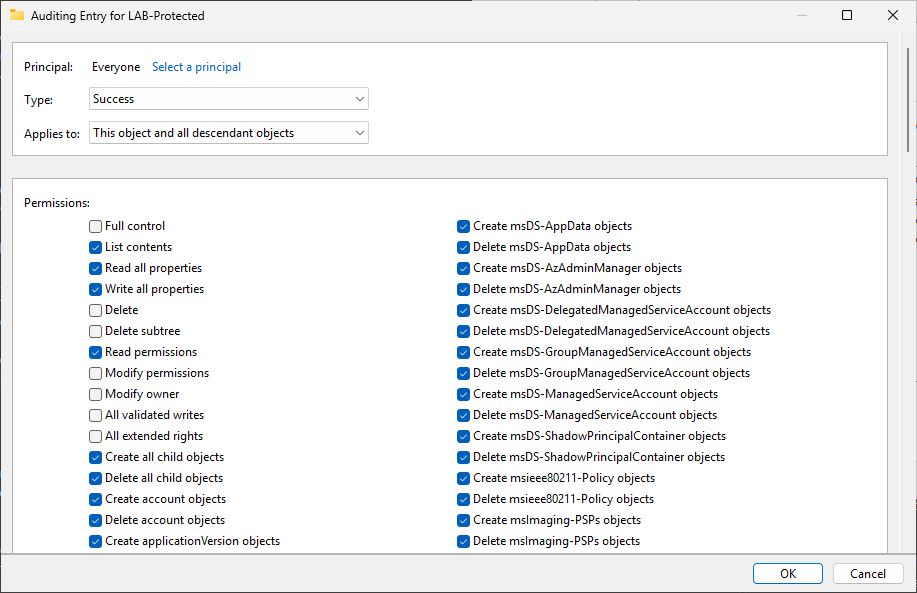
With PowerShell (equivalent):
# Test OU
$ouDn = "OU=LAB-Protected,DC=lab,DC=contoso,DC=test"
New-ADOrganizationalUnit -Name "LAB-Protected" -Path "DC=lab,DC=contoso,DC=test" -ProtectedFromAccidentalDeletion $false

# SACL: audit successes for Everyone (S-1-1-0) on property writes, child creation, and child deletion
$acl  = Get-Acl -Path "AD:$ouDn" -Audit
$rule = New-Object System.DirectoryServices.ActiveDirectoryAuditRule(
    [System.Security.Principal.SecurityIdentifier]'S-1-1-0',
    [System.DirectoryServices.ActiveDirectoryRights]'CreateChild,DeleteChild,WriteProperty',
    [System.Security.AccessControl.AuditFlags]::Success,
    [System.DirectoryServices.ActiveDirectorySecurityInheritance]::All)
$acl.AddAuditRule($rule)
Set-Acl -Path "AD:$ouDn" -AclObject $acl

# Check: the audit rule must appear
(Get-Acl -Path "AD:$ouDn" -Audit).Audit | Select-Object IdentityReference, ActiveDirectoryRights, AuditFlags
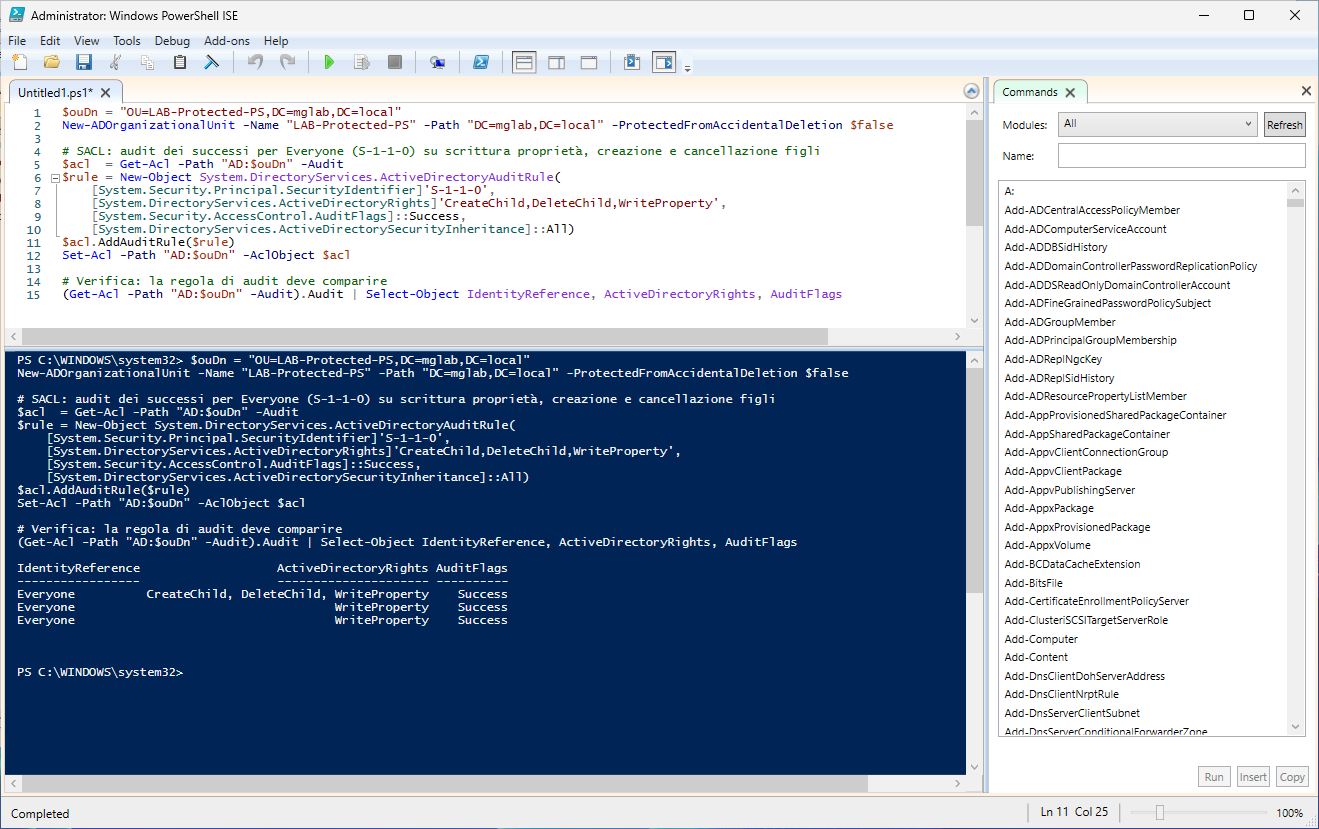
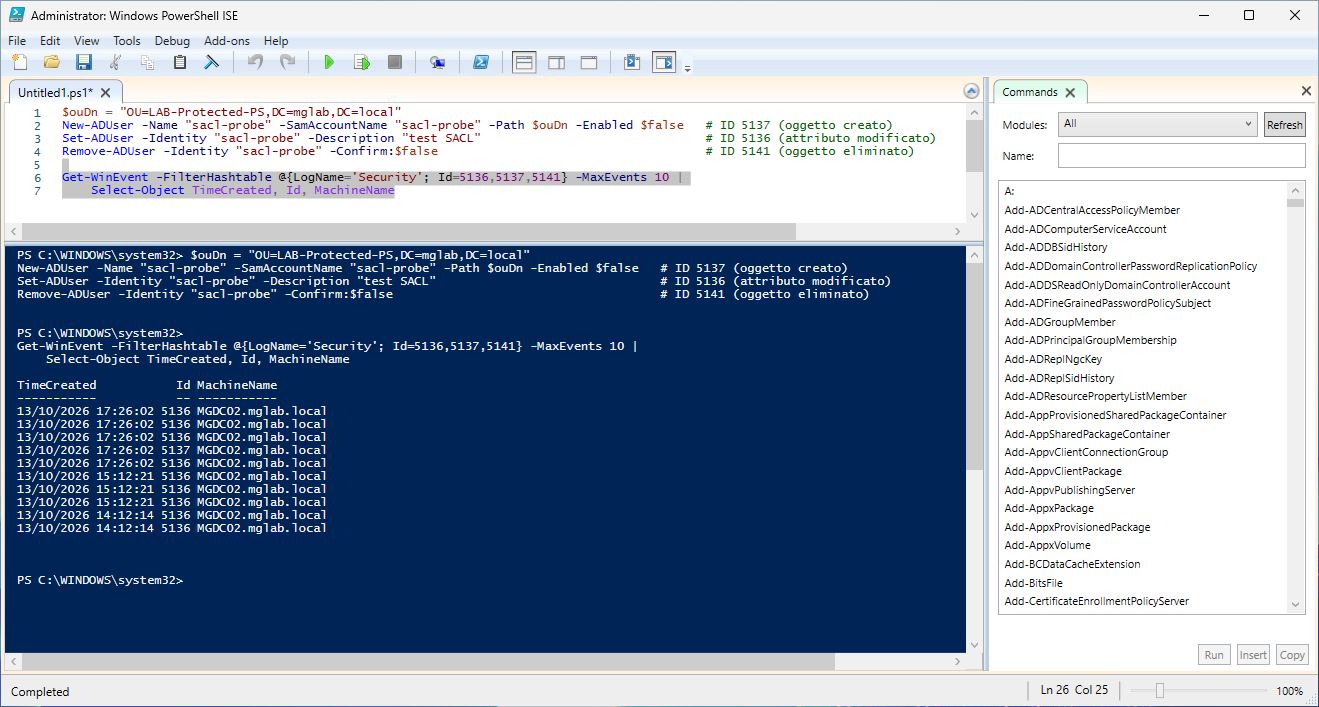
Generate the three events and read them locally:
$ouDn = "OU=LAB-Protected,DC=lab,DC=contoso,DC=test"
New-ADUser -Name "sacl-probe" -SamAccountName "sacl-probe" -Path $ouDn -Enabled $false   # ID 5137 (object created)
Set-ADUser -Identity "sacl-probe" -Description "test SACL"                               # ID 5136 (attribute modified)
Remove-ADUser -Identity "sacl-probe" -Confirm:$false                                     # ID 5141 (object deleted)

Get-WinEvent -FilterHashtable @{LogName='Security'; Id=5136,5137,5141} -MaxEvents 10 |
    Select-Object TimeCreated, Id, MachineName
Expected result: events ID 5137, ID 5136, and ID 5141. If they do not appear, check the Directory Service Changes subcategory and the SACL. The SACL for GPOs (ID 5136 on CN=Policies,CN=System) is created the same way and is described in the "Hardening and tamper resistance" section.
LAB 2 - Preparing the collector
What we do. We enable the Windows Event Collector service (Wecsvc) on the collector, raise ForwardedEvents to a size suitable for the LAB and, if needed, fix the WinRM URL ACL. WinRM, firewall, and certificates were already prepared in the previous section.
Where. On LAB-WEC01, in PowerShell as a local administrator.
# Configure the Windows Event Collector service (delayed automatic start and WinRM setup)
wecutil qc /q
# Set the ForwardedEvents log to 1 GB (1073741824 bytes): LAB value, see "Sizing and retention"
wevtutil sl ForwardedEvents /ms:1073741824

# Check the maximum log size and the rotation mode
Get-WinEvent -ListLog ForwardedEvents |
    Select-Object LogName, MaximumSizeInBytes, LogMode, RecordCount

# Check the state of the services
Get-Service Wecsvc, WinRM | Select-Object Name, Status, StartType
Where to verify.
- Services running. With the
Get-Servicecommand above, or fromservices.msc: Windows Event Collector and Windows Remote Management (WS-Management) must beRunning. MaximumSizeInBytes. This is the maximum file size of theForwardedEventslog, in bytes: 1073741824 is equivalent to 1 GiB. Check it with the command above or from Event Viewer > Windows Logs > Forwarded Events > Properties, where the Maximum log size (KB) field must show 1048576.
Expected result: both services Running and MaximumSizeInBytes equal to 1073741824.
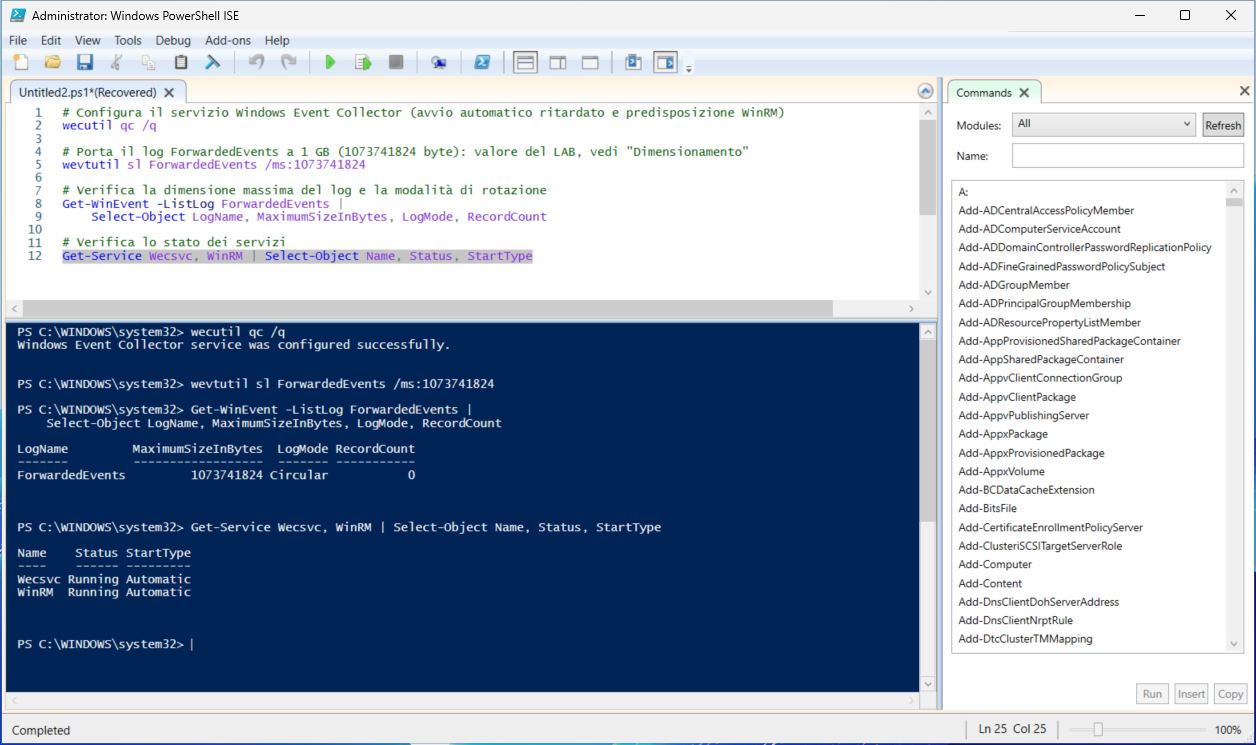
WinRM URL ACL (Windows Server 2019 or 2022 collector)
Not verified in the LABThe test collector is Windows Server 2025. The following guidance comes from third-party guides for Windows Server 2019 and 2022.
On these versions the sources may be rejected with an access denied error until the WinRM listener's URL ACL is fixed. If you are not sure you need it, try without it first: if the sources connect (LAB 4), do not touch anything; if you see access errors, apply what follows. The two SIDs are the ones reported by the guides for these versions.
URL ACL for HTTP (port 5985):
netsh http delete urlacl url=http://+:5985/wsman/
netsh http add urlacl url=http://+:5985/wsman/ sddl=D:(A;;GX;;;S-1-5-80-569256582-2953403351-2909559716-1301513147-412116970)(A;;GX;;;S-1-5-80-4059739203-877974739-1245631912-527174227-2996563517)
URL ACL for HTTPS (port 5986), only if you use HTTPS:
netsh http delete urlacl url=https://+:5986/wsman/
netsh http add urlacl url=https://+:5986/wsman/ sddl=D:(A;;GX;;;S-1-5-80-569256582-2953403351-2909559716-1301513147-412116970)(A;;GX;;;S-1-5-80-4059739203-877974739-1245631912-527174227-2996563517)
Then restart WinRM and check:
Restart-Service WinRM
netsh http show urlacl url=http://+:5985/wsman/
The delete command may return an error the first time if the entry does not exist: this is normal.
LAB 3 - GPO for the source DCs and Security log read permission
What we do. We tell the DCs where to send events (subscription manager) and give the DC's WinRM service permission to read the Security log. Without the former the DCs do not know which collector to contact; without the latter the collector receives System and Directory Service but not Security.
3.1 Subscription manager
The subscription manager is the collector address that the sources consult to discover which subscriptions to join: it is a policy value read by the Event Forwarding client of each DC.
In the LAB - DC Audit and WEF GPO: Computer Configuration > Policies > Administrative Templates > Windows Components > Event Forwarding > Configure target Subscription Manager. Set Enabled, click Show... and enter as the value:
Server=http://wec.lab.contoso.test:5985/wsman/SubscriptionManager/WEC,Refresh=60
For HTTPS with certificates (to be validated, see Preparation):
Server=https://wec.lab.contoso.test:5986/wsman/SubscriptionManager/WEC,Refresh=60,IssuerCA=<thumbprint of the issuing CA>
Refresh. It indicates every how many seconds the source contacts the collector again to discover new or modified subscriptions; it is not the event latency (that depends on MaxLatencyTime). In the LAB, Refresh=60 so that tests are quick. In production use a higher value: as a starting point, 300 seconds is a reasonable compromise between responsiveness to changes and polling load with many sources (this is an operational guideline, not an official value: measure before settling on it).
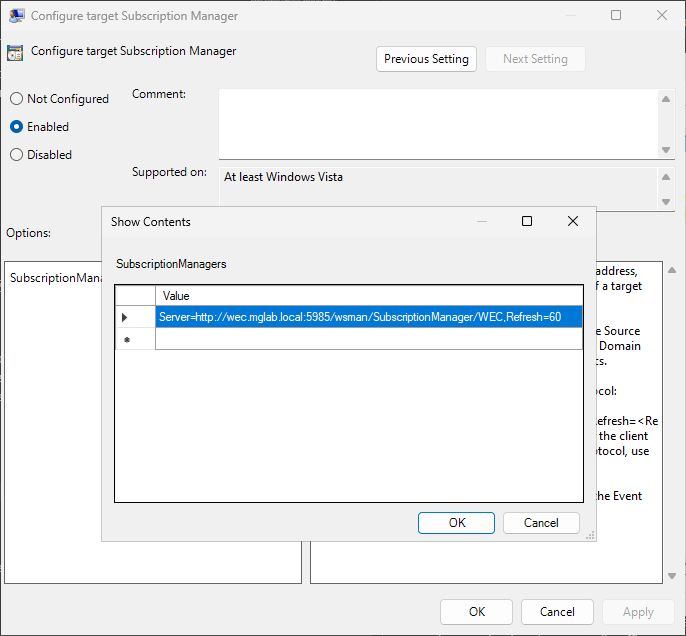
3.2 Security log read permission
The WinRM service on the DC runs as NETWORK SERVICE, which by default cannot read the Security log. There are two ways.
Recommended way: the Event Log Readers group. Adding NETWORK SERVICE to the Event Log Readers group is the simplest procedure and is documented by Microsoft, for example in the event forwarding guide for Defender for Identity. On DCs that group is a domain Builtin group: the change is made only once and replicates to all DCs.
- On
LAB-DC01, open Active Directory Users and Computers, Builtin container, Event Log Readers group, Members > Add... tab. - Click Object Types... and select Built-in security principals.
- Enter
NETWORK SERVICEand confirm.
Alternatively, from the command line on a DC (on a DC it acts on the domain group; verify the result in the LAB):
net localgroup "Event Log Readers" "NT AUTHORITY\NETWORK SERVICE" /add
net localgroup "Event Log Readers"
The WinRM service receives its token, with the groups, only when it starts, and on DCs simply restarting the service is not always enough: in the LAB, after the change, the forwarder kept reporting error 5004 (Windows Event Forward plugin can't read any event from the query since the query returns no active channel) until the DC was rebooted. After the change, reboot each DC (in a maintenance window, one DC at a time). Then check the Microsoft-Windows-Forwarding/Operational log: events 100 (subscription is created successfully) indicate that the Security channel is readable, while 101 and 102 indicate that it is not yet.
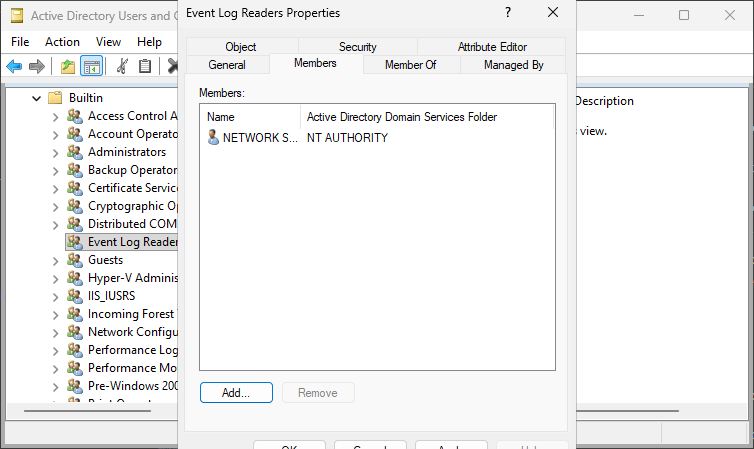
What this entails: members of Event Log Readers read all the DC's logs, not just Security. For a service account that already works as a WinRM intermediary this is an acceptable trade-off in a controlled Tier 0 environment. If you want to restrict it further, there is the following alternative, with its limits.
More restrictive but not recommended alternative: ACE on the Security channel. It grants read access to the Security log only. In the same GPO: Computer Configuration > Policies > Administrative Templates > Windows Components > Event Log Service > Security > Configure log access. First read the current value on a DC:
wevtutil gl Security | Select-String "channelAccess"
The default value is similar to O:BAG:SYD:(A;;0xf0005;;;SY)(A;;0x5;;;BA)(A;;0x1;;;S-1-5-32-573). Copy the value read on your system and append (A;;0x1;;;S-1-5-20), the read-only ACE (Access Control Entry) for NETWORK SERVICE. Do not paste a value from another system: you would overwrite any additional ACEs.
3.3 Apply and check
gpupdate /force
Get-ChildItem "HKLM:\SOFTWARE\Policies\Microsoft\Windows\EventLog\EventForwarding\SubscriptionManager"
Get-Service WinRM | Select-Object Name, Status, StartType
Expected result: the SubscriptionManager key contains the server string and WinRM is Running. If the service is stopped, start it and check the GPO before continuing.
LAB 4 - Creating source-initiated subscriptions
What we do. On the collector we create the two subscriptions, that is, the instructions that tell the DCs which events to send and how: set A (a few high-value events) and set B (authentication failures only). Then we check that the DCs show up as sources.
Where. Everything runs on LAB-WEC01, in a single PowerShell window started as administrator: the function defined in section 4.1 exists only in that session, so sections 4.4, 4.5, and 4.7 must be run in the same window.
4.1 The New-DcSubscription function
The function creates the subscription XML file and registers it with wecutil. Paste it in full:
function New-DcSubscription {
    param(
        [Parameter(Mandatory)][string]$Id,           # subscription name
        [Parameter(Mandatory)][string]$Description,  # free-text description
        [Parameter(Mandatory)][string]$QueryList,    # XPath filter (set A or B)
        [ValidateSet('HTTP','HTTPS')][string]$Transport = 'HTTP',
        [int]$MaxItems      = 5,                     # events per batch
        [int]$MaxLatencyMs  = 30000,                 # maximum wait before sending a batch (ms)
        [int]$HeartbeatMs   = 900000,                # heartbeat interval (ms): 900000 = 15 minutes
        [string]$Sddl       = 'O:NSG:BAD:P(A;;GA;;;DD)S:'   # who can send (see below)
    )

    $xml = @"
<Subscription xmlns="http://schemas.microsoft.com/2006/03/windows/events/subscription">
  <SubscriptionId>$Id</SubscriptionId>
  <SubscriptionType>SourceInitiated</SubscriptionType>
  <Description>$Description</Description>
  <Enabled>true</Enabled>
  <Uri>http://schemas.microsoft.com/wbem/wsman/1/windows/EventLog</Uri>
  <ConfigurationMode>Custom</ConfigurationMode>
  <Delivery Mode="Push">
    <Batching>
      <MaxItems>$MaxItems</MaxItems>
      <MaxLatencyTime>$MaxLatencyMs</MaxLatencyTime>
    </Batching>
    <PushSettings>
      <Heartbeat Interval="$HeartbeatMs"/>
    </PushSettings>
  </Delivery>
  <Query><![CDATA[$QueryList]]></Query>
  <ReadExistingEvents>false</ReadExistingEvents>
  <TransportName>$Transport</TransportName>
  <ContentFormat>RenderedText</ContentFormat>
  <Locale Language="en-US"/>
  <LogFile>ForwardedEvents</LogFile>
  <PublisherName>Microsoft-Windows-EventCollector</PublisherName>
  <AllowedSourceNonDomainComputers></AllowedSourceNonDomainComputers>
  <AllowedSourceDomainComputers>$Sddl</AllowedSourceDomainComputers>
</Subscription>
"@
    $path = Join-Path $env:TEMP "$Id.xml"
    $xml | Set-Content -Path $path -Encoding UTF8
    wecutil cs $path      # registers the subscription
}
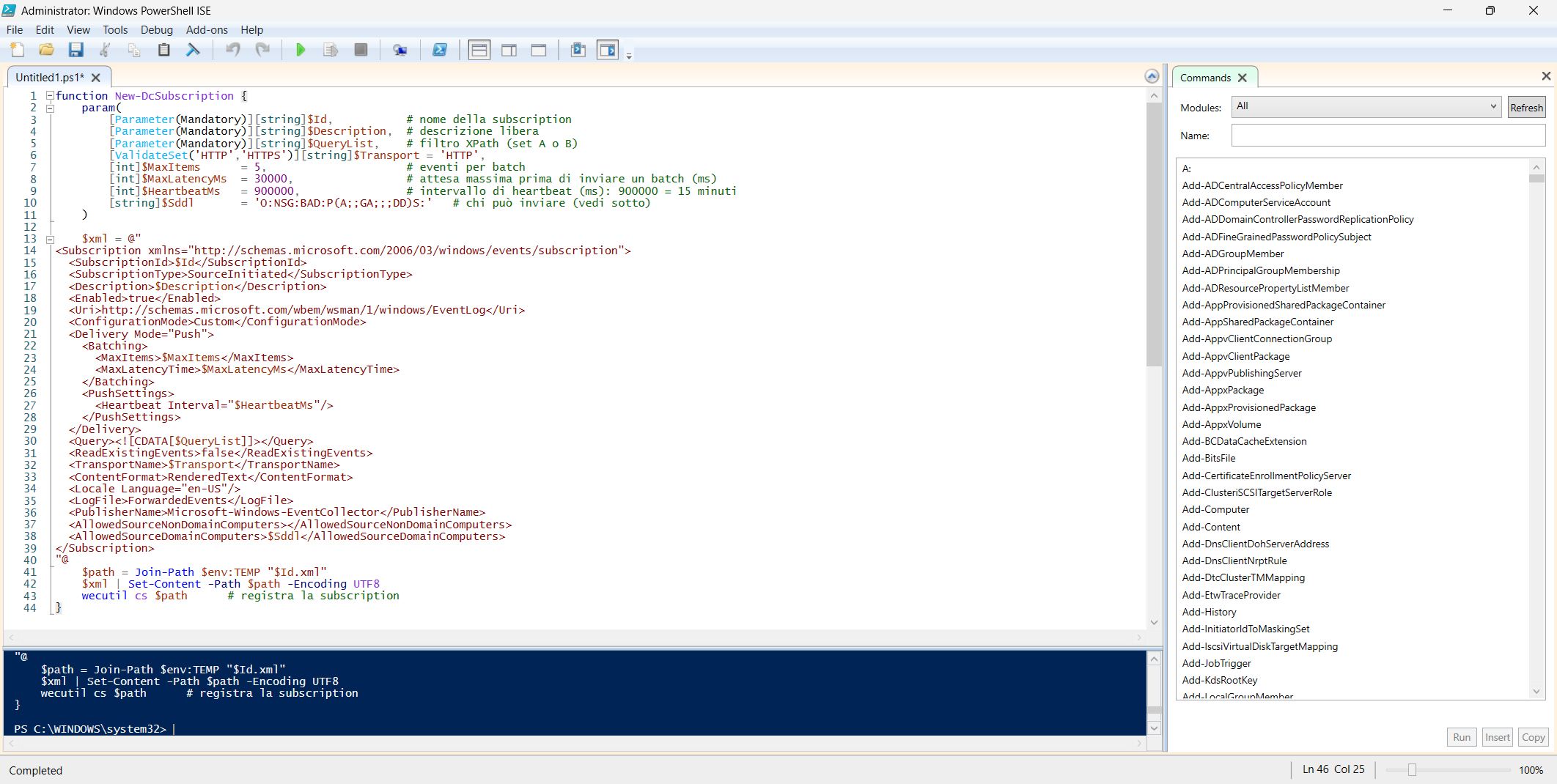
Parameters and customizable values.
| Parameter | LAB default | What it controls | When to change it |
|---|---|---|---|
Id | (required) | Subscription name, used by wecutil gr <id> | Always: choose descriptive names |
QueryList | (required) | XPath event filter | To add or remove IDs (set A, B, Level C) |
Transport | HTTP | HTTP (5985) or HTTPS (5986) | If you chose HTTPS (see Preparation) |
MaxItems | 5 | Number of events per batch | Higher in production to reduce connections |
MaxLatencyMs | 30000 | Maximum wait before sending a batch: it is the tampering exposure window | Lower = more responsive and more load |
HeartbeatMs | 900000 | How often the source signals it is alive even without events | Lower to detect a silent source sooner |
Sddl | DD only | Who is authorized to send events (see below) | If you have RODCs or want a dedicated group |
ContentFormat (in the XML text) | RenderedText | Includes the rendered text of the event; increases size | If space is a constraint |
ReadExistingEvents (in the XML text) | false | Whether to import the local history | Keep false: new events only |
Locale (in the XML text) | en-US | Language of the rendered text | If you want the text in the system language |
4.2 What SDDL is and what it authorizes
SDDL (Security Descriptor Definition Language) is a text format for writing a security descriptor: owner, group, and permission list. Here it decides which computers can send events to the subscription. The string O:NSG:BAD:P(A;;GA;;;DD)S: reads as follows:
| Part | Meaning |
|---|---|
O:NS | Owner: NETWORK SERVICE |
G:BA | Group: Builtin Administrators |
D:P | Permission list (DACL) protected from inheritance |
(A;;GA;;;DD) | Allow, full access (GA), to the Domain Controllers group (DD) |
S: | Empty SACL (no auditing) |
This is where many first attempts fail: DCs are not in Domain Computers (alias DC), so an SDDL copied from a workstation example rejects them. Do not add DC to a collector dedicated to DCs, otherwise any computer in the domain could send events.
4.3 RODCs: what to check and which string to use
Read-Only Domain Controllers are not in the Domain Controllers group: an SDDL with only DD would exclude them. If your domain has no RODCs, skip this section. If it does, proceed as follows on a writable DC:
# 1) List the RODCs in the domain
Get-ADDomainController -Filter { IsReadOnly -eq $true } | Select-Object Name, HostName

# 2) For an RODC, check which group its computer account belongs to (PrimaryGroupID and MemberOf)
Get-ADComputer -Identity "<RODC-name>" -Properties PrimaryGroupID, MemberOf |
    Select-Object Name, PrimaryGroupID, MemberOf

# 3) Read the SID of the "Read-only Domain Controllers" group
$rodcSid = (Get-ADGroup -Identity "Read-only Domain Controllers").SID.Value
$rodcSid

# 4) Build the final SDDL string: DD plus the RODC group
$sddl = "O:NSG:BAD:P(A;;GA;;;DD)(A;;GA;;;$rodcSid)S:"
$sddl
Check that PrimaryGroupID (or MemberOf) points to the Read-only Domain Controllers group, whose RID is 521. The final string has this form (example with a fictitious SID):
O:NSG:BAD:P(A;;GA;;;DD)(A;;GA;;;S-1-5-21-1111111111-2222222222-3333333333-521)S:
Pass it to the function with -Sddl $sddl. If your RODC account turns out to be in a different group, use the SID of that group. The SDDL alias RO, on the other hand, indicates the Enterprise Read-only Domain Controllers (RID 498), a different group.
4.4 Set A (low volume)
In the same PowerShell window on LAB-WEC01:
# XPath filter for set A: one query for each source log
$queryA = @'
<QueryList>
  <Query Id="0" Path="Security">
    <Select Path="Security">*[System[(EventID=1102 or EventID=4719 or EventID=4720 or EventID=4722 or EventID=4724 or EventID=4725 or EventID=4726 or EventID=4728 or EventID=4729 or EventID=4732 or EventID=4733 or EventID=4740 or EventID=4741 or EventID=4743 or EventID=4756 or EventID=4757 or EventID=4765 or EventID=4766 or EventID=4794 or EventID=5136 or EventID=5137 or EventID=5141)]]</Select>
  </Query>
  <Query Id="1" Path="System">
    <Select Path="System">*[System[(EventID=104 or EventID=7045)]]</Select>
  </Query>
  <Query Id="2" Path="Directory Service">
    <Select Path="Directory Service">*[System[(EventID=2887 or EventID=2888 or EventID=2889)]]</Select>
  </Query>
</QueryList>
'@

# Create the subscription (add -Transport HTTPS and/or -Sddl $sddl if needed)
New-DcSubscription -Id "LAB-DC-TierA" -Description "DC low-volume high-value events" -QueryList $queryA
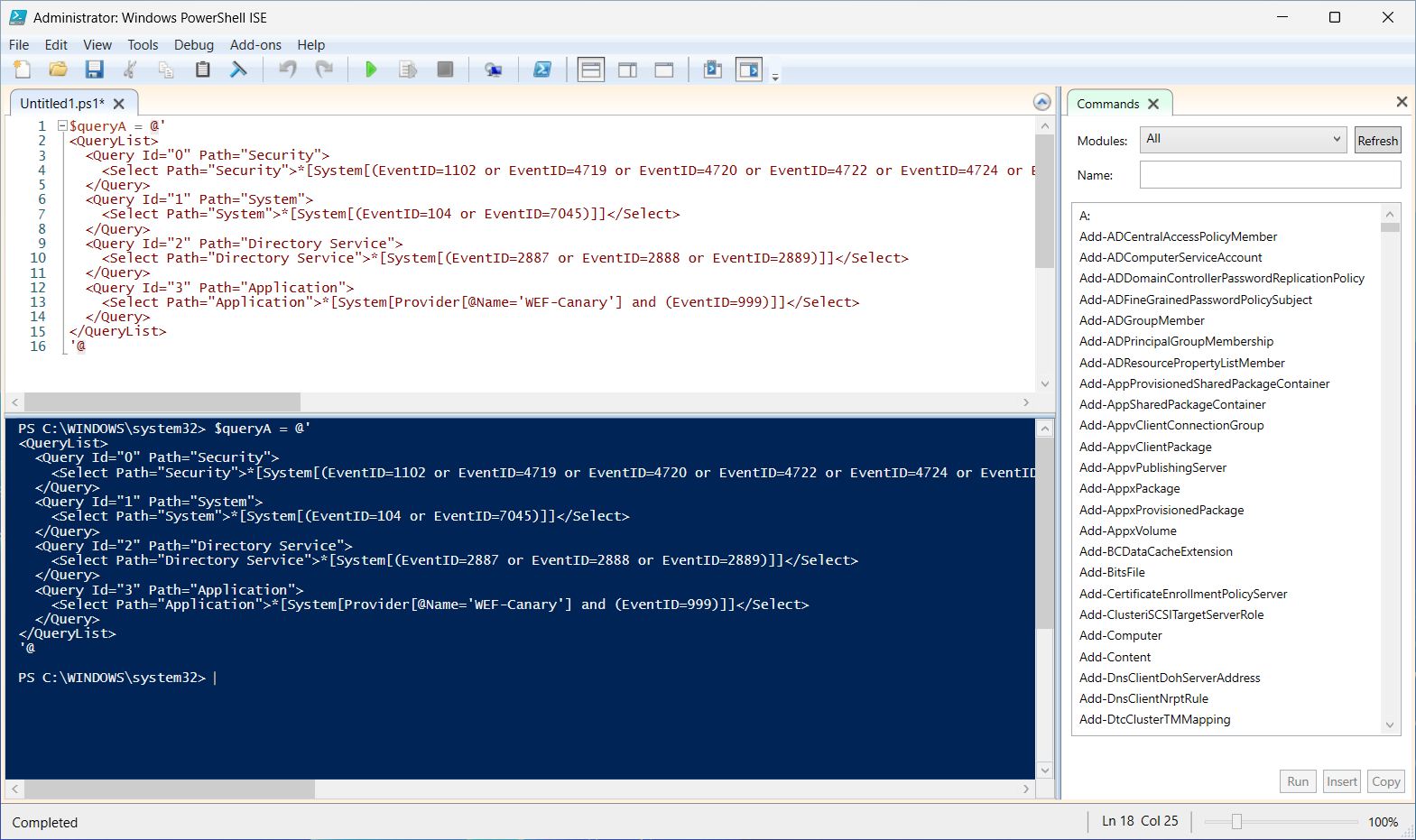
The filter has three queries because the events live in three different logs: Security (accounts, groups, directory), System (ID 104 and ID 7045), and Directory Service (LDAP). Part 2 will add a fourth query, for a sentinel event in the Application log, by updating the subscription.
4.5 Set B (authentication failures only)
# Set B filter: the authentication IDs, but only those with the "Audit Failure" keyword
$queryB = @'
<QueryList>
  <Query Id="0" Path="Security">
    <Select Path="Security">*[System[(EventID=4625 or EventID=4768 or EventID=4771 or EventID=4776) and band(Keywords,4503599627370496)]]</Select>
  </Query>
</QueryList>
'@
New-DcSubscription -Id "LAB-DC-TierB-Failures" -Description "DC authentication failures" -QueryList $queryB

# List the subscriptions present on the collector
wecutil es
The value 4503599627370496 is the mask of the Audit Failure keyword: without it, successes would arrive too, that is, hundreds of thousands of events. wecutil es (enumerate subscriptions) lists the subscriptions registered on the collector.
4.6 Checking that the DCs appear as sources
After the GPO, a DC contacts the collector at the first Refresh interval (up to one minute in the LAB). To speed things up, on each DC: gpupdate /force and Restart-Service WinRM -Force. Then, on LAB-WEC01, there are three checkpoints.
- From PowerShell, on the collector:
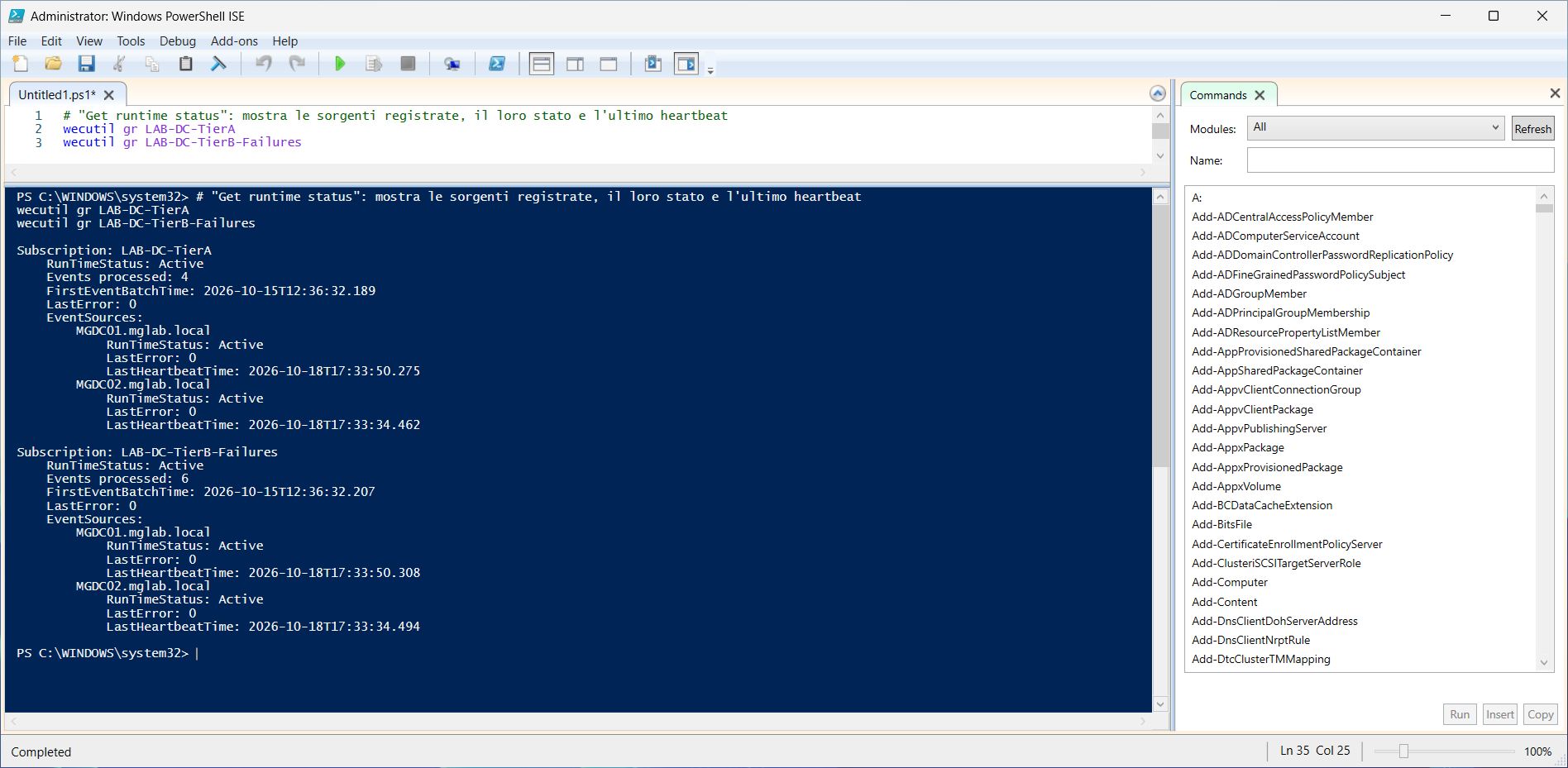
# "Get runtime status": shows the registered sources, their state, and the last heartbeat
wecutil gr LAB-DC-TierA
wecutil gr LAB-DC-TierB-Failures
Expected result: each DC appears as a source with state Active and a recent LastHeartbeatTime. LastError and ErrorTime are a history and are not reset: an error such as 8033809b (WinRM closed by the DC) or 71a (RPC call canceled) with an ErrorTime earlier than a restart, state Active, and an advancing heartbeat is not a problem. What counts is the current state. If the sources are Inactive, or LastError is recent and does not change, go to the DC's Forwarding/Operational log.
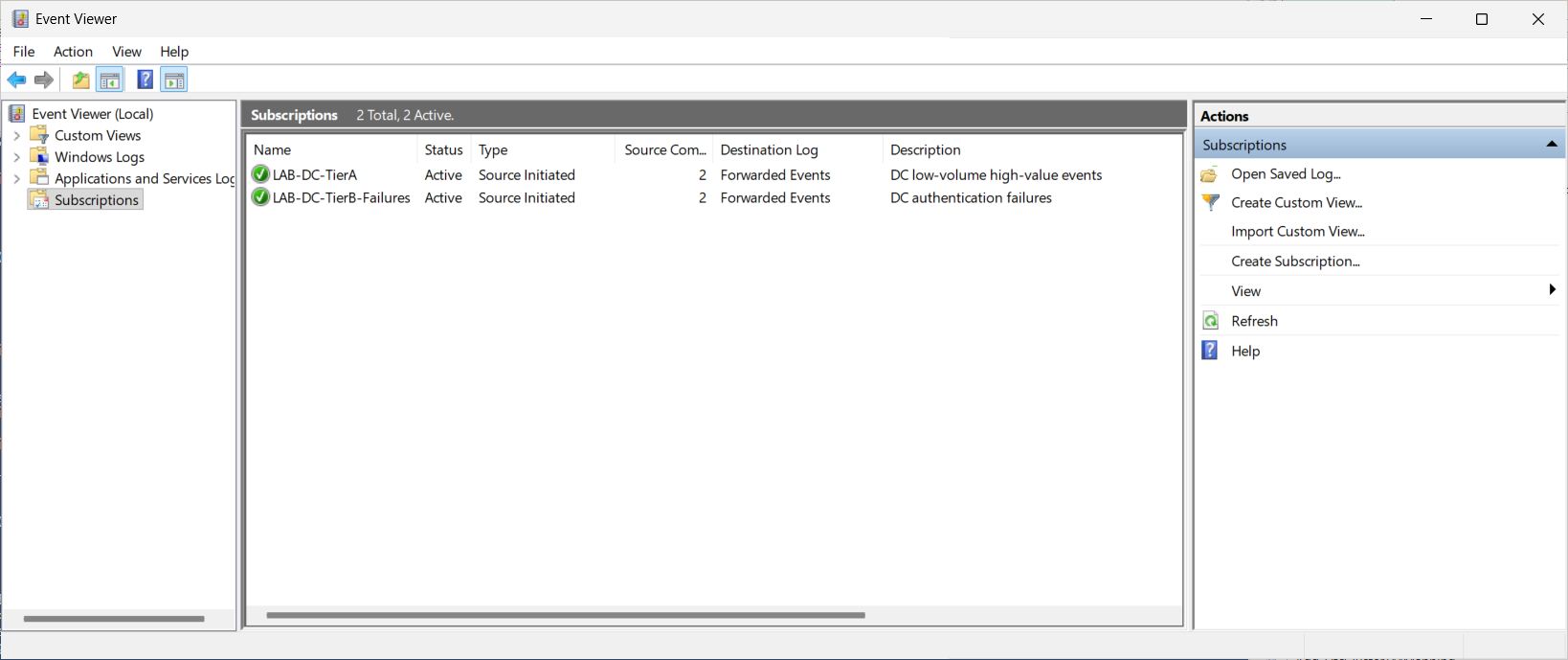
- From Event Viewer, on the collector: Event Viewer > Subscriptions, select
LAB-DC-TierA, Runtime Status...: the list shows each DC with its state and last heartbeat. - From the service log, on the collector: Event Viewer > Applications and Services Logs > Microsoft > Windows > EventCollector > Operational.
If a DC does not appear, on the DC open Applications and Services Logs > Microsoft > Windows > Forwarding > Operational (or read it with Get-WinEvent -LogName Microsoft-Windows-Forwarding/Operational) and look for errors and warnings.
4.7 Set H (optional): RC4, NTLMv1, and KRBTGT hardening
What we do. We create a third subscription, LAB-DC-TierH-Hardening, with the Level H events described in the "Events to collect: tiered sets" section. Enable it only after measuring A and B. It was not tested in the LAB: RC4 events appear only where something still uses RC4, so in an AES-only forest the subscription will stay almost empty.
Where. On LAB-WEC01, in the same PowerShell window where you defined New-DcSubscription. In the filter, < and > are written as < and >, because the filter is an XML document.
$queryH = @'
<QueryList>
<Query Id="0" Path="Security">
<Select Path="Security">*[System[(EventID=4768 or EventID=4769)]] and *[EventData[Data[@Name='TicketEncryptionType']='0x17' or Data[@Name='TicketEncryptionType']='0x18']]</Select>
</Query>
<Query Id="1" Path="System">
<Select Path="System">*[System[Provider[@Name='Kdcsvc'] and (EventID>=201 and EventID<=209)]]</Select>
</Query>
<Query Id="2" Path="Security">
<Select Path="Security">*[System[(EventID=4624)]] and *[EventData[Data[@Name='LmPackageName']='NTLM V1']]</Select>
</Query>
<Query Id="3" Path="Microsoft-Windows-NTLM/Operational">
<Select Path="Microsoft-Windows-NTLM/Operational">*[System[(EventID=4024 or EventID=4025)]]</Select>
</Query>
<Query Id="4" Path="Security">
<Select Path="Security">*[System[(EventID=4738)]] and *[EventData[Data[@Name='TargetUserName']='krbtgt']]</Select>
</Query>
</QueryList>
'@
New-DcSubscription -Id "LAB-DC-TierH-Hardening" -Description "DC hardening events: RC4, NTLMv1, KRBTGT" -QueryList $queryH
wecutil gr LAB-DC-TierH-Hardening
Expected result: the DCs appear as Active sources; events arrive only when they occur. Two points to confirm on a real event: the Kdcsvc provider name (if query 1 receives nothing, try without the Provider filter) and the TicketEncryptionType and LmPackageName field names.
4.8 SACLs and tests for KRBTGT and GPOs (optional)
What we do. As in LAB 1.3, ID 5136, ID 5137, and ID 5141 exist only where there is a SACL. Here we create it on the krbtgt object, on the GPO container and, limited to the gPLink and gPOptions attributes, on the domain and the OUs, and then we test that the events arrive. The Add-AdAudit function makes the code reusable.
Where. On LAB-DC01, PowerShell as a domain administrator.
# Adds an audit rule (Success only) for Everyone on an Active Directory object
function Add-AdAudit {
    param(
        [Parameter(Mandatory)][string]$Dn,                 # object to apply the SACL to
        [Parameter(Mandatory)][string]$Rights,             # e.g. 'WriteProperty' or 'CreateChild,DeleteChild,WriteProperty'
        [guid]$ObjectType = [guid]::Empty,                 # GUID of an attribute to limit auditing to it; empty = all
        [ValidateSet('None','All','Descendents')][string]$Inheritance = 'All'
    )
    $acl  = Get-Acl -Path "AD:$Dn" -Audit
    $rule = New-Object System.DirectoryServices.ActiveDirectoryAuditRule(
        [System.Security.Principal.SecurityIdentifier]'S-1-1-0',
        [System.DirectoryServices.ActiveDirectoryRights]$Rights,
        [System.Security.AccessControl.AuditFlags]::Success,
        $ObjectType,
        [System.DirectoryServices.ActiveDirectorySecurityInheritance]$Inheritance)
    $acl.AddAuditRule($rule)
    Set-Acl -Path "AD:$Dn" -AclObject $acl
}

$domainDn = (Get-ADDomain).DistinguishedName

# KRBTGT: writes to the krbtgt object (that object only)
Add-AdAudit -Dn "CN=krbtgt,CN=Users,$domainDn" -Rights WriteProperty -Inheritance None

# GPO: creation, deletion, and modification of GPO objects
Add-AdAudit -Dn "CN=Policies,CN=System,$domainDn" -Rights 'CreateChild,DeleteChild,WriteProperty' -Inheritance All

# gPLink and gPOptions on the domain and the OUs, limiting auditing to these two attributes.
# The attribute GUID is read from the schema, so it does not depend on a copied value.
foreach ($attr in 'gPLink','gPOptions') {
    $guid = [guid](Get-ADObject -SearchBase (Get-ADRootDSE).schemaNamingContext `
                -Filter "lDAPDisplayName -eq '$attr'" -Properties schemaIDGUID).schemaIDGUID
    Add-AdAudit -Dn $domainDn -Rights WriteProperty -ObjectType $guid -Inheritance All
}
Tests. On the DC (for GPOs the GroupPolicy module is required: install the GPMC feature if it is missing). Do not reset the krbtgt password in the LAB to run the test.
$domainDn = (Get-ADDomain).DistinguishedName
$ouDn     = "OU=LAB-Protected,$domainDn"

# KRBTGT: reversible change of the description, then restore
$old = (Get-ADUser krbtgt -Properties Description).Description
Set-ADUser krbtgt -Description 'wef test'
if ($old) { Set-ADUser krbtgt -Description $old } else { Set-ADUser krbtgt -Clear Description }

# Test GPO: creation, modification, link, enforced, unlink, deletion
New-GPO -Name 'LAB-GPO-Probe'
Set-GPRegistryValue -Name 'LAB-GPO-Probe' -Key 'HKCU\Software\LAB' -ValueName Probe -Type String -Value 'x'
New-GPLink -Name 'LAB-GPO-Probe' -Target $ouDn
Set-GPLink -Name 'LAB-GPO-Probe' -Target $ouDn -Enforced Yes
Remove-GPLink -Name 'LAB-GPO-Probe' -Target $ouDn
Remove-GPO -Name 'LAB-GPO-Probe'
On LAB-WEC01, check that the events have arrived and look at MachineName:
Get-WinEvent -LogName ForwardedEvents -MaxEvents 300 |
    Where-Object { $_.Id -in 4738, 5136, 5137, 5141 } |
    Select-Object TimeCreated, Id, MachineName | Sort-Object TimeCreated
Expected result: ID 5136 for the krbtgt description (and, if the attribute is among those covered by the event, also ID 4738), ID 5137 when the GPO is created, ID 5136 for the GPO modification and for each gPLink change, ID 5141 on deletion. If anything is missing, first check the SACL with (Get-Acl -Path "AD:<DN>" -Audit).Audit.
LAB 5 - Generating events and reading them on the collector
What we do. We deliberately generate the set A and set B events on the DC and check that they reach the collector with the correct DC name in MachineName. This proves that the DC > WinRM > collector chain works.
5.1 Set A
On LAB-DC01 (PowerShell as a domain administrator):
$ouDn = "OU=LAB-Protected,DC=lab,DC=contoso,DC=test"

New-ADUser -Name "lab-wef-user1" -SamAccountName "lab-wef-user1" -Path $ouDn -Enabled $false  # ID 4720, ID 5137
Set-ADUser -Identity "lab-wef-user1" -Description "wef test"                                   # ID 5136
New-ADGroup -Name "LAB-WEF-Test" -GroupScope Global -Path $ouDn                                # ID 4727 (not forwarded)
Add-ADGroupMember -Identity "LAB-WEF-Test" -Members "lab-wef-user1"                            # ID 4728
Remove-ADGroupMember -Identity "LAB-WEF-Test" -Members "lab-wef-user1" -Confirm:$false         # ID 4729
Remove-ADUser -Identity "lab-wef-user1" -Confirm:$false                                        # ID 4726, ID 5141
Remove-ADGroup -Identity "LAB-WEF-Test" -Confirm:$false
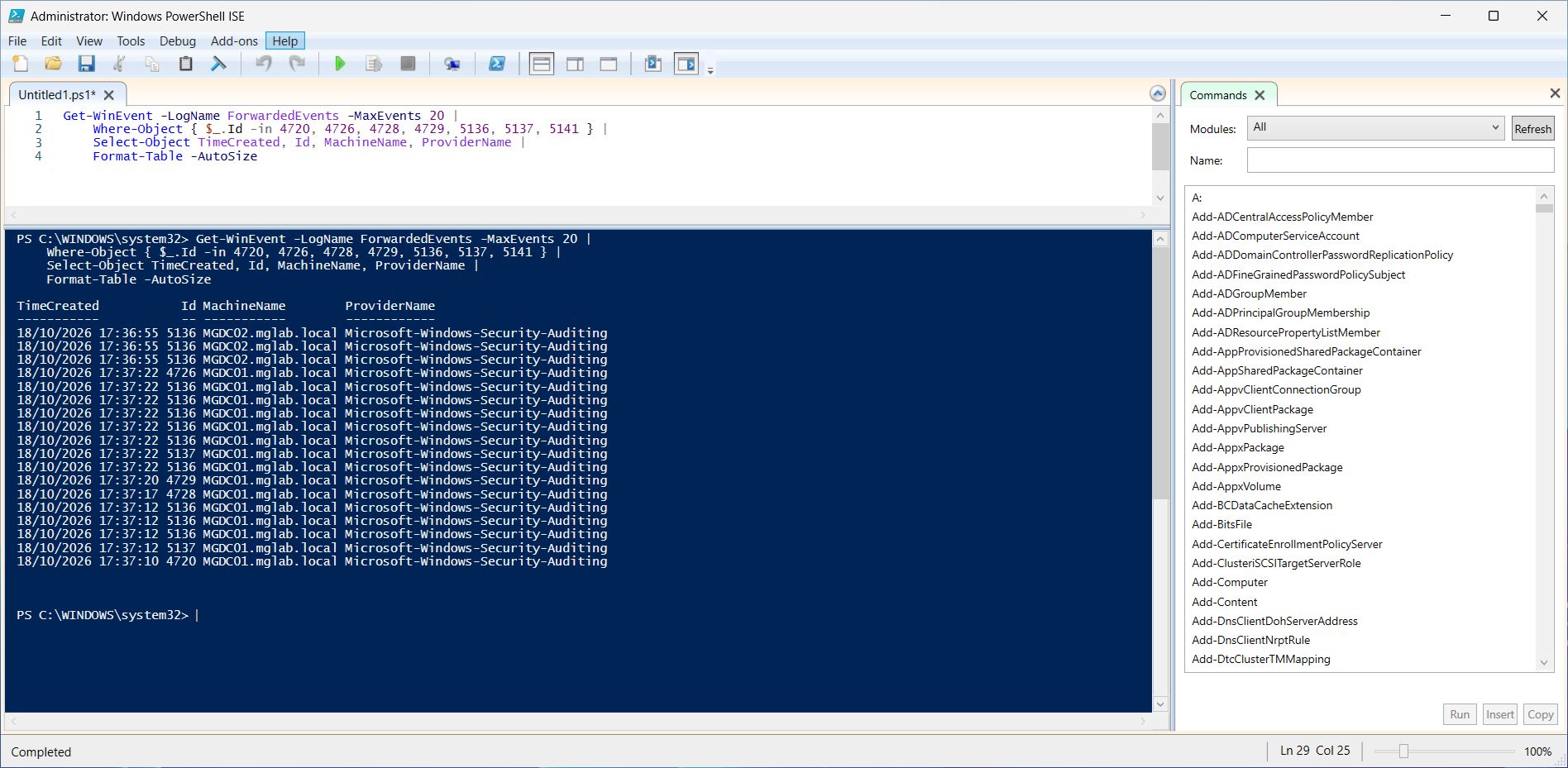
On LAB-WEC01, use PowerShell to check that the events have arrived and that MachineName shows the originating DC:
Get-WinEvent -LogName ForwardedEvents -MaxEvents 100 |
    Where-Object { $_.Id -in 4720, 4726, 4728, 4729, 5136, 5137, 5141 } |
    Select-Object TimeCreated, Id, MachineName, ProviderName |
    Format-Table -AutoSize
Or with Event Viewer: Event Viewer > Windows Logs > Forwarded Events, then Filter Current Log... and, in the Event IDs field, type 4720,4726,4728,4729,5136,5137,5141. The Computer column shows the originating DC.
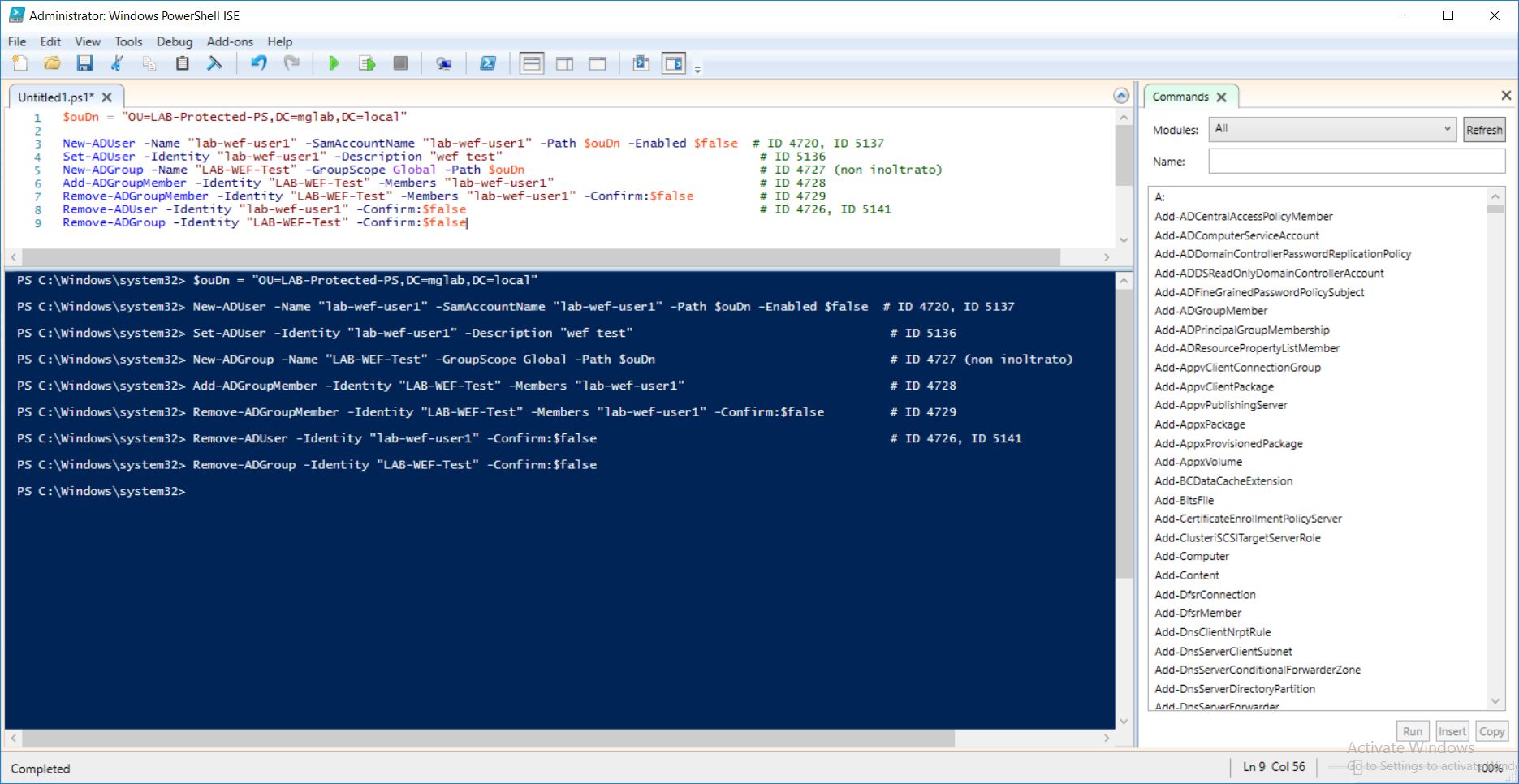
Expected result: events ID 4720, ID 5137, ID 5136, ID 4728, ID 4729, ID 4726, and ID 5141 with the DC name in MachineName. Any delay depends on MaxLatencyTime and on the refresh; if nothing shows up after five minutes, go to troubleshooting before touching anything else.
5.2 Set B: why it is separate and how to generate it
Set B contains the authentication failure events (ID 4625 failed logon, ID 4768 failed TGT request, ID 4771 failed Kerberos pre-authentication, ID 4776 failed NTLM validation). It is separate from set A because its volume is very different and unpredictable: a password spray can produce thousands of events, and you want to be able to switch off subscription B without losing set A. The Keywords filter lets only the failures through.
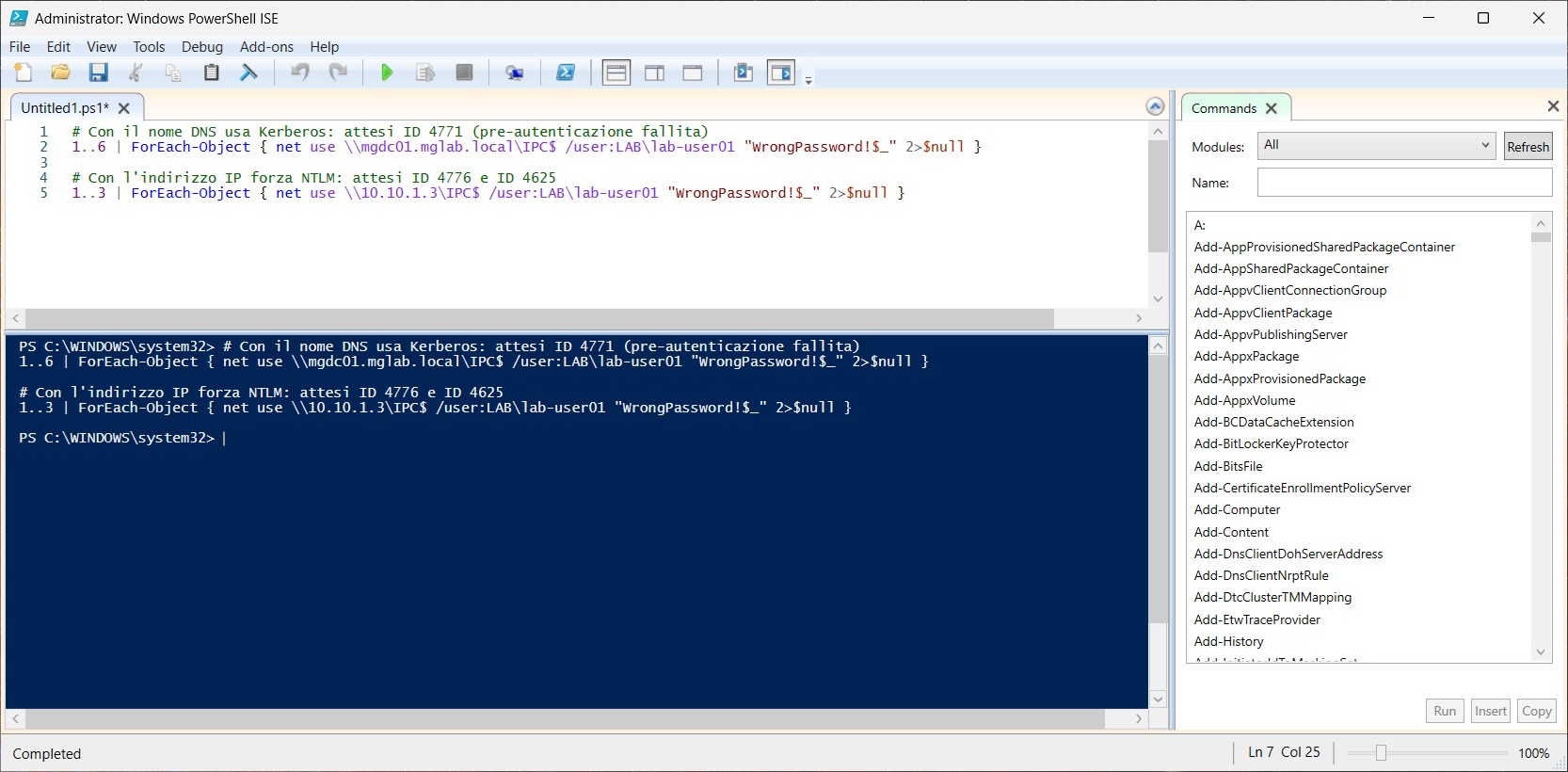
Generate the failures from the client against a non-privileged test account. On LAB-CLIENT01:
# With the DNS name it uses Kerberos: expect ID 4771 (pre-authentication failed)
1..6 | ForEach-Object { net use \\dc01.lab.contoso.test\IPC$ /user:LAB\lab-user01 "WrongPassword!$_" 2>$null }

# With the IP address it forces NTLM: expect ID 4776 and ID 4625
1..3 | ForEach-Object { net use \\192.168.10.11\IPC$ /user:LAB\lab-user01 "WrongPassword!$_" 2>$null }
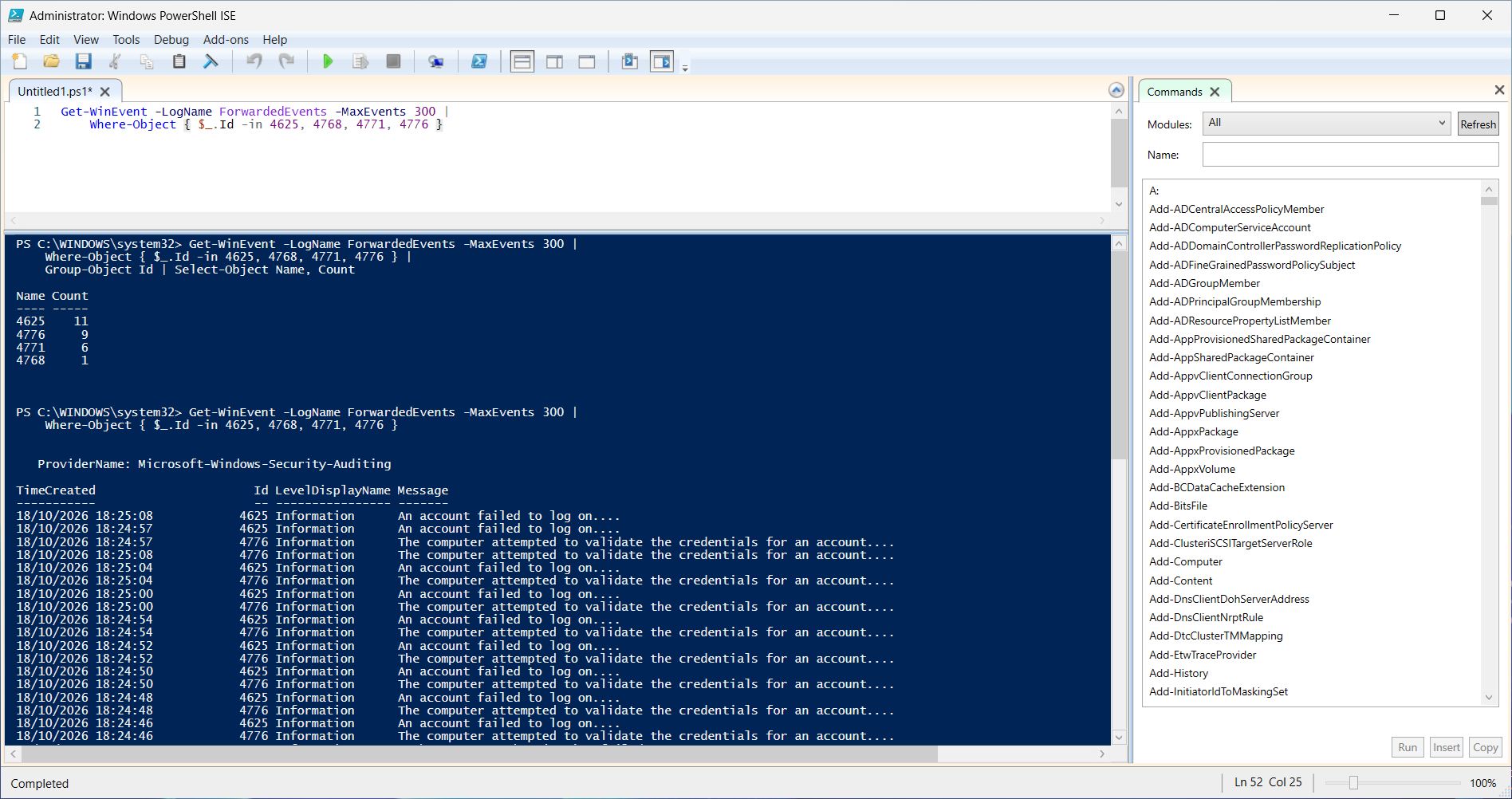
On LAB-WEC01, count which IDs have arrived:
Get-WinEvent -LogName ForwardedEvents -MaxEvents 300 |
    Where-Object { $_.Id -in 4625, 4768, 4771, 4776 } |
    Group-Object Id | Select-Object Name, Count
Expected result: at least ID 4771 or ID 4776, depending on how the authentication took place; ID 4625 appears when the attempt reaches the network logon. An ID 4740 event (account lockout) appears only if the lockout policy of the LAB domain is active and the threshold is reached (for example with Set-ADDefaultDomainPasswordPolicy -Identity lab.contoso.test -LockoutThreshold 5, in the LAB only).
LAB 6 - Tamper test: the copy survives
What we do. We simulate what an attacker with administrative rights would do: clear the DC's Security log. We show that the earlier events, already forwarded, remain on the collector and that the clearing itself leaves a trace (ID 1102). This is the practical proof of the value of centralization.
Warning. The test is destructive for the local log: run it only on the LAB DC, after the snapshot.
6.1 Before clearing
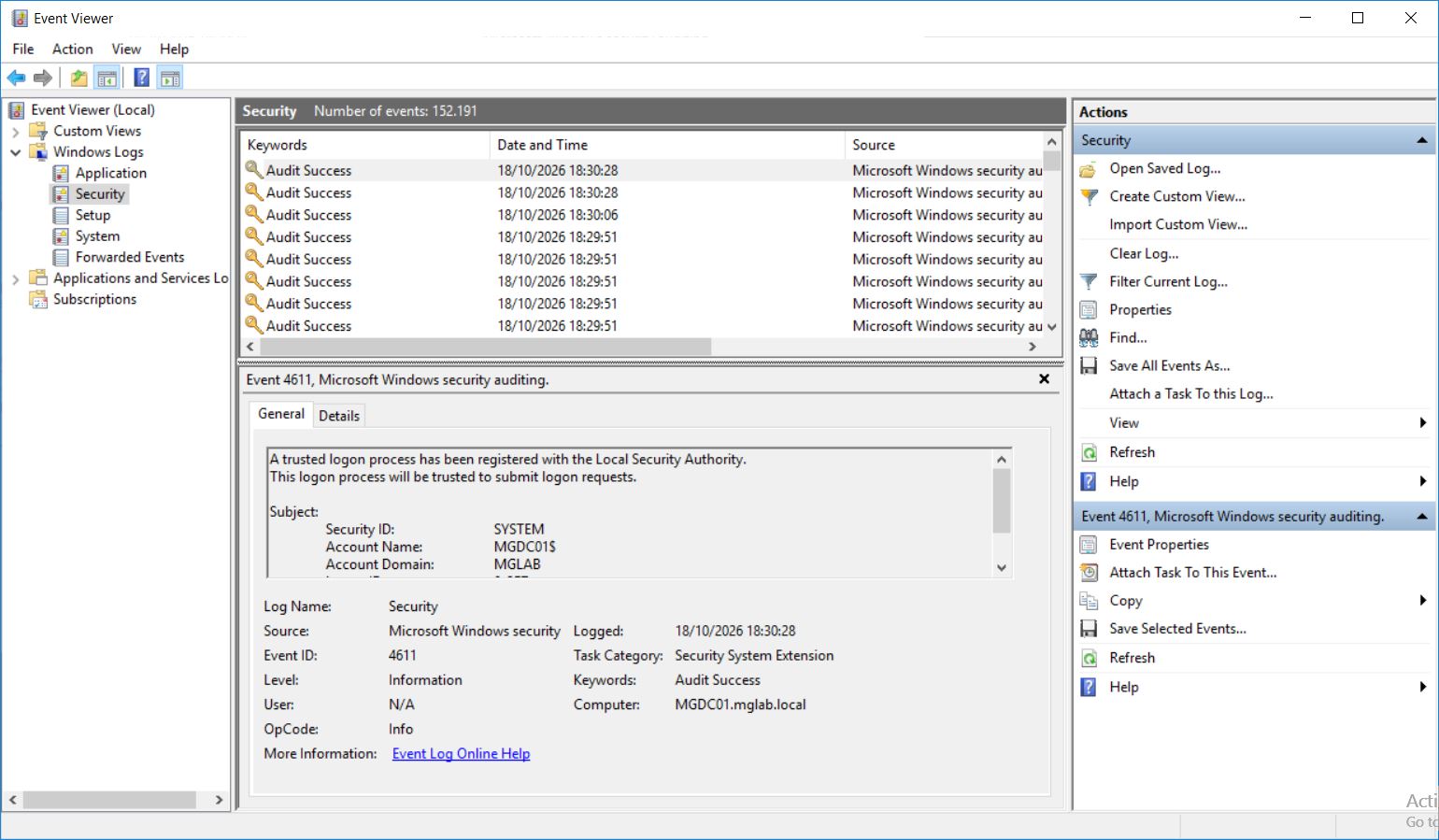
On LAB-DC01, count the events present and take a screenshot: Event Viewer > Windows Logs > Security, the right-hand pane and the status bar show the number of events. Or:
(Get-WinEvent -ListLog Security).RecordCount
6.2 Clear the log
With PowerShell (on LAB-DC01):
# Clear the Security log (wevtutil cl = clear log)
wevtutil cl Security
Get-WinEvent -LogName Security -MaxEvents 3 | Select-Object TimeCreated, Id
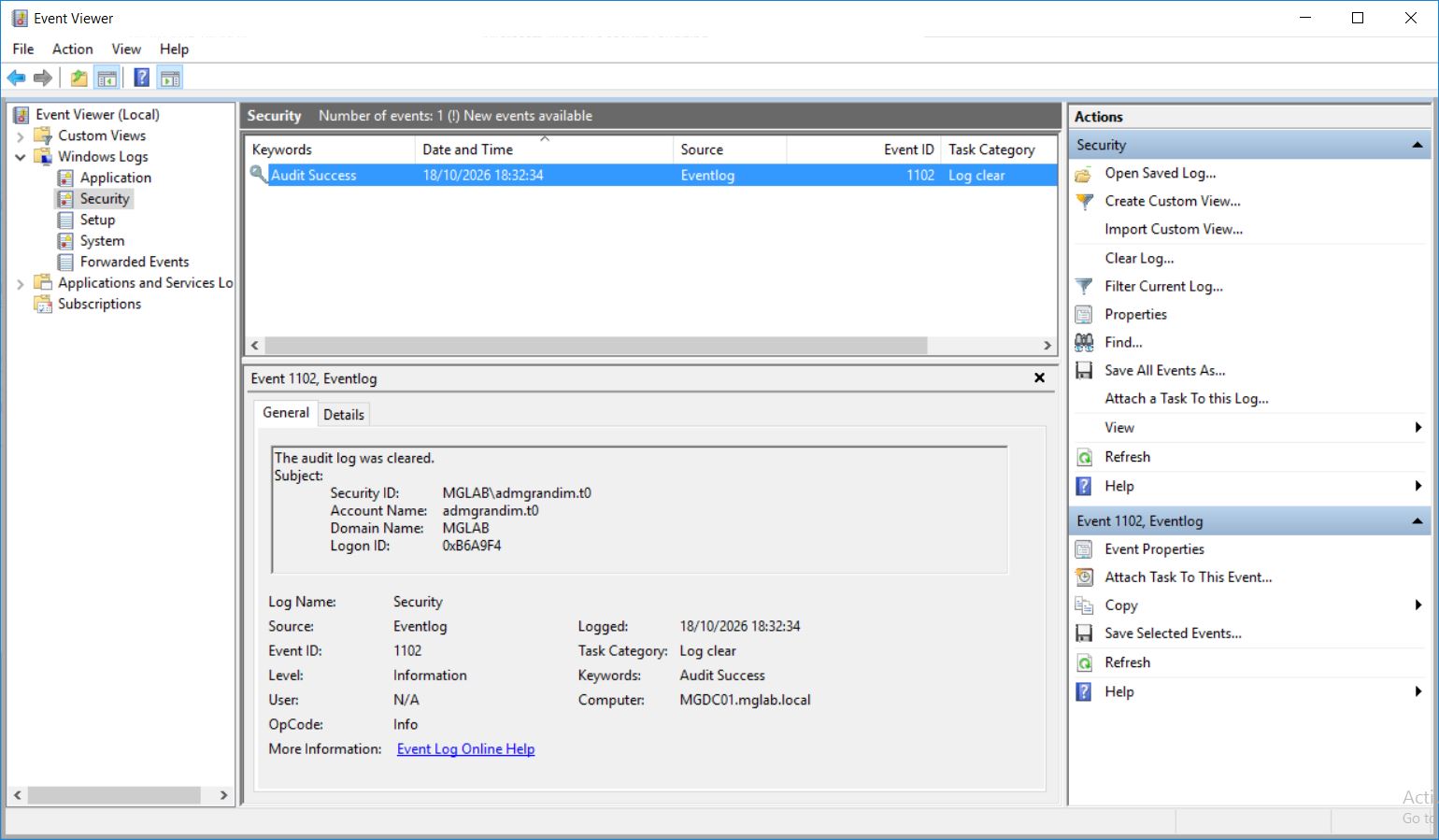
Or from Event Viewer: Windows Logs > Security, right-click > Clear Log... > Clear (not "Save and Clear").
Little more than event ID 1102 (and the new events) remains on the DC.
6.3 Check on the collector
On LAB-WEC01, with PowerShell:
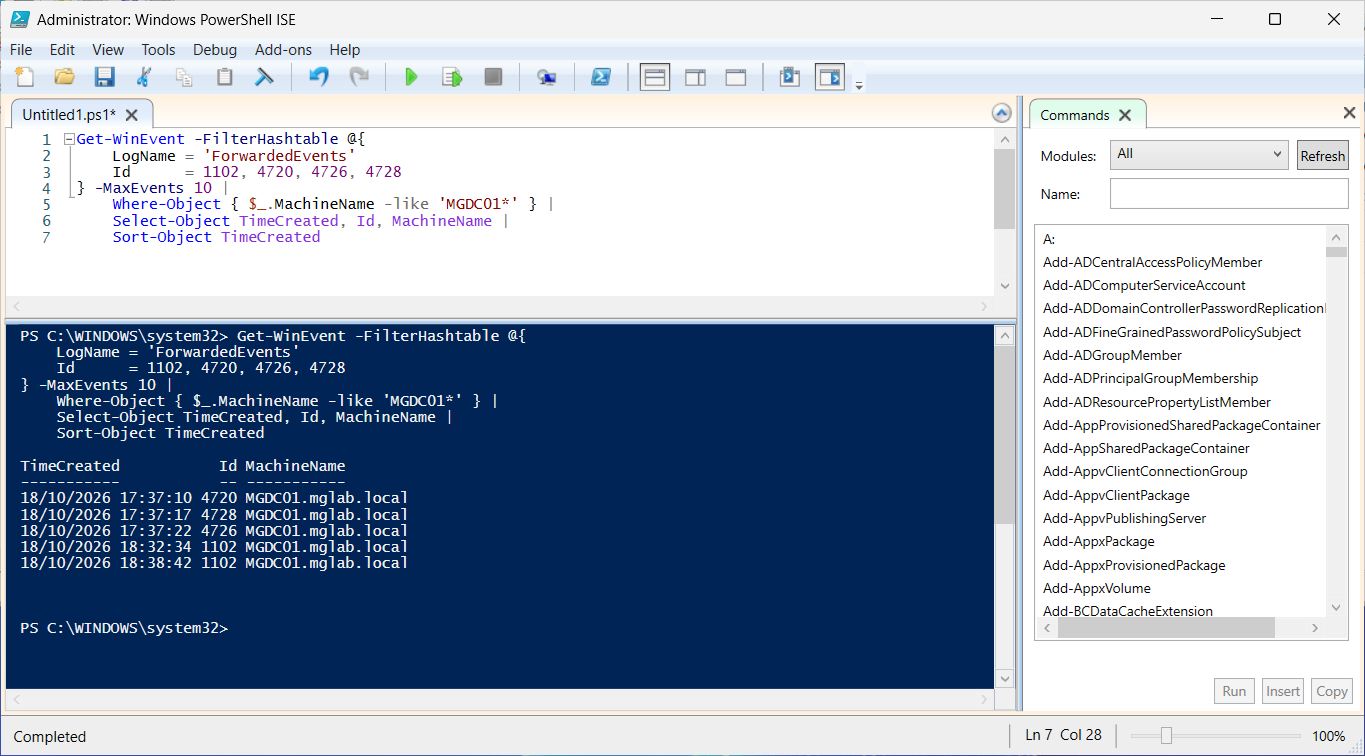
Get-WinEvent -LogName ForwardedEvents -MaxEvents 500 |
    Where-Object { $_.MachineName -like "dc01*" -and $_.Id -in 1102, 4720, 4726, 4728 } |
    Select-Object TimeCreated, Id, MachineName | Sort-Object TimeCreated
Or from Event Viewer: Windows Logs > Forwarded Events > Filter Current Log... with Event IDs 1102,4720,4726,4728.
Expected result: the collector contains ID 1102 and the LAB 5 events that no longer exist on the DC. Note the time of the clearing: on the collector the sequence must show the earlier events and then ID 1102.
What this test does not prove
What the test does not prove must be picked up and verified elsewhere, not taken for granted. Each point has its own proof later in the guide.
| Test limitation | Why it matters | Where we verify it |
|---|---|---|
Latency. Events generated between the last delivery and the clearing (up to MaxLatencyTime, here 30 seconds) may not have arrived yet | Latency is the exposure window; reducing it has a load cost | Part 2: canary event and test with an altered MaxLatencyTime |
| Other tampering. Stopping WinRM, turning off auditing (ID 4719 is forwarded only if the service is still running), modifying the subscription manager GPO | The test demonstrates only one kind of tampering | LAB 7 (heartbeat), Part 2 (WinRM for WEF, GPO modification, tests with simulated failures), and the table in Hardening |
The collector is a target. Whoever administers it can clear ForwardedEvents | The copy is only as safe as the collector | "Hardening and tamper resistance" (Tier 0 groups, external archive); monitoring of the local ID 104 is in Part 2 |
| Fake events. An authorized computer could send fabricated events | ForwardedEvents does not prove the authenticity of the content | SDDL limited to DD (LAB 4) and a check of MachineName |
LAB 7 - Collection health and silent sources
What we do. A collector that no longer receives from a DC is worse than no collector, because it gives false assurance. Here we learn to read two signals: the subscription heartbeat (every source says "I'm alive" at regular intervals even without events) and the last activity per source. Then we simulate a source that stops communicating and observe how the heartbeat changes. The actual alert is built in Part 2 of the series.
7.1 Reading the status
On LAB-WEC01:
# 1) Status and last heartbeat per source
wecutil gr LAB-DC-TierA

# 2) List of the expected DCs, read from the domain with .NET (the ActiveDirectory module is not needed)
$dcs = [System.DirectoryServices.ActiveDirectory.Domain]::GetCurrentDomain().DomainControllers |
    ForEach-Object { $_.Name }

# 3) For each source present in ForwardedEvents: number of events and date of the last one
$seen = Get-WinEvent -LogName ForwardedEvents -MaxEvents 20000 |
    Group-Object MachineName |
    ForEach-Object {
        [pscustomobject]@{
            Source = $_.Name
            Events = $_.Count
            Last   = ($_.Group | Measure-Object TimeCreated -Maximum).Maximum
        }
    }

# 4) Compare the expected DCs with the ones seen
foreach ($dc in $dcs) {
    $row = $seen | Where-Object { $_.Source -ieq $dc }
    [pscustomobject]@{
        DC          = $dc
        Events      = if ($row) { $row.Events } else { 0 }
        LastEvent   = if ($row) { $row.Last } else { $null }
        Observation = if ($row) { "check heartbeat" } else { "no events in sample" }
    }
}
The sample of the last 20,000 events may not include a quiet DC: this is why the primary signal is the heartbeat, not the silence of events.
7.2 Simulating a source that stops communicating
With a 15-minute heartbeat the experiment would take too long. Temporarily lower the interval to 1 minute, then restore it (check the options with wecutil ss /?):
# On LAB-WEC01: heartbeat at 60000 ms (1 minute) for the test only
wecutil ss LAB-DC-TierA /hi:60000
- Active state. On
LAB-WEC01runwecutil gr LAB-DC-TierAand take a screenshot:LAB-DC02isActive,LastHeartbeatTimeis recent. - Stop WinRM on
LAB-DC02:Stop-Service WinRM -Force. - Wait three or four minutes, repeat
wecutil gr LAB-DC-TierAand take a screenshot, paying attention to theLastHeartbeatTimefield ofLAB-DC02: it no longer updates, while the one forLAB-DC01keeps advancing. - Restore:
Start-Service WinRMonLAB-DC02, wait and check that it returns to theActivestate; then, onLAB-WEC01,wecutil ss LAB-DC-TierA /hi:900000.
The heartbeat is the primary signal: a DC may produce no events in a window and still be healthy, so the silence of events alone does not prove a failure.
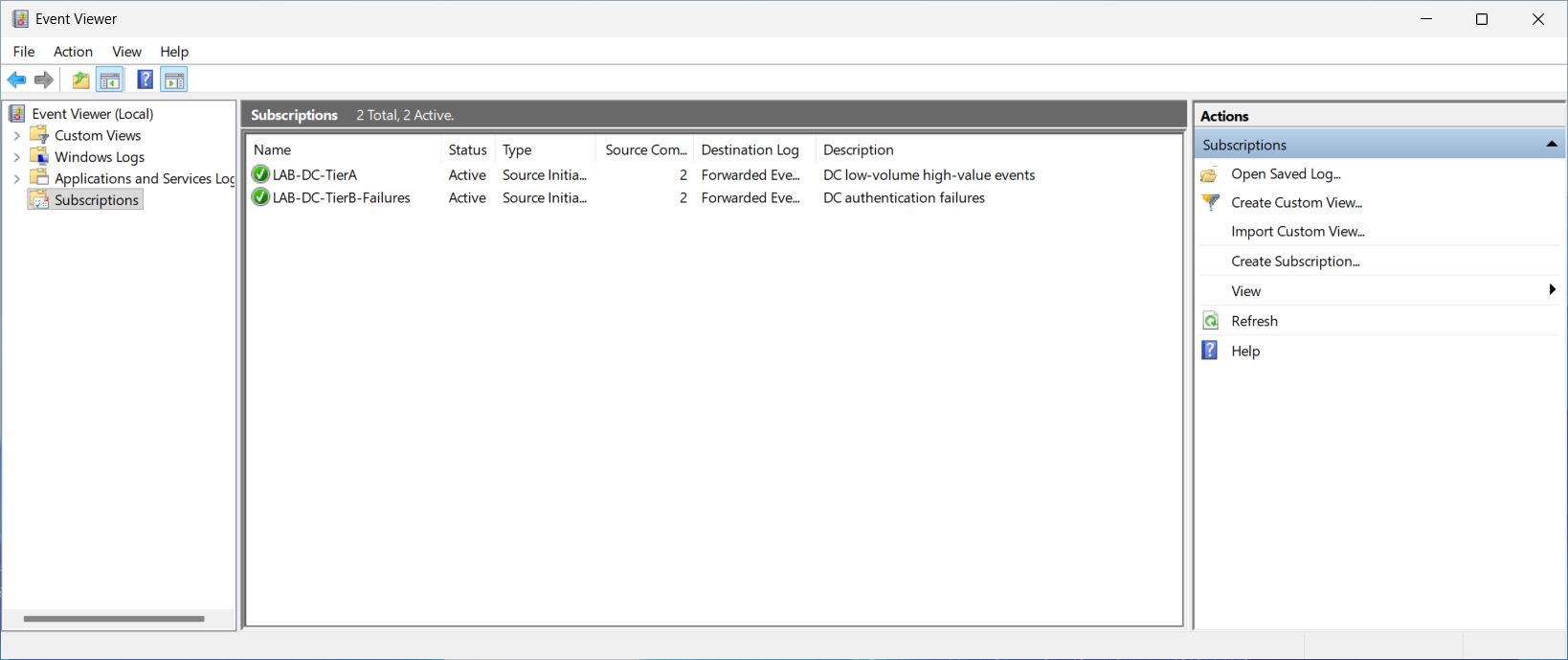
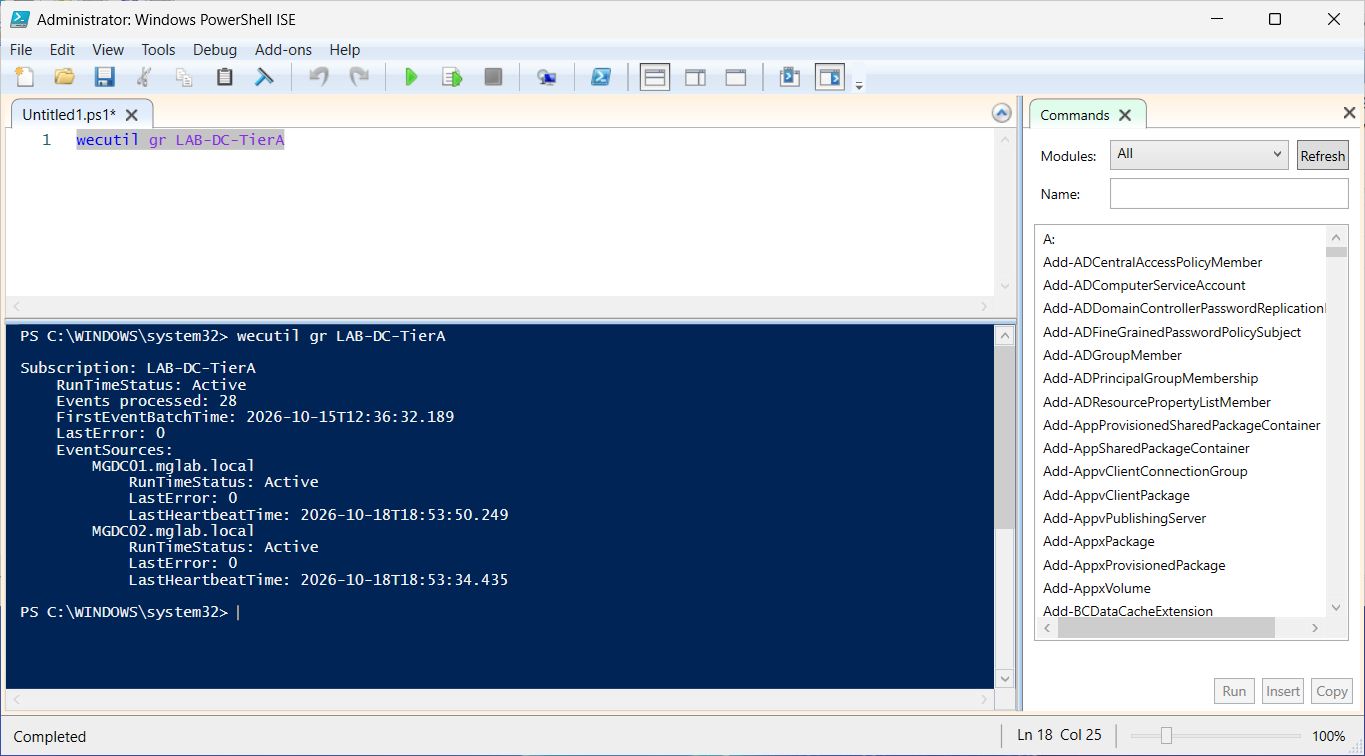
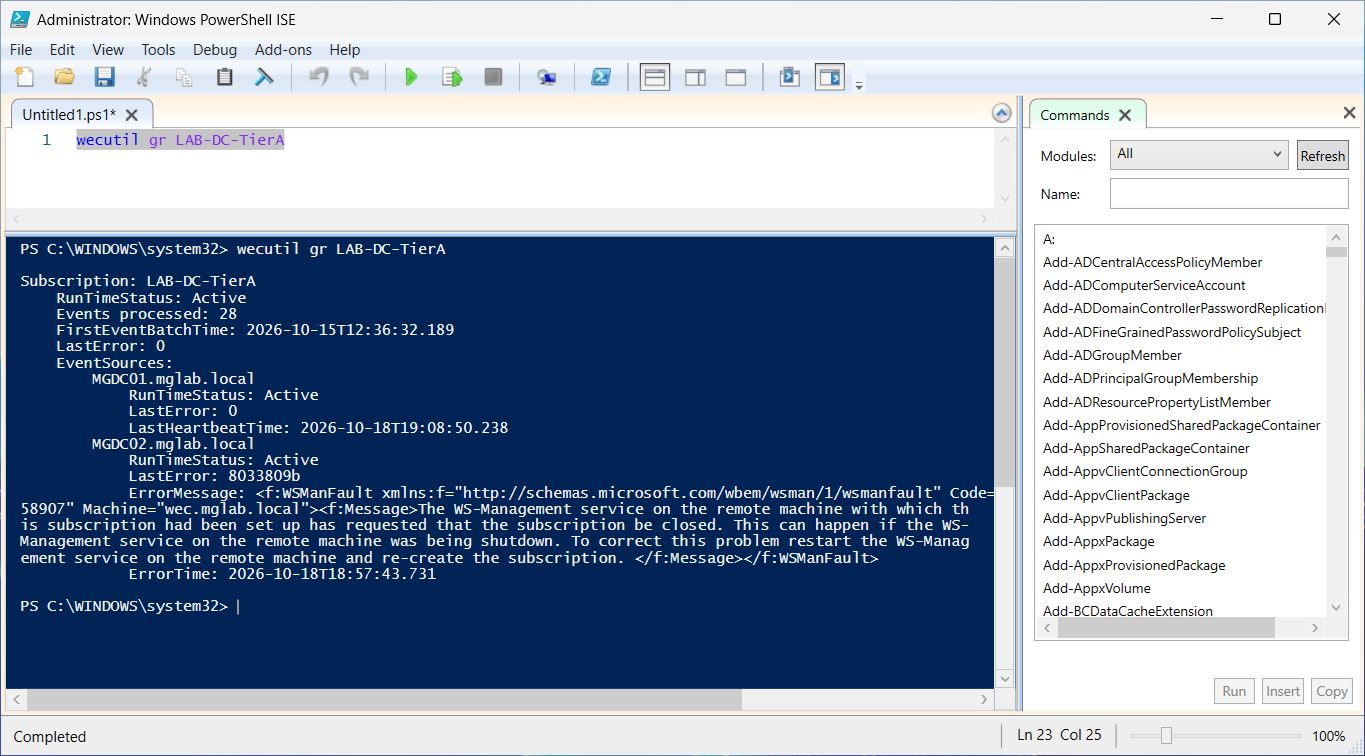
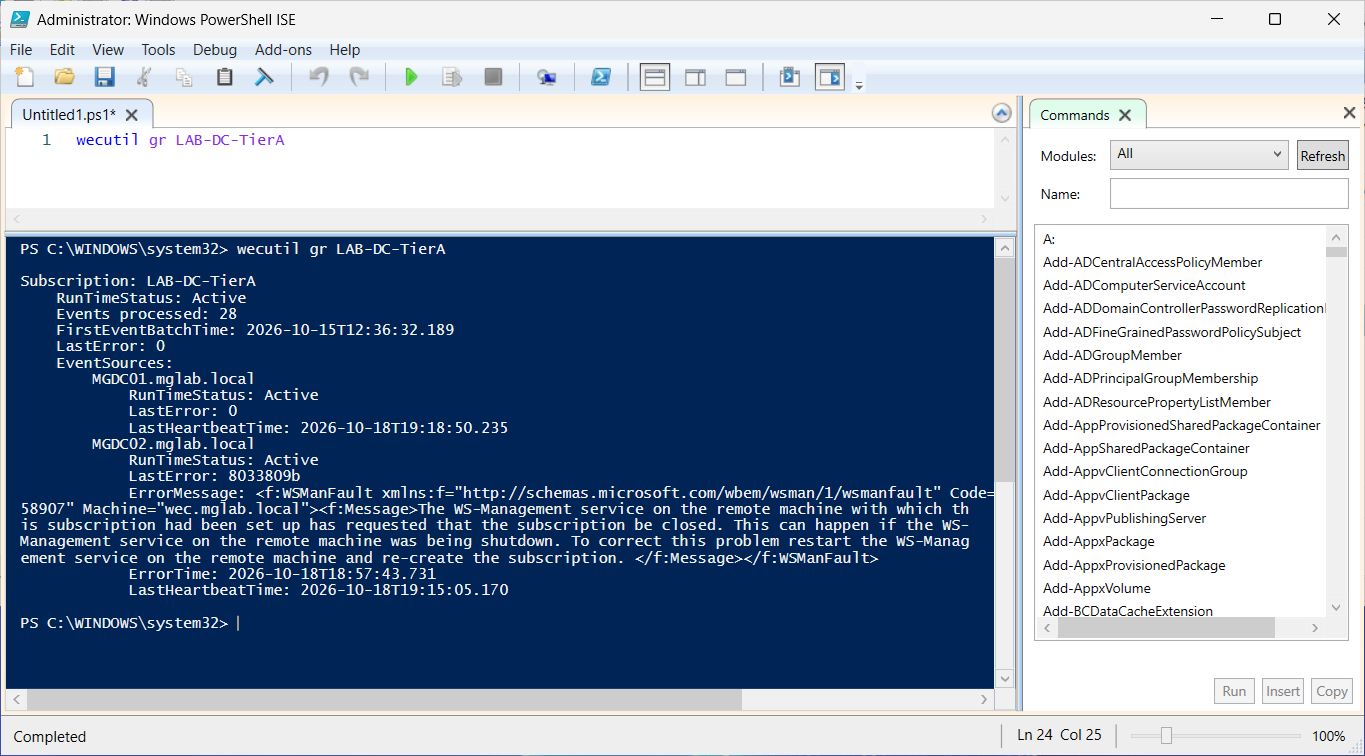
7.3 From observation to alert
In production this check becomes an alert with two conditions: heartbeat expired for more than two intervals (with a 15-minute heartbeat, 30 minutes), or no events from a DC for longer than is normal for that site. Both are implemented with Zabbix, step by step, in Part 2: the heartbeat with a script that reads the output of wecutil gr, the absence of events with a canary event that each DC writes at regular intervals. Until then, the manual check in this LAB (wecutil gr and the last event per source) is how you notice a mute source: schedule it at least for the pilot.
Sizing and retention
Measure before deciding. On the LAB DC, count the events by ID over a limited window and use the result to estimate the collector's volume:
Get-WinEvent -FilterHashtable @{LogName='Security'; StartTime=(Get-Date).AddHours(-1)} -ErrorAction SilentlyContinue |
    Group-Object Id | Sort-Object Count -Descending | Select-Object -First 15 Name, Count
In the LAB the volume is negligible. In production, run the count on a single DC, outside the peak and with a short window, because reading the Security log of a very busy DC is expensive. Then calculate:
ForwardedEvents space (GB) ~ events/day x average size (KB) x retention days / 1,048,576
ContentFormat set to RenderedText increases the size compared with the data alone: the choice can be reconsidered if space is a constraint. Decide on a log size that covers the required retention, the rotation mode, and where the exports live.
Native tools for longer retention
The collector is not a long-term archive, and neither are the analysis tools built on top of it: if you need months of retention, you need a dedicated archive. Windows offers two native tools, which are used together:
- Automatic log archiving (AutoBackup). By default, when
ForwardedEventsis full Windows overwrites the oldest events. With automatic archiving, when the log is full it is closed and saved as an archive.evtxfile and a new one starts, without losing events. From Event Viewer: Forwarded Events > Properties > Archive the log when full, do not overwrite events. - Log export (
wevtutil epl). Copies the whole log, or a time window of it, to an.evtxfile in a path of your choice. From Event Viewer: Save All Events As.... It is the tool for producing periodic copies to take elsewhere (see "Evidence and archive" in the Hardening section).
# 1) Archive the full log instead of overwriting it (equivalent to the checkbox in Event Viewer)
wevtutil sl ForwardedEvents /rt:true /ab:true

# 2) Export the log to an .evtx file (the destination path must not already exist)
wevtutil epl ForwardedEvents "D:\wef-archive\ForwardedEvents-$(Get-Date -Format yyyyMMdd).evtx"
The archive files created with /ab:true are never deleted by Windows: plan for moving and cleaning them up, otherwise the disk fills up. The export has evidentiary value only if it ends up outside the reach of whoever administers the collector.
Local DC log: from 20 MB to what?
A DC's Security log is 20 MB by default. The minimum commonly required by the CIS Benchmark and STIG for DCs is 196,608 KB (192 MB), but it is a floor, not a sizing: on a busy DC, 192 MB lasts only a few hours anyway. The local log also serves as a buffer: if the collector is unreachable, the source resumes from the bookmark when it becomes available again, but only with the events not yet overwritten.
Choose the hours of autonomy the DC must guarantee with the collector down (24 hours at a minimum, 72 to cover a long weekend; this is a decision to agree on with the owner) and measure the real volume, on the DC and outside the peak:
# Reads only the log properties and the oldest event (lightweight operation)
$log    = Get-WinEvent -ListLog Security
$oldest = (Get-WinEvent -LogName Security -Oldest -MaxEvents 1).TimeCreated
$hours  = ((Get-Date) - $oldest).TotalHours

[pscustomobject]@{
    MaxSizeMB     = [int]($log.MaximumSizeInBytes / 1MB)
    HoursInLog    = [int]$hours
    EventsPerHour = [int]($log.RecordCount / $hours)
    AvgEventKB    = [math]::Round(($log.FileSize / $log.RecordCount) / 1KB, 2)
}
Size (MB) ~ EventsPerHour x AvgEventKB x hours of autonomy x 1.5 / 1024
The 1.5 factor is a margin for peaks. Example: 50,000 events/hour of 1.2 KB for 24 hours of autonomy give about 2 GB. The value is set with the DC GPO at Computer Configuration > Policies > Administrative Templates > Windows Components > Event Log Service > Security > Specify the maximum log file size (KB); then check the maxSize field with wevtutil gl Security. Keep the default rotation mode (overwrite the oldest) and monitor the free space on the DC's volume.
For ForwardedEvents the same logic applies on the collector: measured volume per day, agreed retention days, margin. The 1 GB value in the LAB is only a test size.
Hardening and tamper resistance
The collector holds a copy of the security events of all DCs and must be treated as a Tier 0 system. The goal is not to make tampering impossible (whoever has rights on the DC already has very high privileges) but to make it visible and to keep a copy out of their reach.
Group-based access (Tier 0)
Do not assign permissions to individual users: use dedicated groups, and treat both the groups and the accounts that belong to them as Tier 0.
| Group | Purpose | Where it applies |
|---|---|---|
T0-WEC-Admins | Collector administration | Only member of the local Administrators group on LAB-WEC01; only group with interactive logon and RDP rights |
T0-WEF-Readers | Read access to ForwardedEvents (analysts, investigations) | Member of the collector's local Event Log Readers group |
T0-WEF-GPO-Editors | Editing the LAB - DC Audit and WEF GPO | Delegation on the GPO: only this group has Edit settings |
How to apply it on the collector. In the LAB - Tier0 Servers Baseline GPO, under Computer Configuration > Policies > Windows Settings > Security Settings > Restricted Groups, add the Administrators group (members: T0-WEC-Admins) and the Event Log Readers group (members: T0-WEF-Readers). Warning: the Members of this group entry replaces the existing membership, so list everything that must remain (for example the local administrator managed by LAPS). Monitoring agents normally run as SYSTEM and need nothing else.
How to treat groups and accounts.
- The accounts are dedicated (for example
adm-t0-<name>), separate from daily-use accounts, placed in a Tier 0 OU, in theProtected Usersgroup, and used only from privileged administration workstations. - The groups themselves sit in a Tier 0 OU with delegation limited to Tier 0 administrators: whoever can modify the group can become Tier 0.
- Add the SIDs of these groups to the list of privileged groups (the
privileged-sids.txtfile used by the alert rule in Part 2): every change to their membership generates an alert. - Deny Tier 1 and Tier 2 administrators access to the collector, to the groups, and to the dedicated monitoring server.
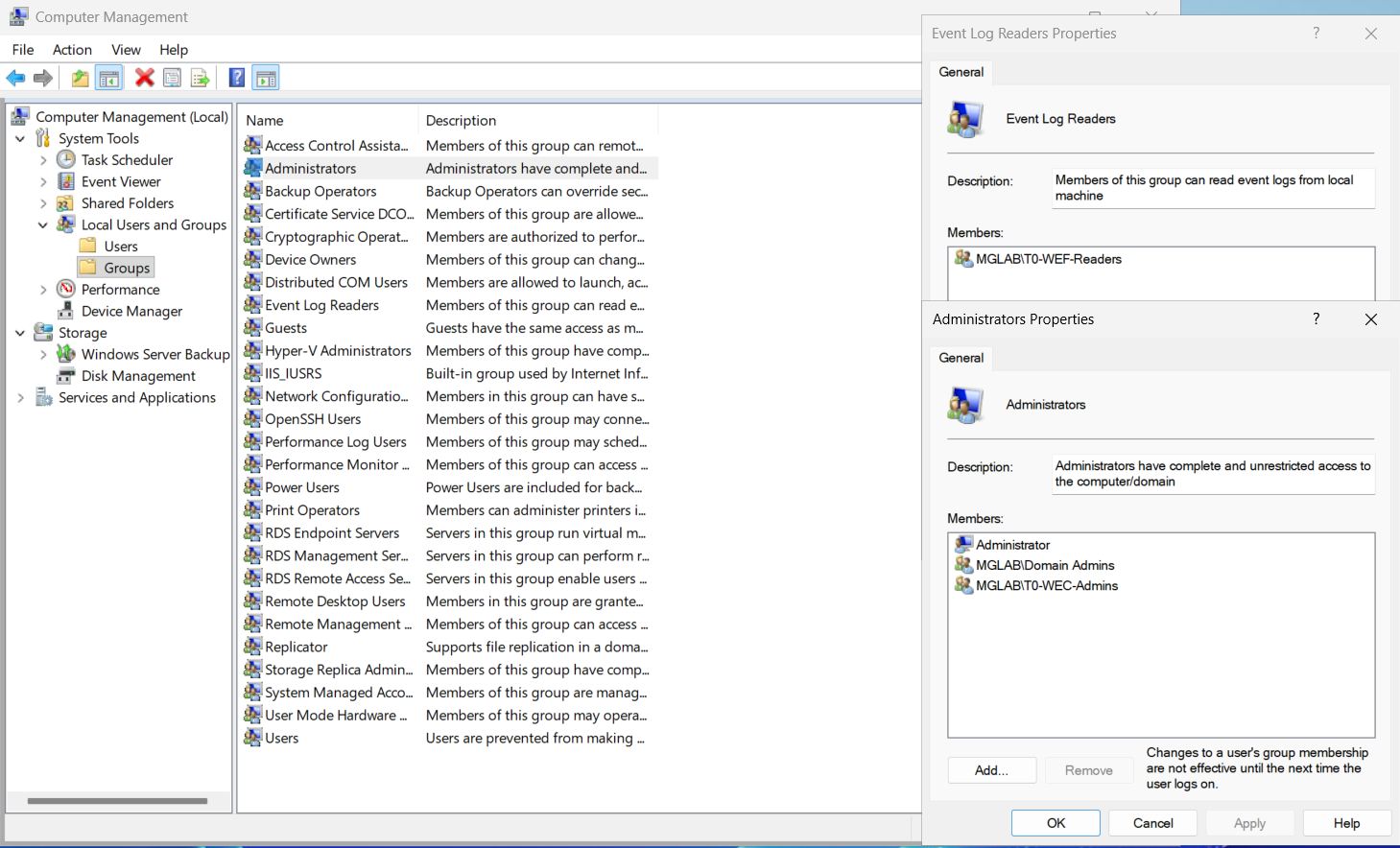
Collector
- Dedicated, patched server with no other application roles.
- Use
wevtutil gl ForwardedEventsto check who has access to the channel: agents read with a read-only account. - Subscription SDDL limited to
DD(plus the RODCs, if present) or to a dedicated group of sources: do not authorizeDomain Computers. - Firewall: inbound WinRM only from the DCs and the documented sources; outbound only to the analysis tier.
- Antimalware/EDR active, with minimal exclusions.
- Clock synchronized with the same source as the DCs: the temporal analysis of events depends on time.
- Backup of the subscription configuration: export with
wecutil gs <id> /f:xml. - Collector monitoring (services, listeners, service errors, local clears with ID 104 and ID 1102, disk space): these are the checks in Part 2.
Sources (DCs) and GPO
- Local Security log sized on the measured volume (see Sizing and retention), not on the default.
- Write access to the
LAB - DC Audit and WEFGPO delegated only toT0-WEF-GPO-Editors. SACL on the GPOs to see who modifies them: on theCN=Policies,CN=System,DC=lab,DC=contoso,DC=testobject, Auditing tab,Everyone, typeSuccess, Applies toThis object and all descendant objects, permission Write all properties; it produces ID 5136 on GPO changes; for links and options (gPLink,gPOptions) see the SACLs in LAB 4.8. - ID 4719 (audit policy change) is already in set A: remember that it arrives only if WinRM is still active, which is why the chain monitoring (Part 2) also checks WinRM and the GPO.
- Every monitoring agent installed on the DCs is Tier 0 software: controlled installation and scripts in a folder writable only by SYSTEM and administrators (Part 2 also covers the alternative of monitoring dedicated to Tier 0).
Evidence and archive
A copy of the events on the same collector is not enough as evidence: whoever controls it can delete it. You need a periodic export to a different Tier 0 system, for example a dedicated file server (LAB-ARCH01), out of reach of whoever administers the collector.
File server side (LAB-ARCH01). Create the folder D:\WEF-Archive and share it as WEF-Archive$. Grant the computer account LAB-WEC01$ only the rights to create files (NTFS: Create files / write data, without Delete or Modify on existing files) and no access to the collector's administrators. A separate scheduled task, managed by the file server administrators, deletes files older than the agreed retention.
Collector side. Create C:\wef\scripts\Export-WefArchive.ps1:
# Export-WefArchive.ps1 - exports the last hours of ForwardedEvents and copies them to the archive file server
param(
    [string]$Share   = '\\arch01.lab.contoso.test\WEF-Archive$',
    [string]$Staging = 'D:\wef-staging',
    [int]$Hours      = 25            # 24-hour interval + 1 hour of overlap so no events are lost at the boundary
)
$ErrorActionPreference = 'Stop'

New-Item -ItemType Directory -Path $Staging -Force | Out-Null
$name  = 'ForwardedEvents-{0}-{1}.evtx' -f $env:COMPUTERNAME, (Get-Date -Format 'yyyyMMdd-HHmm')
$local = Join-Path $Staging $name

# Export only the requested window (timediff is in milliseconds)
$ms = $Hours * 3600000
wevtutil epl ForwardedEvents $local "/q:*[System[TimeCreated[timediff(@SystemTime) <= $ms]]]"
if ($LASTEXITCODE -ne 0) { throw "wevtutil epl returned $LASTEXITCODE" }

# SHA-256 hash for integrity, copied next to the file
$hash = (Get-FileHash -Path $local -Algorithm SHA256).Hash
Copy-Item -Path $local -Destination (Join-Path $Share $name)
"$hash  $name" | Set-Content -Path (Join-Path $Share "$name.sha256")

Remove-Item -Path $local
Schedule it every night as SYSTEM (authentication to the share uses the computer account LAB-WEC01$):
$action    = New-ScheduledTaskAction -Execute 'powershell.exe' -Argument '-NoProfile -ExecutionPolicy Bypass -File "C:\wef\scripts\Export-WefArchive.ps1"'
$trigger   = New-ScheduledTaskTrigger -Daily -At 02:00
$principal = New-ScheduledTaskPrincipal -UserId 'SYSTEM' -LogonType ServiceAccount -RunLevel Highest
Register-ScheduledTask -TaskName 'WEF-Archive-Export' -Action $action -Trigger $trigger -Principal $principal
Test a manual run (Start-ScheduledTask -TaskName 'WEF-Archive-Export') and check that the .evtx file and the .sha256 file appear on the file server. Then add a check on the age of the latest file (from the file server, with the Part 2 monitoring tool) so you notice if the export stops. Hash verification, so as not to give the collector read access to the archive, is performed on the file server.
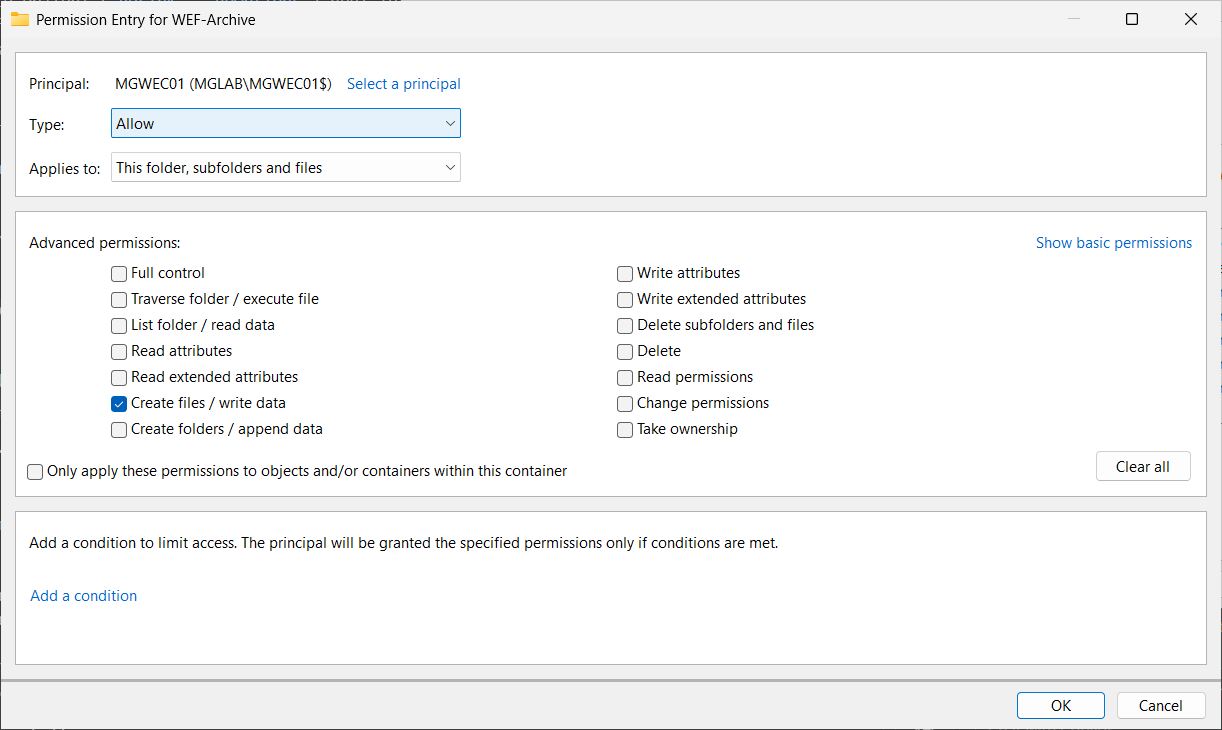

What each attacker action leaves behind
| Action | Who sees it |
|---|---|
wevtutil cl Security on a DC | ID 1102 on the collector (LAB 6) |
| Stopping WinRM on the DC | Subscription heartbeat not updated (LAB 7) |
| Turning off auditing | ID 4719 (if forwarded in time) and a drop in events |
| Modifying or unlinking the GPO | ID 5136 on the GPO object (with the SACL); the automatic check is in Part 2 |
| Blocking port 5985 | Heartbeat not updated |
Clearing ForwardedEvents on the collector | ID 104 in the collector's System log |
| Stopping a monitoring agent | Part 2 |
| Adding a member to a privileged group | ID 4728, ID 4732, or ID 4756 on the collector; the alert rule is in Part 2 |
| Writing fake events to the collector | Not seen by this guide: limit the SDDL and check MachineName |
Failure response and LAB cleanup
| Symptom | Check | Action |
|---|---|---|
No source in wecutil gr | GPO applied, subscription manager string, WinRM active, DNS and alias SPNs | gpupdate /force, correct the name, restart WinRM on the DC. If Forwarding/Operational shows ID 105 with code 53, see "A Windows Server 2025 DC does not forward events: the alias HOST SPN is missing" |
| Source with an access error (2019/2022 collector) | Subscription SDDL, URL ACL, Security log permission | Check DD (and RODCs), the URL ACL from LAB 2, repeat LAB 3 |
| System and Directory Service events arrive, Security does not | NETWORK SERVICE in Event Log Readers (or ACE on the channel) | Restart the DC after changing the group (restarting WinRM alone may not be enough). Symptom on the collector: source Inactive with error 138c (5004); on the DC, events 101/102 in Forwarding/Operational |
| Delayed events | MaxLatencyTime, Refresh, collector load | Measure before lowering the values |
ForwardedEvents log full | Size and rotation mode | Increase the size or reduce the queries |
| Unexpected volume | Set B queries and SACLs | Disable subscription B and review it |
LAB cleanup, in order:
- Disable and then delete the subscriptions:
wecutil ss LAB-DC-TierA /e:false,wecutil ds LAB-DC-TierA, and the same forLAB-DC-TierB-Failures. - Unlink or delete the
LAB - DC Audit and WEFGPO, or restore the baseline values. - Remove
NETWORK SERVICEfromEvent Log Readers(or restorechannelAccessfrom thesecurity-log-config-before.txtfile). - Remove the SACL and the
LAB-ProtectedOU, along with the test users and groups. - Remove the CNAME record, the alias SPNs (
HTTP/,WSMAN/, andHOST/, full and short, withsetspn -DonLAB-DC01), firewall rules, HTTPS listeners, and test certificates. - Export and archive the evidence, then restore the snapshots.
Adapting to production
The LAB demonstrates the mechanism, not the sizing. Before replicating:
- Scope. Start with set A on one site or a subset of DCs, not the whole forest.
- Collector. One per site or network area, with redundancy (a topic for the later parts) and defined monitoring roles; not a single point of failure for the whole organization.
- Refresh. Raise
Refreshfrom the LAB value (60) to a higher value; 300 seconds is a reasonable starting point. - Forests and domains. If there are multiple domains or forests, plan sources and permissions for each one; the subscription must authorize the correct computer accounts and traffic must be able to cross the intended trusts.
- Cloud and workloads. If some of the DCs are in the cloud (for example VMs in Azure), check collector reachability and DNS resolution; the cloud analysis tier connects upstream and does not replace the collector.
- Audit and SACLs. A broad SACL produces a lot of volume: define the objects to observe and the reason.
- Local DC log. Size the local Security log on the measured volume, not on the 20 MB default (formula in "Sizing and retention").
- Privacy and compliance. Events contain account names, addresses, and computers. Define who has access, how long they are kept, and whether a legal basis or a privacy notice is needed for personal data.
- Change. Applying the GPO to the DCs is a production change: owner, window, rollback plan, and closure criteria.
Go/no-go for the production pilot
Proceed only if all conditions are true:
- LABs 4-7 produced the described evidence, including the tamper test.
- The real volume of set A is measured and the collector has space for the agreed retention.
- The analysis tier or the archive for long retention is decided and funded.
- The collector is dedicated, in Tier 0, protected, and monitored (checks below).
- Collection health monitoring is planned (heartbeat, silent sources, WinRM, GPO change): see Part 2.
- There is an owner for the alerts and for subscription maintenance.
- The rollback plan (disabling the subscription, removing the GPO) has been tested in the LAB.
No-go if the volume measurement is missing, if the alert owner is not defined, or if the collector is a DC.
Feasibility checks on the collector
Run these checks on the collector and on the DCs and keep the output in the change ticket.
| Check | Command | Expected result |
|---|---|---|
| Time synchronized | w32tm /query /status and w32tm /monitor | Correct time source (domain hierarchy), offset of a few seconds between DCs and collector |
| The collector is not a DC | (Get-CimInstance Win32_ComputerSystem).DomainRole | 3 (member server); 4 and 5 indicate a DC: no-go |
| Installed roles and features | Get-WindowsFeature | Where-Object Installed | Only what is necessary; no unrelated application roles |
| Position in Tier 0 | (Get-ADComputer LAB-WEC01).DistinguishedName | In the Tier0\Servers OU |
| Local administrators | net localgroup Administrators | Only T0-WEC-Admins (and the local administrator managed by LAPS) |
| Alias and SPNs | Resolve-DnsName wec.lab.contoso.test and setspn -L LAB-WEC01 | Correct CNAME and the six alias SPNs present (HTTP, WSMAN, and HOST, each in the full form wec.lab.contoso.test and the short form wec), with no duplicates (setspn -X) |
| Collection services | Get-Service Wecsvc, WinRM | Both Running, automatic startup |
| Firewall | Get-NetFirewallRule -DisplayName 'WEC*' | 5985/5986 rules limited to the DCs, broader default rules disabled |
| Certificates (if HTTPS) | Get-ChildItem Cert:\LocalMachine\My | Select Subject, NotAfter | Valid, with expiry monitored |
| GPO applied to the DCs | gpresult /r on the DC | LAB - DC Audit and WEF present |
| Active sources | wecutil gr LAB-DC-TierA | All DCs Active with a recent heartbeat |
| Disk space | Get-Volume | Free space for the agreed retention |
| External archive | .evtx and .sha256 files on the file server | Present and recent |
Evidence matrix
| Evidence | How to obtain it | Where to keep it |
|---|---|---|
| Audit policy before/after | auditpol /get /category:* | Change ticket |
| Log ACL configuration | wevtutil gl Security | Change ticket |
| Source status | wecutil gr <id> | Change ticket |
| ID 4720, ID 4726, ID 4728 on the collector | Get-WinEvent -LogName ForwardedEvents | Change ticket |
| Tamper proof | Output of LAB 6 | Change ticket |
| Measured volume | Output of the count by ID | Change ticket |
| Exported subscriptions | wecutil gs <id> /f:xml | Configuration repository |
Quick troubleshooting
wecutil grshows no sources. Check the subscription manager string, whether the GPO is applied on the DC, the DNS name and SPNs of the alias, and port 5985. If the DC log shows ID 105 with code 53, see "A Windows Server 2025 DC does not forward events: the alias HOST SPN is missing", below.- The source appears but does not send. Check the SDDL (
DD), the collector's URL ACL, and the Security log read permission forNETWORK SERVICE. - ID 4720 is present locally but absent on the collector. Check that the ID is in the query and wait for
MaxLatencyTime. - Events in a different language than expected. The subscription's
Locale Languagecontrols the rendered text. - Subscription created but disabled. Run
wecutil gs <id>and checkEnabled.
A Windows Server 2025 DC does not forward events: the alias HOST SPN is missing
What we do. We diagnose a case encountered in the LAB: a Windows Server 2025 DC does not appear among the sources, while the Windows Server 2016 DCs send events with the same GPO and the same alias. First we describe the symptom, then we list the checks that fixed nothing (to save you time), and finally the observed cause and the correction.
A note on certainty. The cause described here is the behavior observed in the LAB: after registering the alias HOST SPNs, the problem disappeared. It is not a rule documented by Microsoft and it was not tested on other builds: treat it as an operational indication to verify in your own environment.
Test environment.
- Windows Server 2025 DC (build 10.0.26100),
LAB-DC02, and Windows Server 2016 DC,LAB-DC01. - Collector alias via CNAME:
wec.lab.contoso.test, pointing towec01.lab.contoso.test(LAB-WEC01). - Source-initiated subscription, authorizing only Domain Controllers (SDDL with
DD). - Subscription manager in the
LAB - DC Audit and WEFGPO uses the alias, not the collector's real name. - In the LAB,
LAB-DC01(Windows Server 2016) worked without aHOSTSPN on the alias. The behavior of Windows Server 2019 and 2022 was not verified in this test.
Symptom. On the DC (LAB-DC02), the Applications and Services Logs > Microsoft > Windows > Eventlog-ForwardingPlugin > Operational log contains a WinRM error with Code 53:
The computer wec.lab.contoso.test is unknown to Kerberos
In a first variant the text is Cannot find the computer wec.lab.contoso.test. The same error appears as ID 105 in the Microsoft > Windows > Forwarding > Operational log. On the collector, the DC does not appear in wecutil gr. To read the events, on LAB-DC02, in PowerShell as administrator:
# Latest forwarding plugin events: look for "Code 53" and the alias name
Get-WinEvent -LogName "Microsoft-Windows-EventLog-ForwardingPlugin/Operational" -MaxEvents 10 | Format-List TimeCreated, Id, Message
Get-WinEvent -LogName "Microsoft-Windows-Forwarding/Operational" -MaxEvents 10 | Format-List TimeCreated, Id, Message
What was NOT the cause. Check these points only if your symptoms are different; in the LAB they were all fine and did not change the outcome:
- DNS. The alias resolved correctly on both DNS servers.
- Encryption.
msDS-SupportedEncryptionTypeswas28on both the collector and the DCs, and the tickets were issued with AES-256. - The CNAME itself. Replacing the CNAME with an A record, and then with an entry in the DC's
hostsfile, the error was identical. - The
HTTP/<alias>andWSMAN/<alias>SPNs. They were present, orklist getobtained them without errors. - The canonical name.
Test-WSMan wec01.lab.contoso.test -Authentication Kerberosworked, whileTest-WSMan wec.lab.contoso.test -Authentication Kerberosfailed, with the same account and the same collector. This comparison separates an alias problem from an account or collector problem.
Observed cause. The Windows Server 2025 (build 10.0.26100) WinRM client also requires the HOST SPN for the alias name, and it was missing. The HTTP and WSMAN SPNs alone were not enough.
Fix. Register the alias HOST SPNs on the collector's computer account (LAB-WEC01), in both the full and the short form, then recreate the CNAME and clear the cached credentials on the DC.
- On the DC
LAB-DC01, in PowerShell with domain administrator rights, register the SPNs. The-Soption also checks for duplicates before writing:
setspn -S HOST/wec.lab.contoso.test LAB-WEC01
setspn -S HOST/wec LAB-WEC01
setspn -L LAB-WEC01
Expected result: setspn -L also lists HOST/wec.lab.contoso.test and HOST/wec. If -S reports a duplicate, the SPN is already on another account (see the checklist below): an SPN can exist on only one account.
- Still on
LAB-DC01(which hosts DNS), recreate the alias record. In the LAB we did this together with the SPN registration; it is not proven to be indispensable, but it rules out the hypothesis of a stale cached DNS entry:
Remove-DnsServerResourceRecord -ZoneName "lab.contoso.test" -RRType CName -Name "wec" -Force
Add-DnsServerResourceRecordCName -ZoneName "lab.contoso.test" -Name "wec" -HostNameAlias "wec01.lab.contoso.test"
- On the DC that was not sending,
LAB-DC02, in PowerShell as administrator, purge the cached tickets of theSYSTEMsession (the computer's tickets, used by WinRM), restart the service, and reapply the GPO:
klist -li 0x3e7 purge
Restart-Service WinRM
gpupdate /force
- Verification. On
LAB-DC02:
Test-WSMan wec.lab.contoso.test -Authentication Kerberos
Expected result: the response contains wsmid and ProductVendor : Microsoft Corporation. Then, in the Eventlog-ForwardingPlugin/Operational log (see the command above), a recent event must appear without the Code 53 error. After a minute, on the collector LAB-WEC01, wecutil gr LAB-DC-TierA must list LAB-DC02 as Active.
General verification checklist. Use it for any DC that fails to authenticate against the alias, not only with Windows Server 2025. An SPN can exist on only one account: if it appears on another account, Kerberos does not associate it with the collector.
| Check | Where | Command | Expected result |
|---|---|---|---|
| List of the collector's SPNs | LAB-DC01 (domain administrator) | setspn -L LAB-WEC01 | HTTP/, WSMAN/, and HOST/ with full and short alias |
| No duplicates on other accounts | LAB-DC01 | setspn -Q HOST/wec*, then setspn -Q HTTP/wec* and setspn -Q WSMAN/wec* | Each search returns only the LAB-WEC01 account |
| The DC obtains the ticket | LAB-DC02 (administrator) | klist get WSMAN/wec.lab.contoso.test, then klist get HOST/wec.lab.contoso.test | One ticket for each SPN, without errors |
| Alias versus canonical name | LAB-DC02 | Test-WSMan wec.lab.contoso.test -Authentication Kerberos and Test-WSMan wec01.lab.contoso.test -Authentication Kerberos | If only the alias fails, the problem is with the alias and its SPNs; if both fail, it is with the account, the collector, or the network |
When the collector changes. If the wec alias is moved to a new server (for example from LAB-WEC01 to a replacement), the alias HTTP, WSMAN, and HOST SPNs must be removed from the old computer account and registered on the new one, because they cannot coexist on two accounts. On LAB-DC01, in PowerShell with domain administrator rights:
# Remove the alias SPNs from the old collector
setspn -D HTTP/wec.lab.contoso.test LAB-WEC01
setspn -D WSMAN/wec.lab.contoso.test LAB-WEC01
setspn -D HOST/wec.lab.contoso.test LAB-WEC01
setspn -D HOST/wec LAB-WEC01

# Register them on the new collector (replace LAB-WEC02 with its name)
setspn -S HTTP/wec.lab.contoso.test LAB-WEC02
setspn -S WSMAN/wec.lab.contoso.test LAB-WEC02
setspn -S HOST/wec.lab.contoso.test LAB-WEC02
setspn -S HOST/wec LAB-WEC02
Then update the CNAME and repeat the verification with Test-WSMan from a Windows Server 2025 DC. This guide does not include a collector-change checklist: add this step to the one you adopt in your change.
KPIs to bring to the CAB or steering committee
- Percentage of DCs with an active heartbeat.
- Events per day for set A and for set B, with a disk space threshold.
- Time between the event on the DC and its arrival on the collector.
- Number of log clears (ID 1102 and ID 104) detected and explained.
- Number of silent sources identified and time to recovery.
Links to other articles
This guide is the collection layer on which the other DC controls rest: the KRBTGT rotation for change-window telemetry, the NTLM audit for authentication events. The SYSVOL permissions baseline uses IDs 5136, 5137, and 5141 on GPOs, collected with the SACLs in LAB 4.8. IDs 2887-2889 (unsigned LDAP) are the ones to watch before enforcing LDAP Signing and Channel Binding.
What comes next: Part 2 and Part 3
Collection is proven. Two questions remain, which the next parts of the series answer.
| Part | Question it answers | Content | What else you need |
|---|---|---|---|
| 2 - Monitor | "How do I notice that collection has stopped working?" | Zabbix + Grafana: sentinel event (canary) for silence and latency, WinRM and WEF configuration on the DC, collector reachability, GPO change, collector health, rules for privileged groups and KRBTGT, dashboards and Telegram alerts, tests with simulated failures | A Linux server with Zabbix and Grafana |
| 3 - Analyze | "How do I search and correlate events?" | Search and history with Loki and Alloy, a free SIEM or XDR, Microsoft Sentinel (not tested in the LAB) | The same server or a dedicated one; for Sentinel, an Azure subscription |
Conclusion
The WEF collector is the cheapest step to get a copy outside the DC. It detects nothing on its own, but it changes two things: local tampering does not erase the evidence, and the team stops hunting through the logs of twelve machines. The right path is to measure, start with a few high-value events, keep an eye on collection health, and choose the analysis tier based on what the organization can maintain and afford: that is the subject of parts 2 and 3.
The contents of this guide are provided for informational purposes only, without warranties. Application of any procedure is at the user's own risk. Disclaimer.
Appreciation
If this guide is useful, leave a like.
Related guides
Keep exploring
Active Directory / Authentication
From Audit to Enforcement: How to Reduce NTLM in Active Directory Without Breaking Production
Read the guide ->Active Directory / Domain Controllers
KRBTGT rotation in Active Directory: operational runbook without outages
Read the guide ->Active Directory / Domain Controllers
Active Directory RC4 remediation: service accounts from RC4 to AES without password reset
Read the guide ->ACL / Active Directory